Coda Review
Docs with tables, formulas, and light apps built in, now sold as part of the Superhuman Suite
Is this your product? Claim this page · Request a change
Looking for a Coda alternative? See our ranked comparison.→What is Coda?
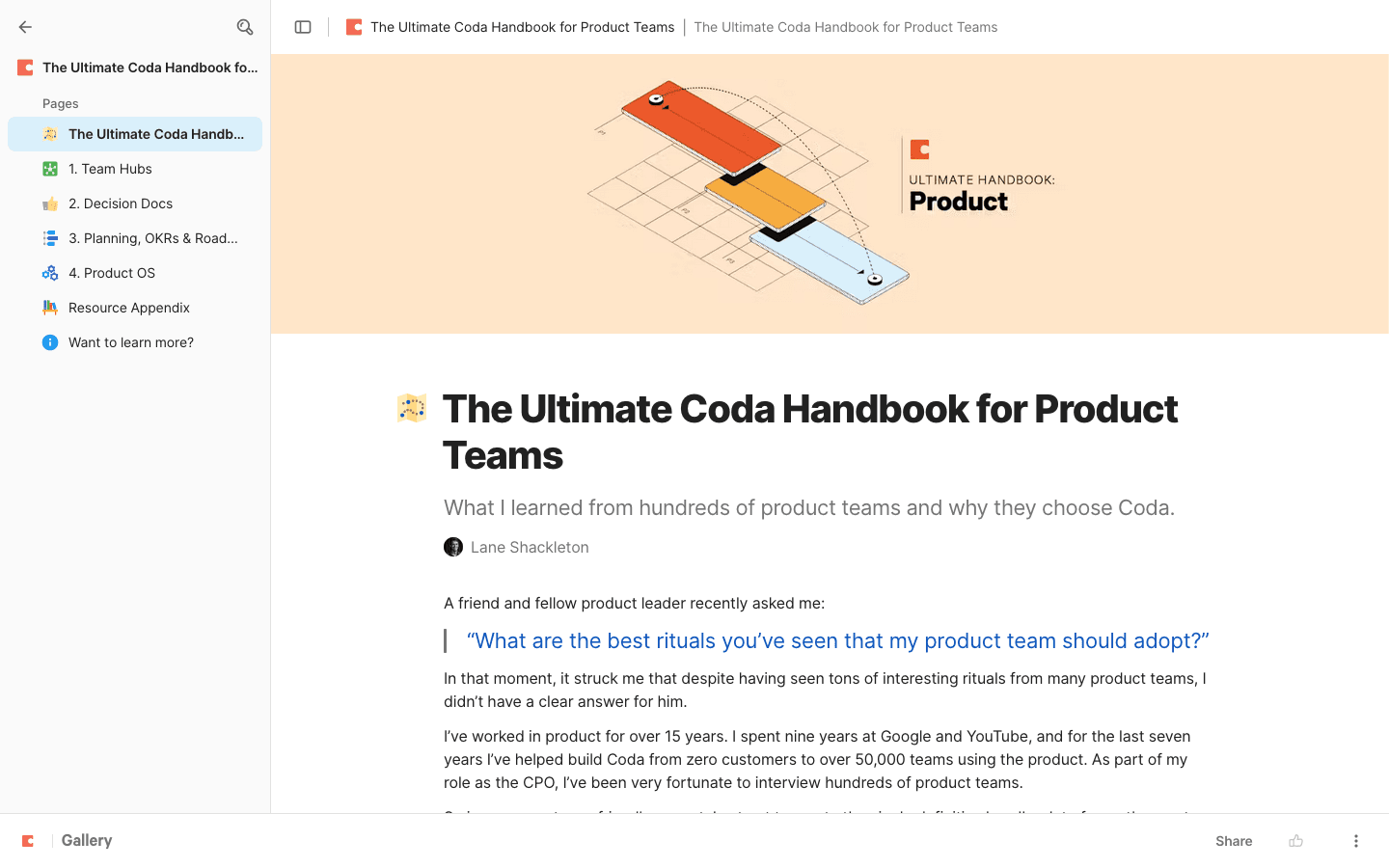
Coda is a doc tool where tables, formulas, and buttons live inside the same page as your writing. A doc can start as a plain page and grow into a project tracker, a CRM, or a small internal app without switching tools.
Grammarly acquired Coda in December 2024, then acquired the email client Superhuman in mid-2025 and renamed the whole company Superhuman that October. On July 8, 2026, Coda itself was rebranded Superhuman Docs, with existing docs converting automatically and no change to pricing or to Doc Maker billing. Day to day the product still works the same; you now buy it as part of the Superhuman Suite alongside Grammarly and Superhuman Mail rather than as a standalone subscription.
Billing is per Doc Maker: only the people building and editing docs count toward your seat count. Anyone who just views or fills in a table is free, which matters if your team has a lot of read-only stakeholders.
Coda screenshots
Who it's for
- ✓ Teams that want docs, a lightweight database, and small internal tools in one place instead of stitching together separate apps
- ✓ Teams with a handful of doc builders and a much larger group of viewers or occasional editors, since only builders are billed
Who should look elsewhere
- ✗ Teams that want a simple wiki without a formula language to learn, where Confluence, Slab, or Notion is a more direct fit
- ✗ Teams that don't want to pay for a bundle that includes Grammarly and Superhuman Mail just to get a docs tool
Pros
- + Doc Maker billing means viewers and data-entry editors don't add to your seat cost
- + Tables, formulas, and buttons in the same doc cut out separate spreadsheet or tracker tools for a lot of teams
- + Free plan has no time limit and works fine for docs you don't share widely
Cons
- – No standalone checkout anymore: Pro and Business seats bundle in Grammarly Pro and Superhuman Mail whether you want them or not
- – Formula language and doc structure take real time to learn; reviewers commonly describe 2 to 4 weeks of ramp-up before it clicks
- – Docs with a lot of data can slow down, to the point that Coda publishes its own help-center guide on speeding up heavy docs
- – Mobile apps exist for iOS and Android, but reviewers say mobile search often surfaces loosely related results or opens the wrong page, and there is no offline mode
Coda pricing
At about $12/month to start, it sits at the higher end of Docs & Knowledge Bases pricing.
| Plan | Price | Highlights |
|---|---|---|
| Free | Free | Build docs with no cost · Docs you share with others cap at 50 objects and 1,000 rows, then get a 14-day grace period before they lock to read-only |
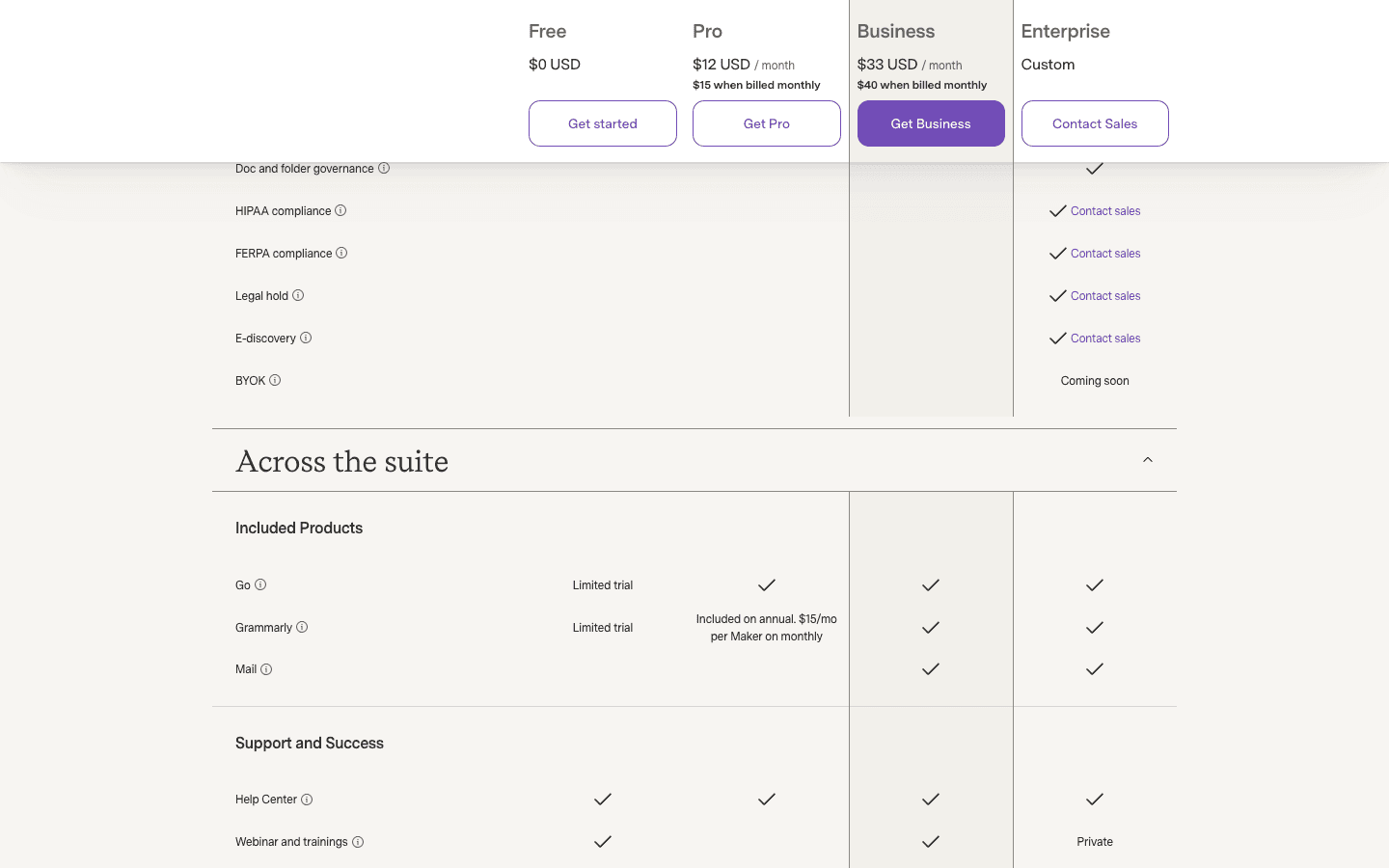
| Pro | $12/seat/mo | $12/Doc Maker/month billed annually ($144/yr), $20/mo billed quarterly, or $30/mo month-to-month · No page or object limits · Includes a set number of AI credits per Doc Maker each month |
| Business | $33/seat/mo | $33/Doc Maker/month billed annually ($396/yr) or $40/mo month-to-month · Bundles Grammarly Pro and Superhuman Mail on top of Coda docs · More AI credits per Doc Maker than Pro |
| Enterprise | Custom | SSO and admin controls · Dedicated support · Custom contract terms |
Coda checks out through the Superhuman Suite now, so a Pro or Business seat also includes Grammarly Pro and Superhuman Mail, not Coda alone. Only Doc Makers (people who build or edit docs) are billed; editors who just fill in data and viewers are free, so a 30-person team with 5 builders pays for 5 seats. We found no free trial on the paid plans at this check; the Free plan is the way in instead. Prices and tier names come from the live plan data on coda.io/pricing (which redirects to superhuman.com/docs/pricing) fetched today.
Pricing verified July 7, 2026 · source
How Coda's pricing compares
Coda next to its closest alternatives on entry price, billing, and whether pricing is public.
| Tool | Starting price | Billing | Free option | Pricing disclosed |
|---|---|---|---|---|
| Coda | $12/seat/mo | tiered | Yes | Partly public |
| Confluence | $6.7/seat/mo | per-seat | Yes | Partly public |
| Slite | $10/seat/mo | per-seat | Trial (14 days, no credit card required) | Partly public |
| Slab | $6.67/seat/mo | per-seat | Yes | Partly public |
| GitBook | $65/mo | per-site + per-seat | Yes | Partly public |
| Notion | $10/seat/mo | per-seat | Yes | Partly public |
Is Coda still actively developed?
Last significant update: July 2026. Coda was rebranded Superhuman Docs, rolling out to all existing Coda customers over 24 hours. Existing docs converted automatically, pricing did not change, and Doc Maker billing carried over as-is.
Top Coda alternatives
Coda FAQ
Is Coda free?+
Yes, the Free plan has no time limit. The catch is that any doc you share with others is capped at 50 objects and 1,000 rows; go over that and you get a 14-day grace period before the doc locks to read-only.
How does Coda's Doc Maker billing work?+
You only pay for people who build or edit docs. Anyone who just views a doc or fills in an existing table is free, so teams with a small building team and a lot of stakeholders pay less than a flat per-user price would suggest.
Is Coda still sold on its own, or is it part of a bigger bundle now?+
As of July 8, 2026, Coda is rebranded Superhuman Docs and sold as part of the Superhuman Suite. Buying Pro or Business gets you Docs plus Grammarly Pro and Superhuman Mail; there is no separate Coda-only checkout for new subscriptions.
Does Coda offer a free trial?+
We did not find an active free trial on the Pro or Business plans as of this check. The Free plan is the entry point instead of a time-limited trial.