CodeRabbit Review
AI code review that comments on pull requests, chats in your IDE, and runs from the CLI
Is this your product? Claim this page · Request a change
Looking for a CodeRabbit alternative? See our ranked comparison.→What is CodeRabbit?
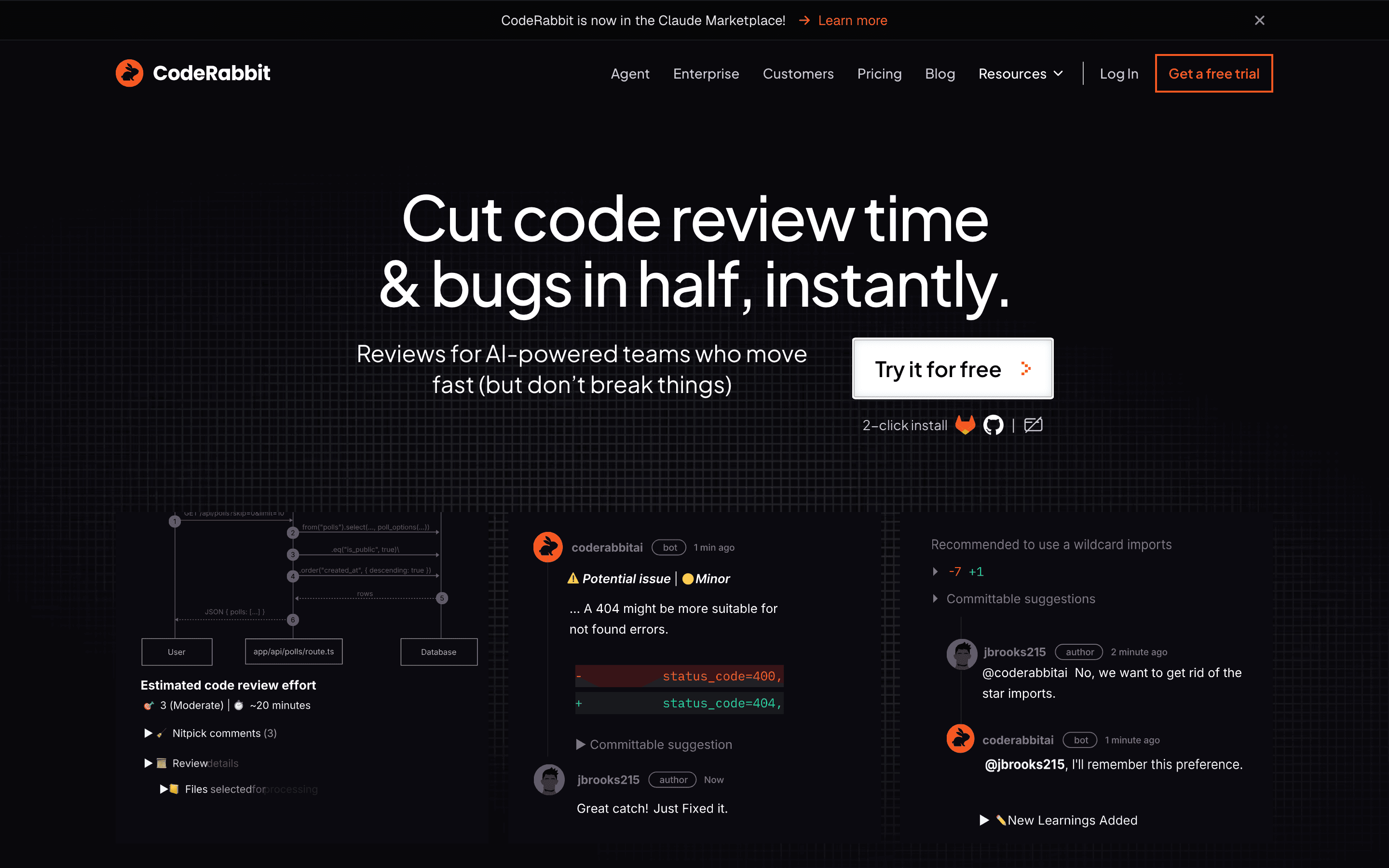
CodeRabbit reviews pull requests automatically and leaves inline comments, similar to what a human reviewer would write. It runs as a GitHub, GitLab, Azure DevOps, or Bitbucket app, plus an IDE extension and a CLI, so you can get feedback before you even open the PR.
Pricing is seat-based but only counts developers who submit pull requests, not everyone with repo access. Each plan also caps how many reviews, IDE requests, and chat messages a developer gets per hour, and that cap, not the feature list, is usually what decides which tier a team needs.
Pro Plus adds things beyond the review comment itself: unit test generation, merge conflict resolution, and an issue planner that turns review findings into tracked work. Enterprise adds self-hosting, SSO, and audit logging for teams with compliance requirements.
CodeRabbit screenshots
Who it's for
- ✓ Teams that want PR reviews to happen automatically without changing their GitHub or GitLab workflow
- ✓ Teams that only want to pay for the developers actively shipping code, not every repo collaborator
Who should look elsewhere
- ✗ Teams that need a code graph of the entire repo to catch cross-file bugs, not just diff-level review
- ✗ Teams that will run into the hourly review rate limit often and don't want to manage a usage-based add-on
Pros
- + Free forever on public repositories, no seat limit
- + Charges only for developers who open pull requests, not the whole team
- + Recent update adds source attribution so you can see which guideline triggered a comment
- + IDE, CLI, and PR review all run from one tool
Cons
- – Each plan caps reviews per developer per hour; teams that exceed it need the usage-based add-on or a higher tier
- – Review quality is diff-focused, so it can miss bugs that only show up when you look at the whole codebase
- – Reviewers report unhelpful support, including a support chatbot that only pre-fills an email rather than resolving issues
- – Enterprise pricing isn't published, so budgeting for SSO or self-hosting needs a sales call
CodeRabbit pricing
What you pay for
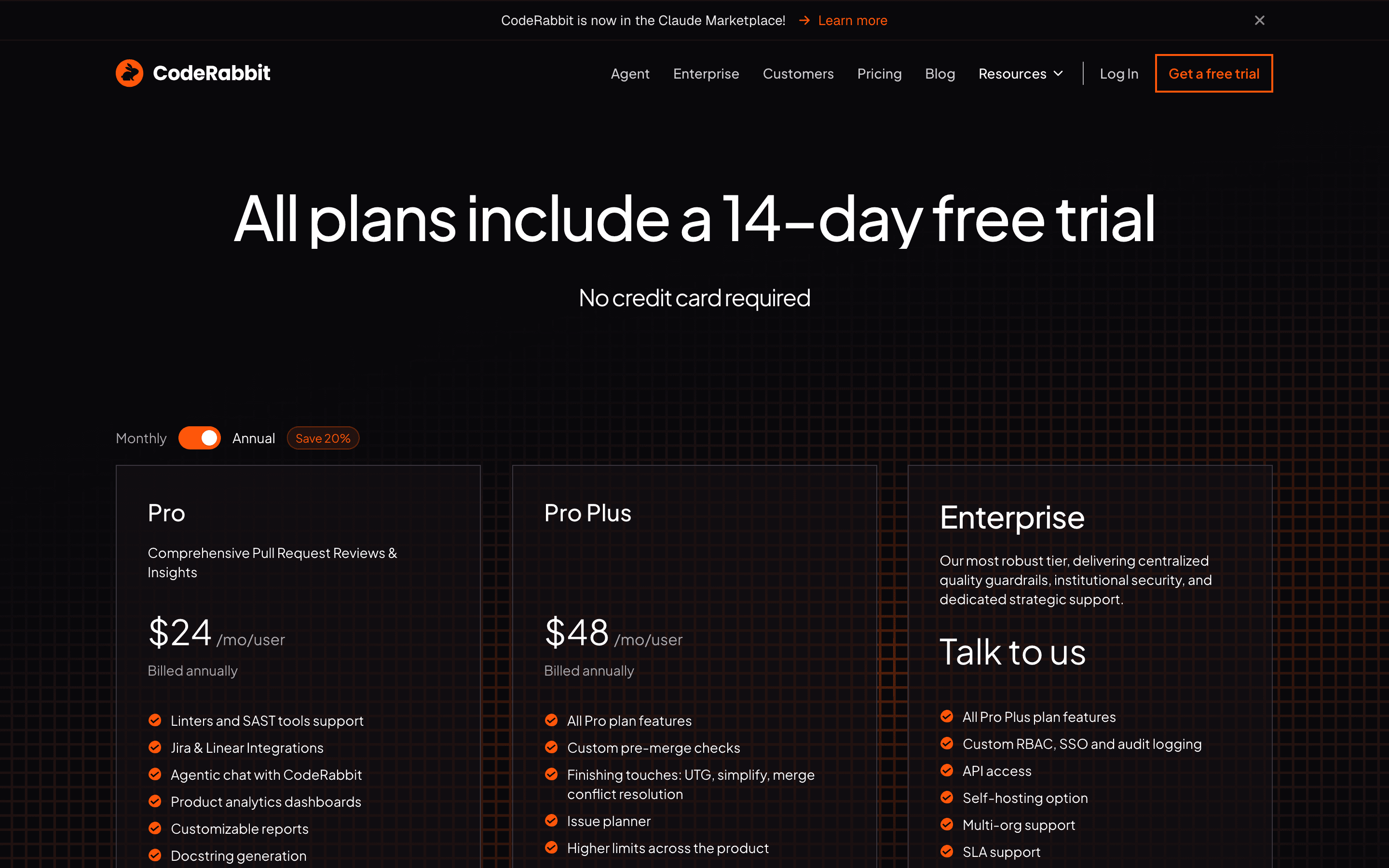
You pay per developer who actually opens pull requests, not per seat in your org chart. Pro and Pro Plus prices are public and posted on the pricing page; only Enterprise is quote-only. The real gotcha is the hourly rate limit on reviews per developer, which is what pushes teams from Pro up to Pro Plus or onto the usage-based add-on.
At about $24/month to start, it sits mid-pack on price in AI Code Review.
| Plan | Price | Highlights |
|---|---|---|
| Free | Free | Unlimited public and private repos · 1 PR review per developer per hour · PR summaries, IDE and CLI reviews · Free forever on public repos |
| Pro | $24/seat/mo | $30/seat/month billed monthly instead · 5 PR reviews per developer per hour · Linter and SAST support · Jira and Linear integrations · Agentic chat, analytics dashboards, autofix |
| Pro Plus | $48/seat/mo | $60/seat/month billed monthly instead · 10 PR reviews per developer per hour · Unit test generation, merge conflict resolution · Issue planner, higher MCP and repo-analysis limits |
| Enterprise | Custom | Self-hosting, multi-org support, SSO · Custom RBAC and audit logging · Dedicated customer success manager, SLA · API access |
Only developers who open pull requests count as billable seats, not every repo collaborator. Annual billing saves about 20% versus paying month to month ($24 vs $30 per seat for Pro, $48 vs $60 for Pro Plus). Plans also cap PR reviews, IDE requests, and chat messages per developer per hour; teams that exceed the cap can add a usage-based top-up. Enterprise is quote-only.
Pricing verified July 7, 2026 · source
How CodeRabbit's pricing compares
CodeRabbit next to its closest alternatives on entry price, billing, and whether pricing is public.
| Tool | Starting price | Billing | Free option | Pricing disclosed |
|---|---|---|---|---|
| CodeRabbit | $24/seat/mo | per-seat | Yes | Partly public |
| Codacy | $18/seat/mo | per-seat | Yes | Partly public |
| CodeAnt | $24/seat/mo | per-seat | Trial (14 days, no credit card required, unlimited seats and 100 PR reviews included) | Partly public |
| Qodo | $30/seat/mo | usage-based | Trial (14 days, unlimited usage, no credit card required) | Partly public |
| Greptile | $30/seat/mo | tiered | Yes | Partly public |
| SonarQube | $34/mo | usage-based | Yes | Partly public |
Is CodeRabbit still actively developed?
Last significant update: July 2026. Review comments now show source attribution, tracing each flagged issue back to the specific guideline or rule that triggered it
Top CodeRabbit alternatives
CodeRabbit FAQ
Is CodeRabbit free?+
Yes, for public repositories it's free forever. Private repos get a 14-day trial of Pro Plus, then drop to the Free tier's 1 review per developer per hour unless you upgrade.
How does CodeRabbit charge for seats?+
Only developers who open pull requests count as billable seats. Reviewers, viewers, and other repo collaborators don't add to the bill.
What happens if my team exceeds the review rate limit?+
Each plan caps PR reviews per developer per hour (1 on Free, 5 on Pro, 10 on Pro Plus, 12 on Enterprise). Pro, Pro Plus, and Enterprise teams can turn on a usage-based add-on to keep reviewing past the cap instead of upgrading tiers.
Does CodeRabbit publish Enterprise pricing?+
No. Enterprise, which adds self-hosting, SSO, custom RBAC, and audit logging, is quote-only through a sales call.