FireHydrant Review
Incident management, on-call alerting, and status pages for engineering teams
Is this your product? Claim this page · Request a change
Looking for a FireHydrant alternative? See our ranked comparison.→What is FireHydrant?
FireHydrant is an incident management platform: it runs your incident Slack/Teams channels, runbooks, on-call schedules, status pages, and postmortems in one place. The pitch is fewer tools glued together with Zapier and less manual copy-paste from Slack into a doc after an incident.
It covers the full loop: alerting via Signals (its on-call product), declaring and running the incident with automated runbooks, then generating a retrospective with AI-drafted summaries and follow-up tracking. It competes directly with PagerDuty and Opsgenie on alerting, and with incident.io and Rootly on the incident-response and postmortem side.
Pricing is split into two separate meters: a per-responder seat price for incident management, and a separate usage-based charge for Signals alerting that FireHydrant doesn't publish rates for.
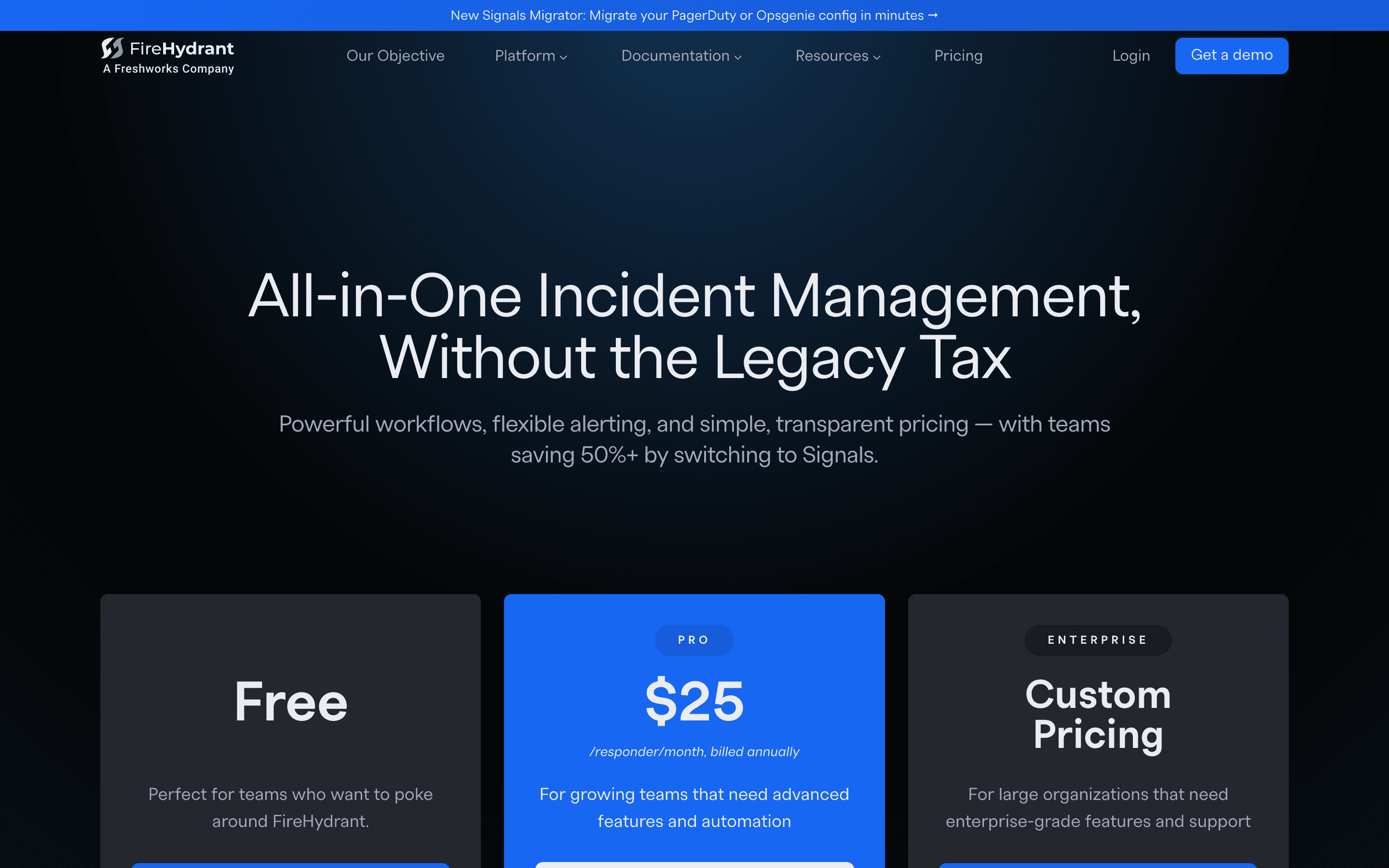
FireHydrant screenshots
Who it's for
- ✓ Teams that want incident response, on-call, and status pages under one vendor instead of stitching PagerDuty plus a separate incident tool
- ✓ Engineering orgs that already run postmortems and want AI-drafted retrospectives and follow-up tracking to cut the writing burden
Who should look elsewhere
- ✗ Teams that just need simple phone/SMS on-call paging and don't need runbooks or retrospective tooling
- ✗ Budget-constrained teams that want to see all-in costs upfront: Signals alert pricing and Enterprise pricing both require a sales call
Pros
- + Free plan supports up to 10 responders, which covers a lot of small teams' first rotation
- + AI-generated incident summaries and retrospectives cut down postmortem writing time
- + Runbooks automate the repetitive parts of declaring and staffing an incident
- + Customer support gets consistently good marks in reviews, including during live incidents
Cons
- – The $25/seat/month Pro plan only bills annually, so you commit for a year before knowing if it fits
- – Signals on-call alerting is billed separately by alert volume and that rate isn't published anywhere
- – SSO is bundled at the Pro tier but deeper admin controls (SCIM, audit logs, multiple orgs) require Enterprise and a custom quote
- – Reviewers flag it getting expensive once you add many responders or scale past a single team
FireHydrant pricing
What you pay for
You pay per responder for incident management (Pro at $25/seat/month annual), and separately for on-call alerting based on how many alerts you send. The free plan caps out at 10 responders and 2 runbooks, which is enough to try it but not to run a real rotation. Enterprise pricing, SSO add-ons beyond Pro, and Signals alert-volume rates are all quote-only and not posted.
At about $25/month to start, it sits at the higher end of Incident Management & On-call pricing.
| Plan | Price | Highlights |
|---|---|---|
| Free | Free | Up to 10 responders · 2 runbooks · Slack and Teams chatbot · 1 public status page · 3 integrations |
| Pro | $25/seat/mo | 5 runbooks · 1 retrospective template · Unlimited public status pages · Service catalog · 10 custom fields · 5 integrations · On-call scheduling and unlimited escalation policies · SSO · Standard support |
| Enterprise | Custom | Unlimited runbooks, integrations, and custom fields · Private incidents and private status pages · FireHydrant AI features · Incident analytics · Alert grouping and live call routing · SCIM, audit logs, multiple orgs, SLAs · Dedicated success manager |
Pro is $25/responder/month billed annually, no monthly billing option on that plan. Signals (on-call alerting) is priced separately based on alert volume, not disclosed on the public pricing page. SMS and voice notifications for on-call cost extra.
Pricing verified July 7, 2026 · source
How FireHydrant's pricing compares
FireHydrant next to its closest alternatives on entry price, billing, and whether pricing is public.
| Tool | Starting price | Billing | Free option | Pricing disclosed |
|---|---|---|---|---|
| FireHydrant | $25/seat/mo | per-seat | Yes | Partly public |
| PagerDuty | $21/seat/mo | per-seat | Yes | Partly public |
| incident.io | $15/seat/mo | per-seat | Yes | Partly public |
| Rootly | $20/seat/mo | per-seat | Trial (About 2 weeks) | Partly public |
| Better Stack | $29/seat/mo | per-seat | Yes | Partly public |
Is FireHydrant still actively developed?
Last significant update: June 2026. Shipped team visibility improvements so new users see their team's incidents and on-call status right away, on the heels of a recap release covering May's deeper analytics and smarter on-call filters.
Top FireHydrant alternatives
FireHydrant FAQ
Is FireHydrant free to use?+
Yes, the Free plan supports up to 10 responders with 2 runbooks, a chatbot for Slack and Teams, 1 public status page, and 3 integrations.
How much does FireHydrant cost per seat?+
The Pro plan is $25 per responder per month, billed annually only, with no monthly option.
How is on-call alerting priced?+
Signals, FireHydrant's on-call and alerting product, is charged based on the number of alerts you send. FireHydrant does not publish these rates; you need to contact sales.
Does FireHydrant cost more than PagerDuty?+
Reviewers on G2 often describe FireHydrant as a cheaper switch from PagerDuty or Opsgenie for mid-market teams, though costs can climb once you add many responders.