Microsoft Clarity Review
Free session recordings, heatmaps, and AI-generated insights for any site
Is this your product? Claim this page · Request a change
Looking for a Microsoft Clarity alternative? See our ranked comparison.→What is Microsoft Clarity?
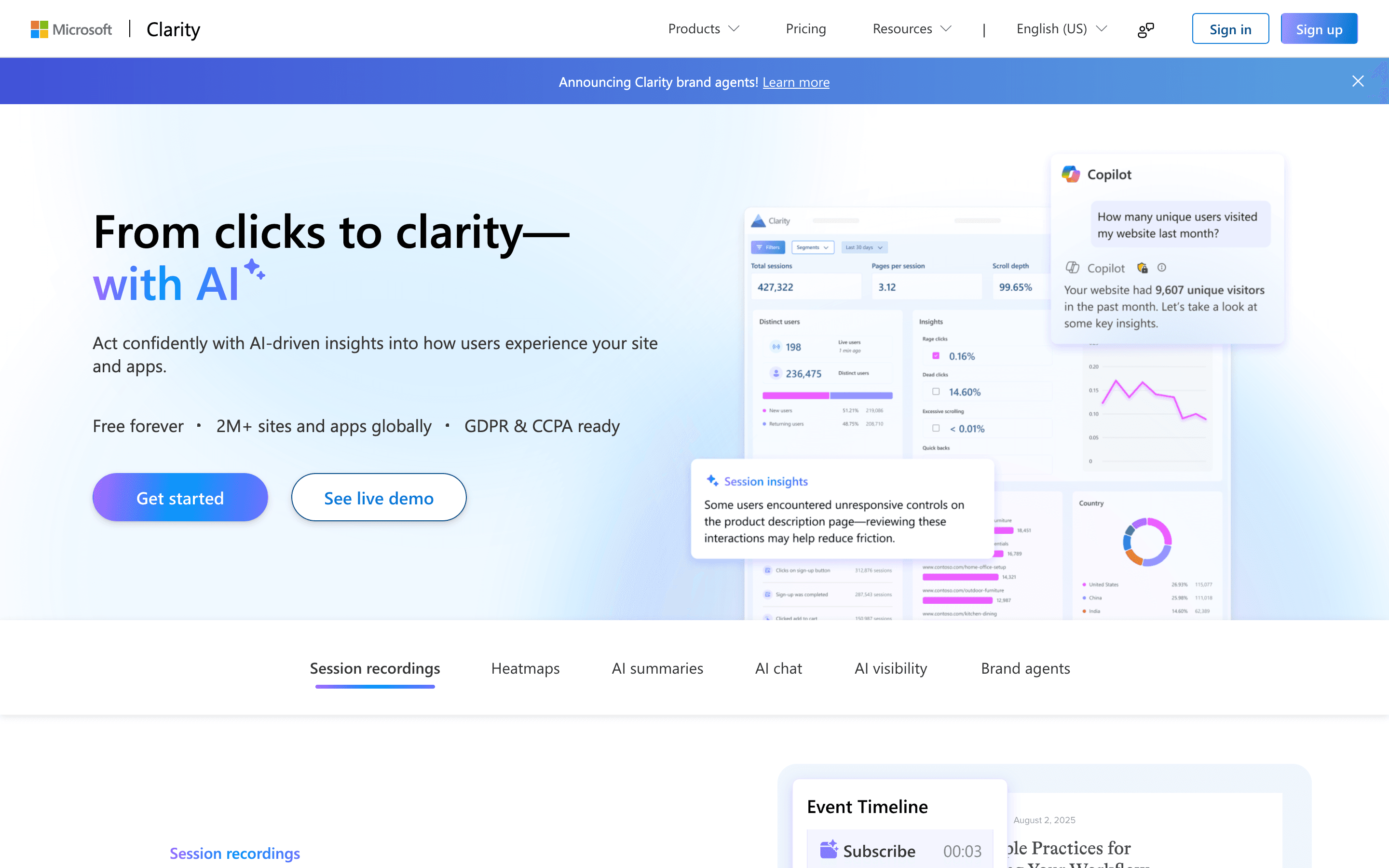
Microsoft Clarity is a free tool for watching how people actually use your site. It records real user sessions, builds click and scroll heatmaps, and flags rage clicks, dead clicks, and quick backs so you can spot where visitors get stuck without reading through hundreds of tickets.
It sits next to Google Analytics rather than replacing it: Clarity shows you the individual moments behind a metric, GA shows you the trend. Recent releases have pushed it past pure UX debugging into tracking AI bot and crawler traffic, including which bots ignore your robots.txt file, plus a chat interface for asking questions about your session data in plain language.
Because Microsoft doesn't charge for it, there's no plan to pick. You add a tracking snippet, and every session on the site is recorded and searchable, on a free product roadmap that keeps shipping new features rather than gating them behind a paywall.
Microsoft Clarity screenshots
Who it's for
- ✓ Teams that want unlimited session recordings and heatmaps without a per-session or per-visit bill
- ✓ High-traffic sites where usage-based session replay pricing from paid tools would get expensive fast
- ✓ Product and marketing teams already on Google Analytics who want a quick second opinion on where users get stuck
Who should look elsewhere
- ✗ Teams that need built-in A/B testing, surveys, or form analytics alongside replay, since Clarity only observes
- ✗ Anyone who needs recordings kept longer than 30 days without manually favoriting them
- ✗ Sites that must honor Do Not Track (DNT) browser signals for compliance, since Clarity doesn't currently respond to DNT
Pros
- + Genuinely free with no session caps, no seat limits, and no upgrade prompts
- + Unlimited team members and unlimited projects per account
- + AI-generated summaries of recordings and a chat interface for querying session data without watching every clip
- + New Bot Analytics features show which AI crawlers and bots are hitting your site and whether they respect robots.txt
Cons
- – No A/B testing, on-page surveys, or form analytics, so you can't test fixes for the friction you find
- – Recordings are deleted after 30 days unless you favorite them or they land in Clarity's sampled set
- – A single heatmap maxes out at 100,000 page views, which busy sites can hit fast
- – AI Bot Activity tracking isn't available out of the box, it only turns on after you connect a supported CDN or edge provider like Fastly, Cloudflare, or Amazon CloudFront
- – Live session viewing is capped at 100 sessions at a time
Microsoft Clarity pricing
What you pay for
You don't pay for Clarity itself. Microsoft gives away recordings, heatmaps, and AI summaries in exchange for aggregate behavioral data feeding its own products. The only real costs are ones you create yourself, like CDN fees if you connect bot-traffic logs, or the time cost of hitting the 30-day recording window and 100k-pageview heatmap cap on high-traffic sites.
No public entry price to compare, so budget depends on a sales quote.
| Plan | Price | Highlights |
|---|---|---|
| Pricing is quote-only. Contact the vendor for a quote. | ||
Clarity has no paid plan. Every feature, including session recordings, heatmaps, and the AI dashboard, is free with no traffic caps and no credit card required. The only cost that can show up is indirect: connecting a CDN for Bot Analytics can trigger extra log-access or data-transfer charges from your own CDN or cloud provider, billed by them, not Microsoft. Recordings are kept 30 days (favorited or sampled recordings up to 9 months), and a single heatmap tops out at 100,000 page views, which is the main practical ceiling on the free plan.
Pricing verified July 7, 2026 · source
How Microsoft Clarity's pricing compares
Microsoft Clarity next to its closest alternatives on entry price, billing, and whether pricing is public.
| Tool | Starting price | Billing | Free option | Pricing disclosed |
|---|---|---|---|---|
| Microsoft Clarity | Free tier + custom | free | Yes | Not disclosed |
| LogRocket | $176/mo | usage-based | Trial (14 days, no credit card required) | Partly public |
| Smartlook | Free tier + custom | tiered | Yes | Not disclosed |
| PostHog | Free tier + custom | usage-based | Yes | Partly public |
| Fullstory | Free tier + custom | quote-only | Yes | Not disclosed |
Is Microsoft Clarity still actively developed?
Last significant update: June 2026. Bot Analytics now flags robots.txt violations, showing which crawlers ignore your disallow rules, tracking violation trends over time, and letting you filter by operator, bot name, and activity type.
Top Microsoft Clarity alternatives
Microsoft Clarity FAQ
Is Microsoft Clarity really free, or is there a hidden paid tier?+
It's free with no paid tier. There are no traffic limits, no session caps, and no credit card required to sign up.
How long does Clarity keep my session recordings?+
30 days from the time of recording. Recordings you favorite, or ones Clarity randomly samples, stick around for up to 9 months.
Does Clarity have a limit on heatmap data?+
Yes. A single heatmap is capped at 100,000 page views, which is worth knowing if you run a high-traffic page.
Why would a team pay for a session-replay tool instead of using Clarity?+
Mainly for features Clarity doesn't have: built-in A/B testing, on-page surveys, and form analytics. Clarity shows you where users struggle; it doesn't let you test fixes for it.