LogRocket Review
Session replay, error tracking, and product analytics in one pane, built for debugging real user problems
Is this your product? Claim this page · Request a change
Looking for a LogRocket alternative? See our ranked comparison.→What is LogRocket?
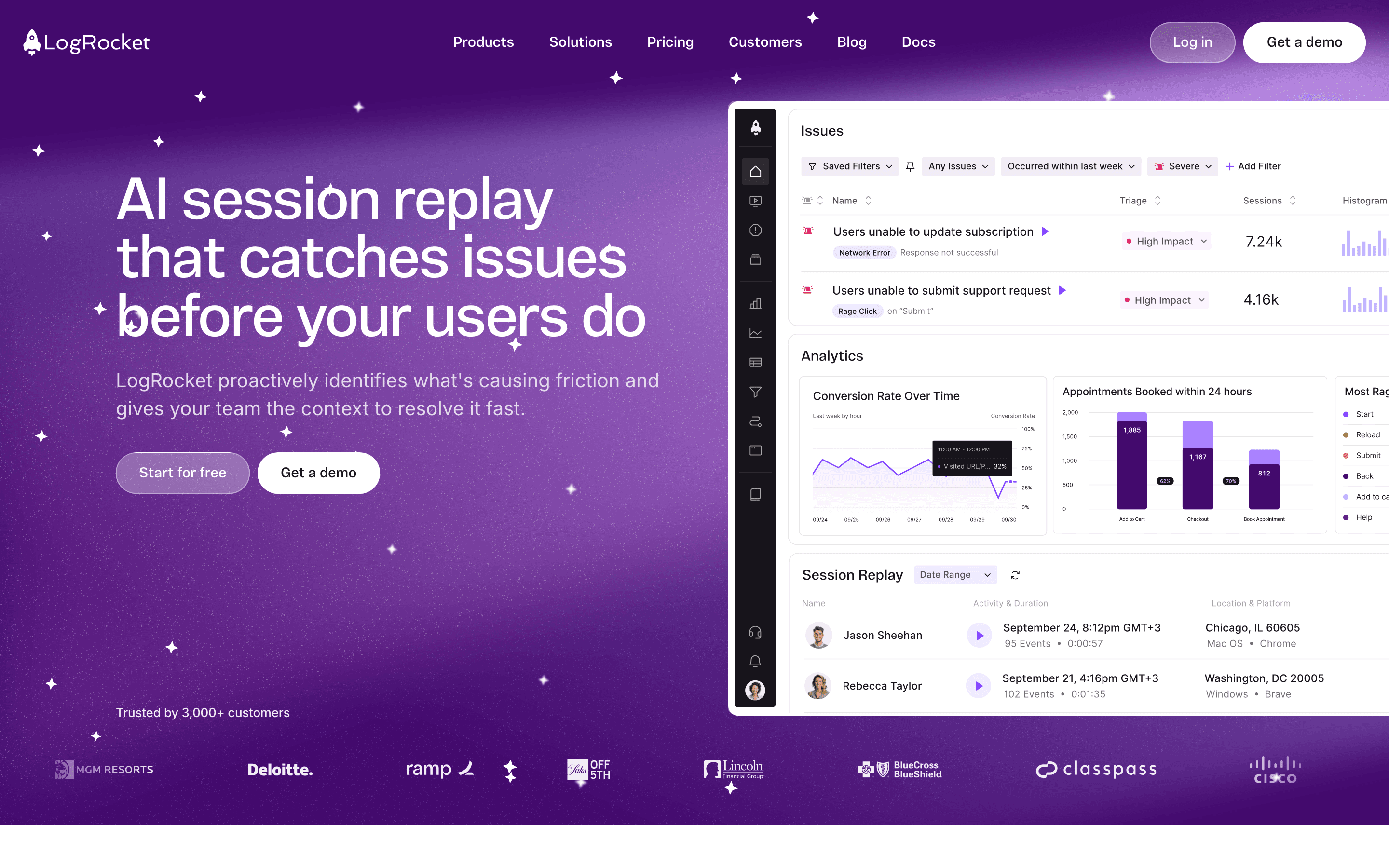
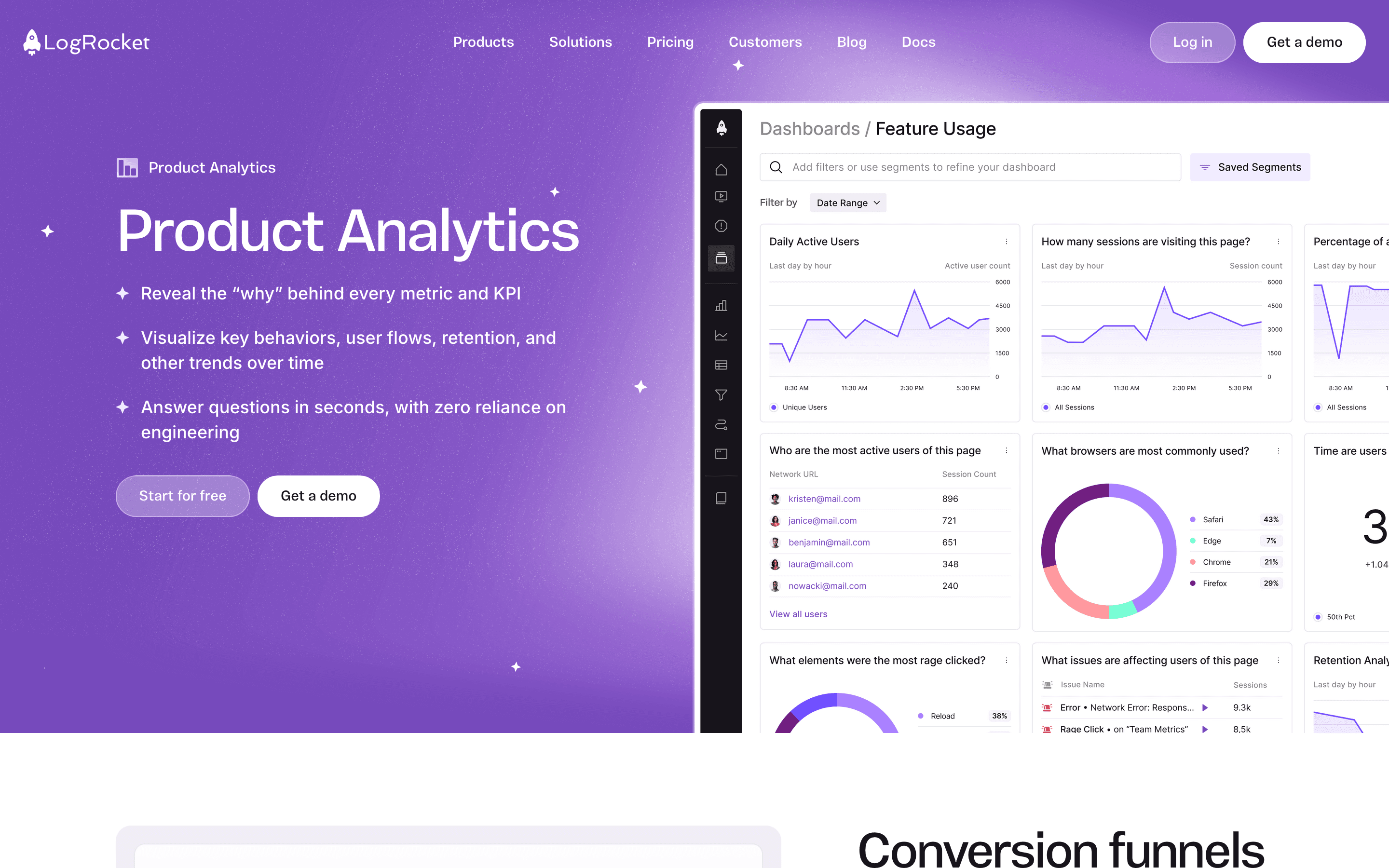
LogRocket combines session replay with error tracking and product analytics so you can watch what a user actually did right before something broke, instead of piecing it together from logs. You get pixel-accurate replays, a network and console log synced to the same timeline, and heatmaps and funnels layered on top so you can go from "users are dropping off" to "here's the exact click that caused it."
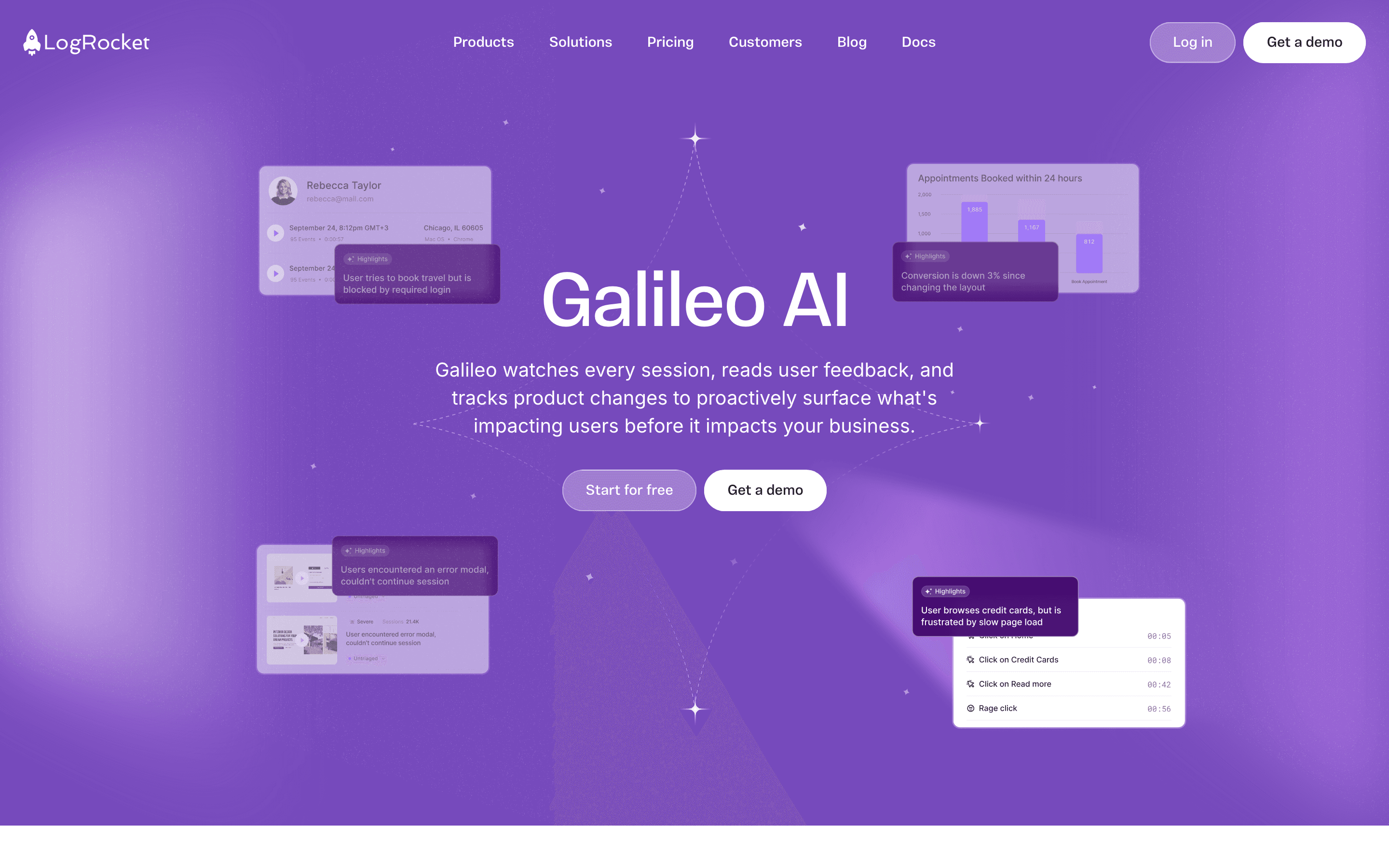
Its newer AI layer, Galileo, reads session replays and error data to surface issues on its own, summarize what happened, and now dispatch flagged bugs to coding agents like Cursor or Claude Code to draft a fix as a pull request.
LogRocket screenshots
Who it's for
- ✓ Product and engineering teams who need to see the exact session behind a rage click, dead click, or dropped funnel step
- ✓ Teams that already use Cursor, Claude Code, or Codex and want bugs routed straight to those agents
- ✓ Teams who want replay, error tracking, and product analytics in one tool instead of stitching three together
Who should look elsewhere
- ✗ Teams on a fixed small budget who need a flat, predictable monthly price regardless of traffic
- ✗ Teams that only need basic replay and heatmaps and don't need error tracking or AI issue triage
Pros
- + Session replay is synced with console logs, network requests, and Redux/state data, so you can debug from one timeline instead of switching tools
- + Galileo AI now auto-routes flagged bugs to coding agents and opens a pull request, cutting the time between a user hitting an error and a fix being ready for review
- + Analytics, error tracking, and logs are unlimited on every paid plan, so you're not paying extra to see what happened, only for how many sessions you capture
- + Conditional recording lets you capture a percentage of sessions instead of all of them, which keeps cost down on high-traffic sites
Cons
- – There is no free-forever plan, only a 14-day trial, so you need to commit to a paid plan to keep using it
- – Pricing scales with session volume and isn't fully published for Pro, so budgeting ahead of a sales conversation takes some guesswork
- – Reviewers on G2 note cost can climb fast for high-traffic sites once you're past the entry-level session tier
LogRocket pricing
What you pay for
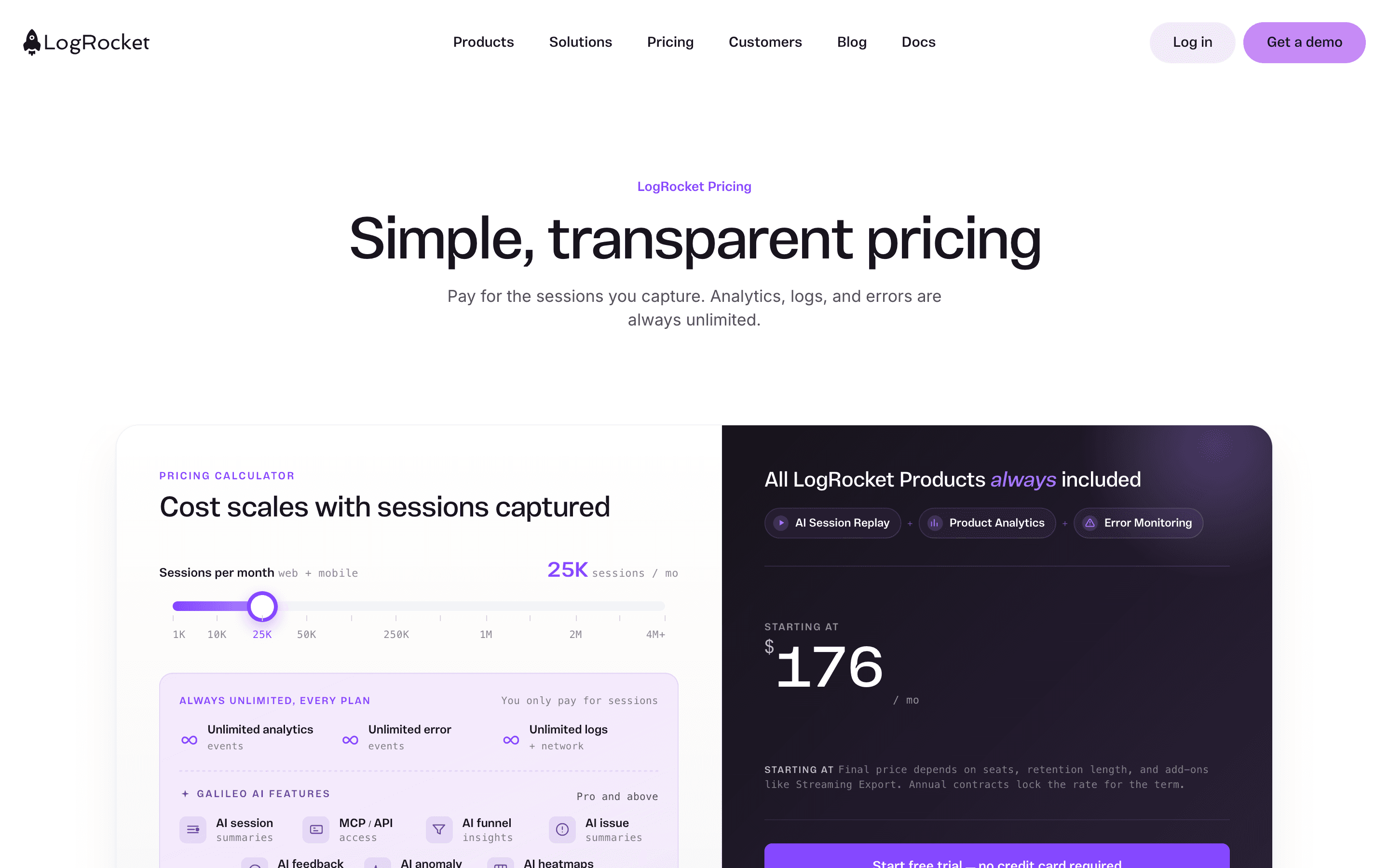
You pay for the sessions LogRocket captures, not per seat. Analytics, error tracking, and logs stay unlimited on every plan, and the bill moves with your session volume, retention length, and add-ons. The Core price is disclosed on the site through a calculator; Pro's exact price and all of Enterprise are quote-only.
Starts around $176/month.
| Plan | Price | Highlights |
|---|---|---|
| Core | $176/mo | Starting price at the default slider setting of 25K sessions/month · Unlimited analytics, error tracking, and logs · Session replay, heatmaps, performance monitoring, surveys, SSO |
| Pro | Custom | Everything in Core plus Galileo AI · AI session summaries, issue detection, funnel and heatmap insights · Included free once you're capturing more than 100K sessions/month · 500 free API/MCP credits per month |
| Enterprise | Custom | Unlimited seats · Streaming data export, self-hosted option · 2,000 free API/MCP credits per month · Dedicated support |
Core starts at $176/month at the calculator's default setting of 25K sessions/month; moving the slider up to 4M+ sessions raises the price. A conditional recording add-on that captures about 25% of sessions runs roughly $765/month at that same volume. Pro adds Galileo AI on top of Core pricing and is bundled in free once you're already capturing more than 100K sessions/month. Enterprise requires talking to sales. LogRocket also offers volume, startup, nonprofit, open-source, and multi-year discounts.
Pricing verified July 7, 2026 · source
How LogRocket's pricing compares
LogRocket next to its closest alternatives on entry price, billing, and whether pricing is public.
| Tool | Starting price | Billing | Free option | Pricing disclosed |
|---|---|---|---|---|
| LogRocket | $176/mo | usage-based | Trial (14 days, no credit card required) | Partly public |
| Microsoft Clarity | Free tier + custom | free | Yes | Not disclosed |
| Smartlook | Free tier + custom | tiered | Yes | Not disclosed |
| PostHog | Free tier + custom | usage-based | Yes | Partly public |
| Fullstory | Free tier + custom | quote-only | Yes | Not disclosed |
Is LogRocket still actively developed?
Last significant update: June 2026. Launched a self-improving software feature in Galileo AI: it watches session replays, identifies high-impact bugs, and dispatches them straight to your coding agent (Cursor, Claude Code, or Codex), which traces the bug, writes a fix, and opens a pull request for you to review.
Top LogRocket alternatives
LogRocket FAQ
Does LogRocket have a free plan?+
No. LogRocket offers a 14-day free trial with no credit card required, but there's no free-forever tier. After the trial you need to move to a paid plan.
How does LogRocket pricing actually work?+
You pay based on how many sessions you capture per month, not per seat. Core starts at $176/month at the default 25K sessions/month setting on their pricing calculator, and the price rises as you add sessions, retention, or add-ons like streaming export. Analytics, error tracking, and logs are unlimited at every level.
Can LogRocket capture only some sessions to save money?+
Yes. Conditional recording lets you capture a percentage of sessions, for example around 25%, instead of every session, which brings the bill down for high-traffic sites.
What is Galileo AI in LogRocket?+
Galileo is LogRocket's AI layer. It reads session replays and error data to summarize issues and flag high-impact bugs, and it can now dispatch those bugs directly to a coding agent like Cursor, Claude Code, or Codex, which drafts a fix as a pull request for you to review.