Browse AI Review
No-code web scraping and monitoring, trained by clicking on the data you want
Is this your product? Claim this page · Request a change
Looking for a Browse AI alternative? See our ranked comparison.→What is Browse AI?
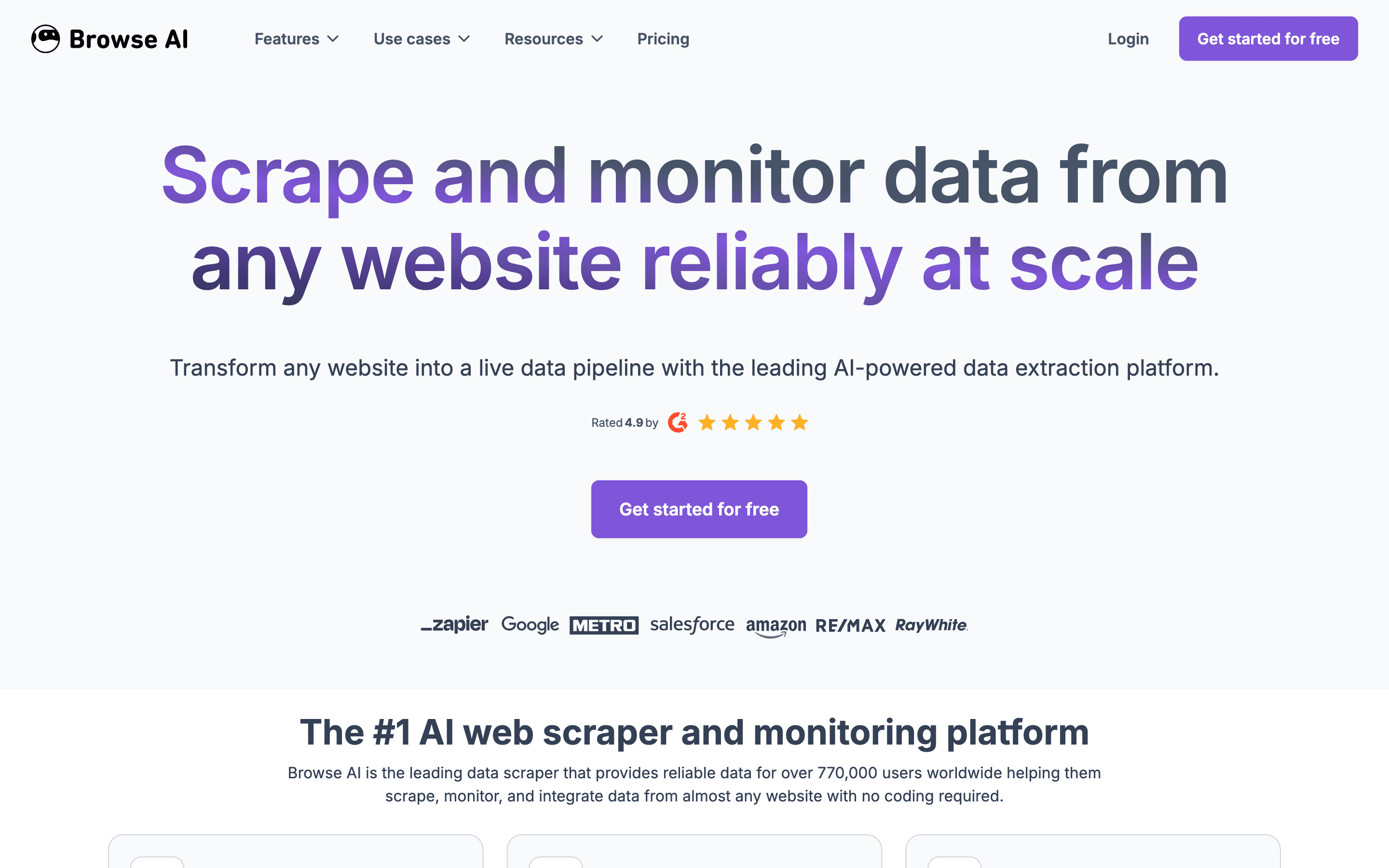
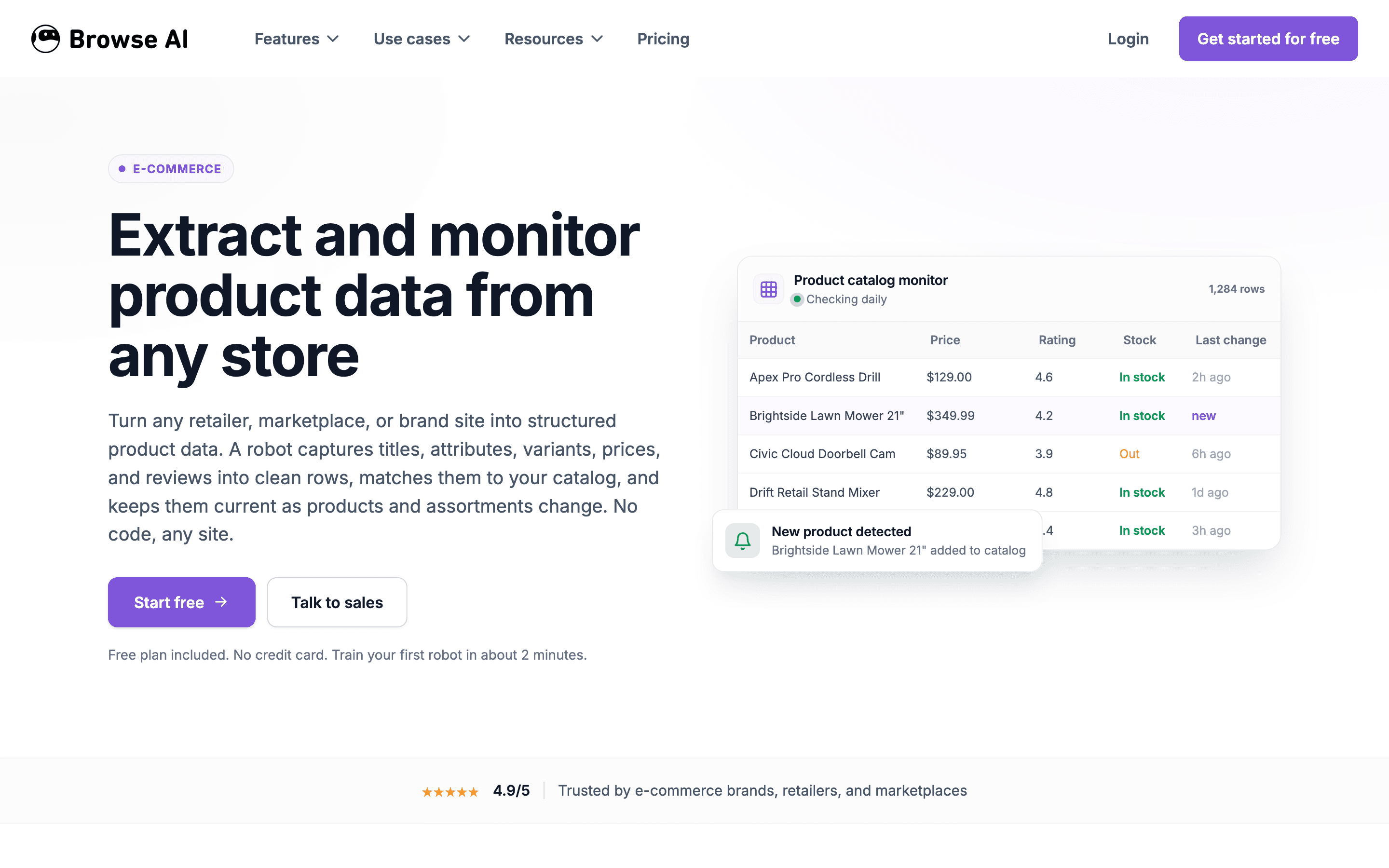
Browse AI is a no-code scraping tool. You open a page, click on the fields you want, and it turns that into a robot that keeps pulling the same data on a schedule. It also runs bulk jobs from a list of URLs and can monitor pages for changes and send an alert.
It's built for people who don't want to write scraping code. You get a point-and-click trainer, prebuilt robots for common sites, and exports to Google Sheets, Airtable, an API, or Zapier. Everything runs on a credits system: every row of data or screenshot pulled costs a credit, and your plan sets how many you get per month or year.
Browse AI screenshots
Who it's for
- ✓ Ops, marketing, and research teams who need structured data from websites without writing scraper code
- ✓ Teams already working in Sheets, Airtable, or Zapier who want scraped data to land there directly
Who should look elsewhere
- ✗ Developers who want a scraping API or SDK with full control over headless browser sessions and proxy pools
- ✗ Teams running very high-volume scraping where credit costs would run past a code-first, usage-priced provider
Pros
- + Point-and-click robot training with prebuilt robots for common sites, no code required
- + Handles both scheduled monitoring and one-off bulk scraping from thousands of URLs in a single CSV upload
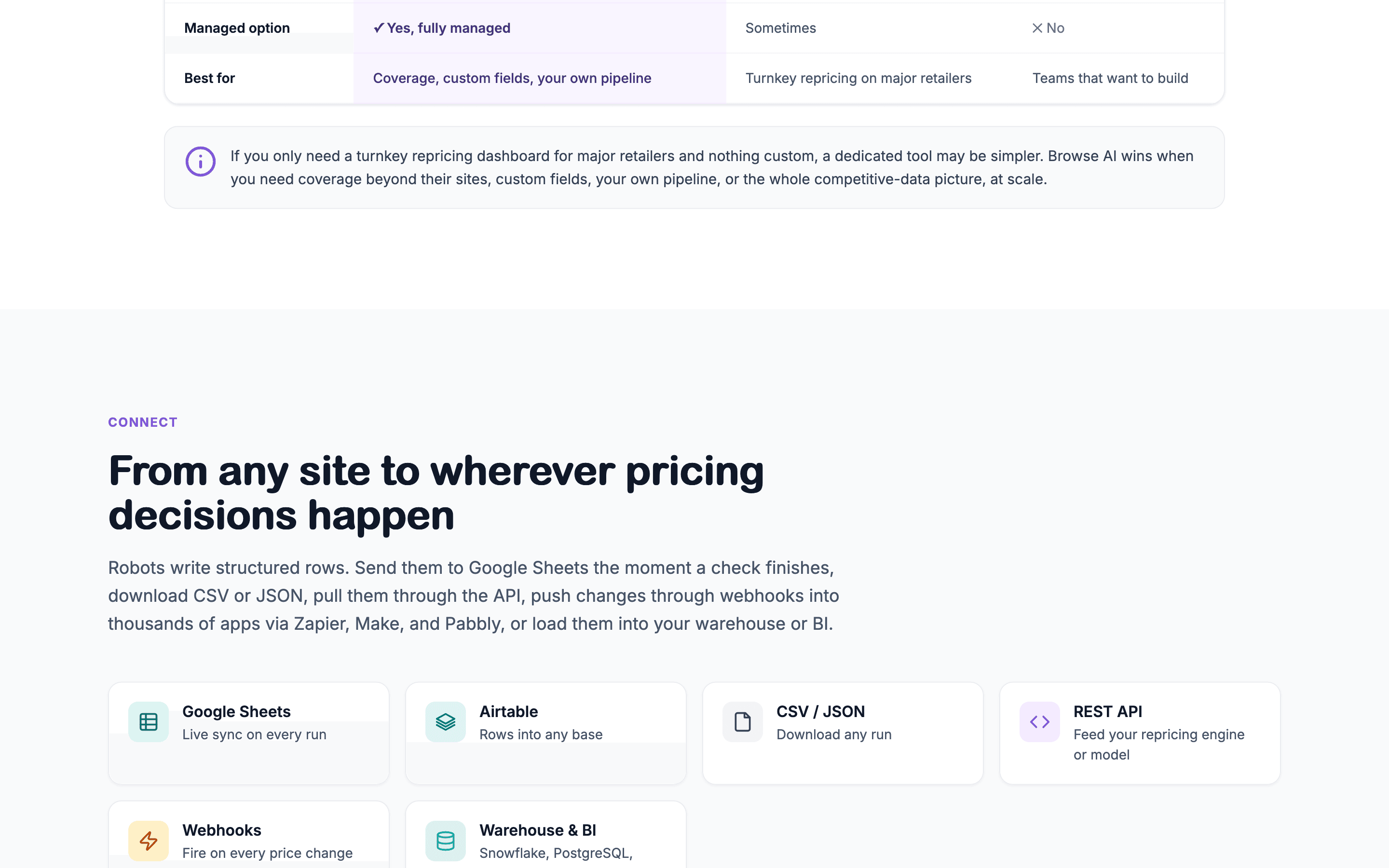
- + Wide range of export options: Google Sheets, Airtable, webhooks, API, and Zapier/Make
- + SOC 2 Type 2 certified, which matters if you're handling client data
Cons
- – Credit-based pricing means heavy scraping and monitoring jobs can burn through your monthly allowance quickly, and G2 reviewers most often cite the free plan's credit limits as the thing they'd change
- – Jump from Personal ($19/month annual) to Professional ($69/month annual) is steep if you outgrow 5 websites or need more credits
- – No code-first API layer for teams that want a scraping SDK instead of a point-and-click UI
- – Heavily scripted or login-gated pages can trip up the point-and-click trainer more than a code-first scraper would
Browse AI pricing
What you pay for
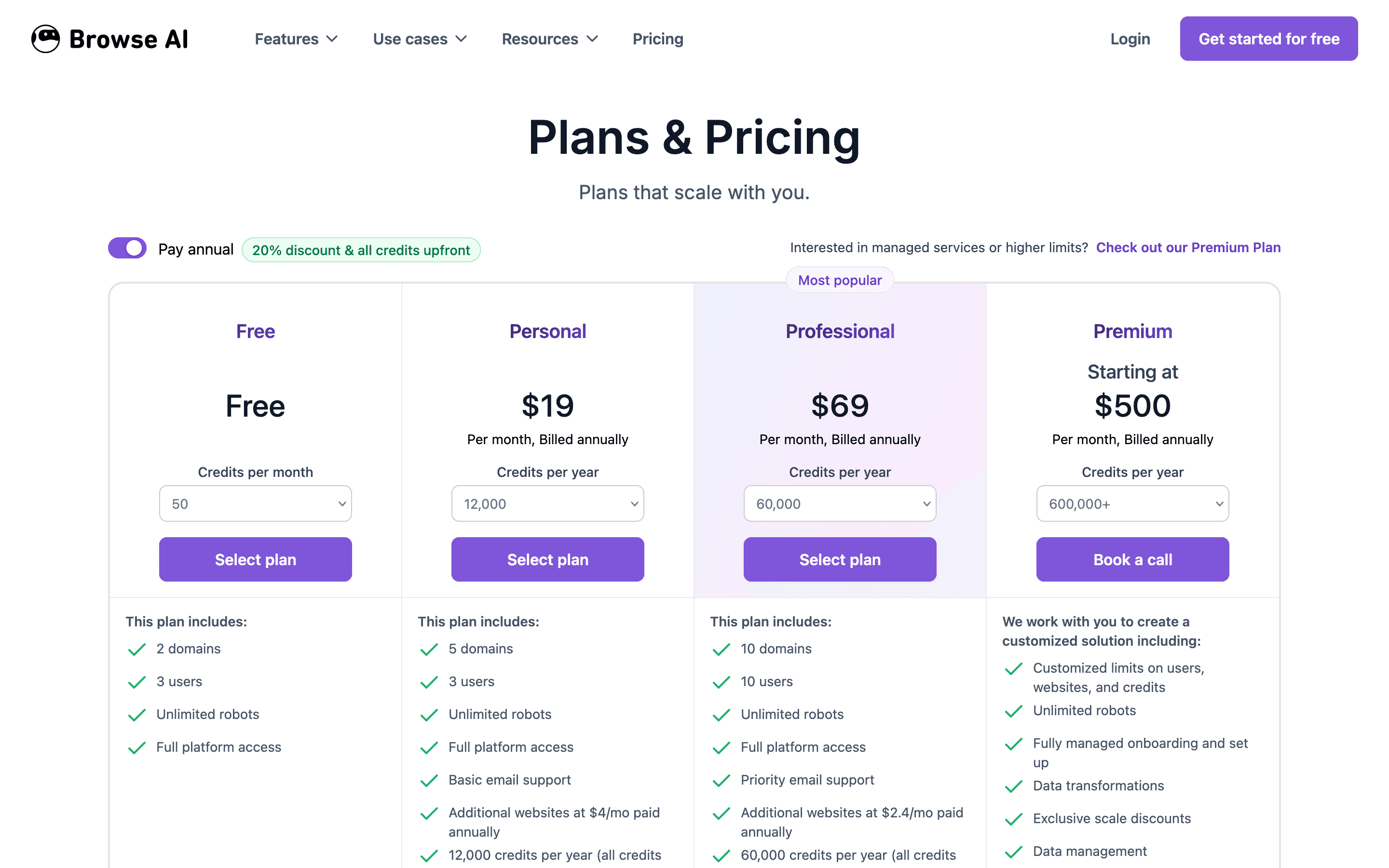
You pay for a monthly or yearly credit pool, not per seat. Every plan bundles a set number of credits (1 credit = 10 rows or 1 screenshot) plus caps on how many websites and users you can run. All prices are public on the pricing page, nothing is quote-only except the top Premium tier, which lists a starting price rather than a fixed one.
At about $19/month to start, it is one of the cheaper options in Web Scraping & Data Extraction.
| Plan | Price | Highlights |
|---|---|---|
| Free | Free | 50 credits per month · 2 websites · 3 users · unlimited robots |
| Personal | $19/mo | 12,000 credits per year, all upfront, at the $19/month annual rate (a 24,000/year option is also offered at a higher price) · $48/month if billed monthly, which includes 2,000 credits/month · 5 websites · 3 users · basic email support |
| Professional | $69/mo | 60,000 credits per year, all upfront, at the $69/month annual rate (120,000/240,000/360,000-per-year options are also offered at higher prices) · $87/month if billed monthly, which includes 5,000 credits/month · 10 websites · 10 users · priority email support |
| Premium | $500/mo | Starting price, billed annually · 600,000+ credits/year · custom websites and users · dedicated account manager and managed onboarding |
1 credit equals 10 rows extracted or 1 screenshot; scraping premium sites has a minimum cost of 2-10 credits per run. Annual billing gives a 20% discount and all credits upfront. Extra websites beyond a plan's limit cost $2.40-$5/month each depending on plan. Browse AI offers a full refund within 60 days of purchase, subject to conditions in its refund policy.
Pricing verified July 17, 2026 · source
How Browse AI's pricing compares
Browse AI next to its closest alternatives on entry price, billing, and whether pricing is public.
| Tool | Starting price | Billing | Free option | Pricing disclosed |
|---|---|---|---|---|
| Browse AI | $19/mo | tiered | Yes | Public |
| Apify | $29/mo | tiered | Yes | Partly public |
| Bright Data | Usage-based | usage-based | Yes | Partly public |
| Zyte | Usage-based | usage-based | Yes | Partly public |
| ScrapingBee | $49/mo | usage-based | Trial (1,000 API credits, no credit card required) | Partly public |
| Octoparse | $69/mo | tiered | Yes | Partly public |
Is Browse AI still actively developed?
Last significant update: June 2025. Browse AI announced SOC 2 Type 2 certification, raised bulk run capacity from 50,000 to 500,000 tasks per CSV upload, tripled processing concurrency, added AWS S3 export, fixed over 50 bugs, and redesigned the My Robots page.
Top Browse AI alternatives
Further reading
- Best web scraping tools for AI agents in 2026 - Firecrawl is the default for clean markdown and JSON, but Apify, Bright Data, and ScrapingBee win when proxies, scale, or no-code monitoring matter more.
Browse AI FAQ
Is Browse AI free?+
Yes. The Free plan gives you 50 credits a month, 2 websites, 3 users, and unlimited robots, with no time limit.
How do Browse AI credits work?+
1 credit covers 10 rows of extracted data or 1 screenshot. Scraping some premium or harder-to-reach sites costs a minimum of 2 to 10 credits per run.
What happens if I need more websites than my plan allows?+
You can add websites beyond your plan's limit for $2.40 to $5 a month each, depending on which plan and billing cycle you're on.
Can I get a refund if it's not a fit?+
Yes, within certain conditions. Browse AI offers a satisfaction guarantee and a full refund for up to 60 days after purchase, per its refund policy.