Cursor Review
AI coding agent for building software, in your IDE, terminal, and the cloud
Is this your product? Claim this page · Request a change
Looking for a Cursor alternative? See our ranked comparison.→What is Cursor?
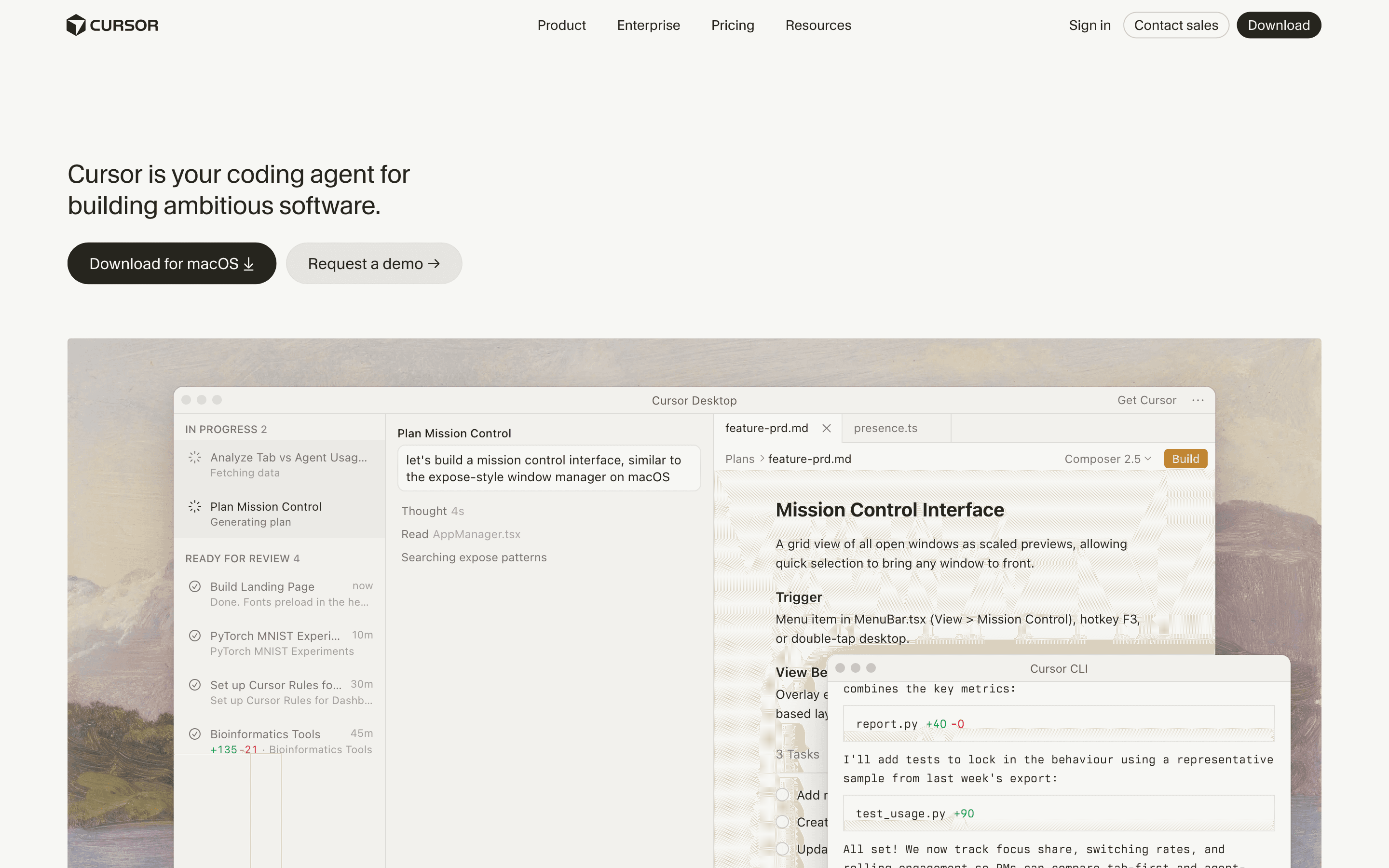
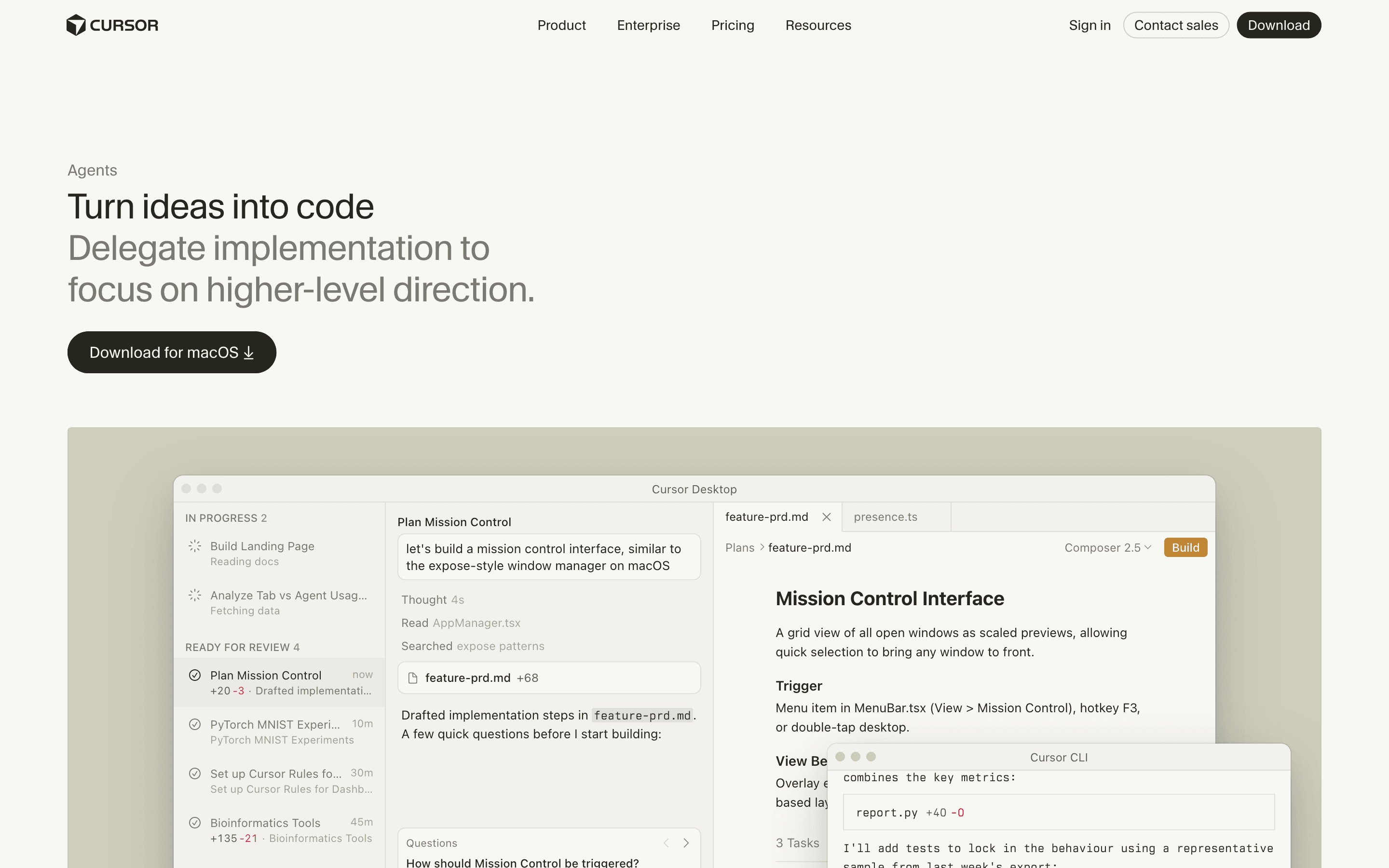
Cursor is an AI coding agent built around a fork of VS Code, plus a CLI and cloud agents, so you can hand off a task from your editor, your terminal, or Slack and have it write and run code across a repo. It indexes your codebase for semantic search, runs agents that can build, test, and demo a feature end to end, and works with models from OpenAI, Anthropic, Google, and others rather than locking you into one.
The product has moved fast toward running many agents at once. Version 3.0 added background and cloud agents and a Composer mode for running several agents across repos and branches in parallel. Recent releases add a mobile app for reviewing and steering cloud agents, team marketplaces for sharing MCP servers and rules, and a router that picks which model handles a given request in Auto mode.
Pricing moved from a fixed number of monthly requests to usage-based billing tied to the underlying model's API cost. That change in 2025 caught a lot of existing users off guard when their effective cost per request jumped well past what the old plan implied, and Cursor has since layered clearer tiers (Pro, Pro+, Ultra, and Teams Standard/Premium) and admin controls on top of the metered model.
Cursor screenshots
Who it's for
- ✓ Developers who want one agent that works the same way in the IDE, the terminal, and Slack
- ✓ Teams that need to run several agents in parallel across branches or repos
- ✓ Teams already standardized on VS Code who want an agent-first fork rather than a separate tool
Who should look elsewhere
- ✗ Developers on a fixed budget who want a flat monthly price with no usage surprises
- ✗ Teams that need a plain, predictable seat price without tracking token consumption
Pros
- + Runs agents across IDE, CLI, Slack, and mobile, so you can hand off work from wherever you already are
- + Supports multiple model providers instead of locking you into one vendor's models
- + Cloud and background agents let you parallelize work across several tasks or repos at once
- + Ships new agent features on a fast, visible cadence with a public changelog
Cons
- – Usage-based billing on top of the seat price means your real monthly cost is hard to predict in advance
- – The 2025 move from fixed request limits to metered, API-cost-linked billing caught existing users off guard with much higher effective costs
- – Heavier agent usage pushes you up through Pro+ ($60/mo) and Ultra ($200/mo) quickly if the base Pro tier's included usage runs out
- – Enterprise pricing is not disclosed, so budgeting for a larger rollout takes a sales conversation
Cursor pricing
What you pay for
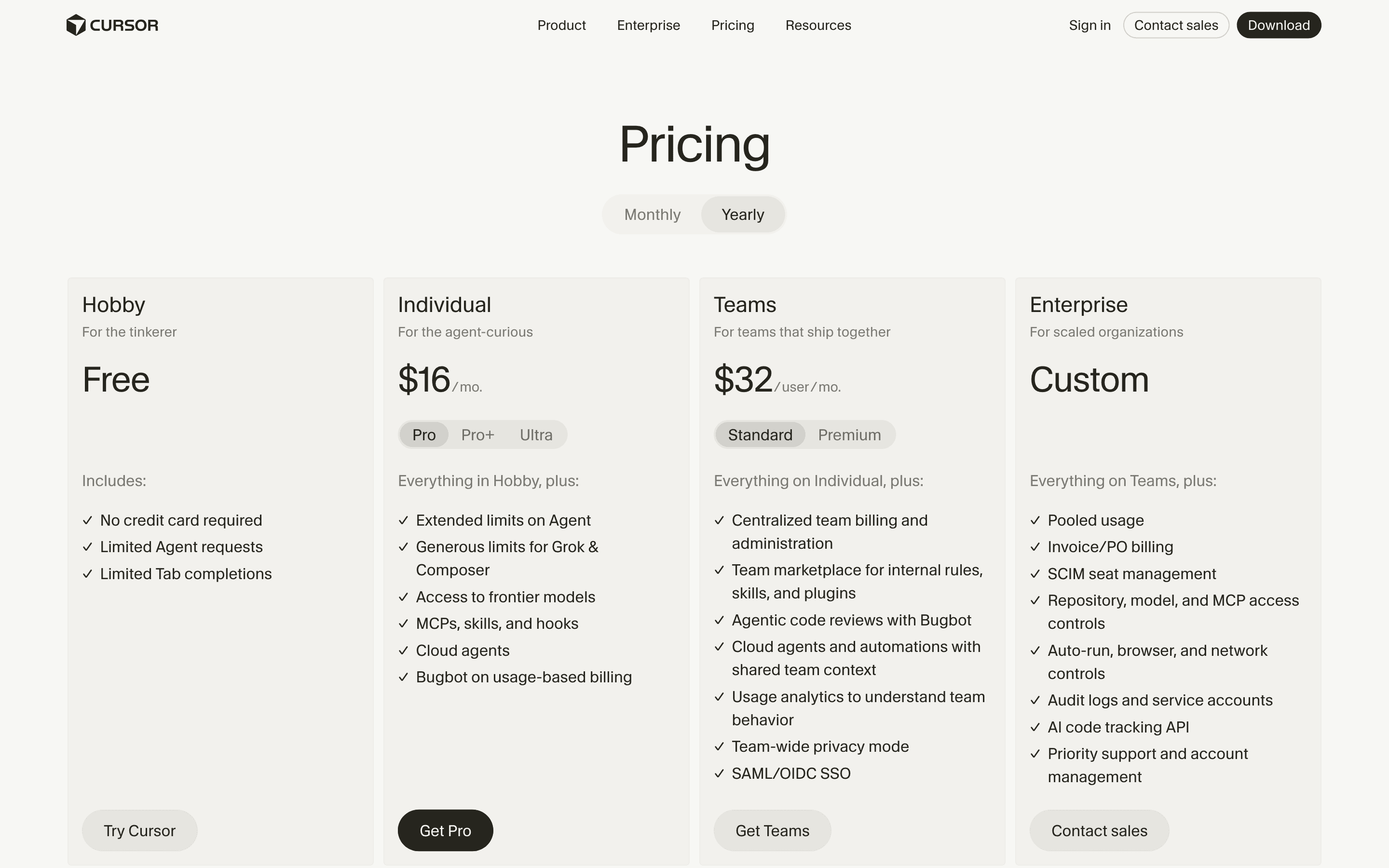
You pay a flat per-seat fee for a bucket of included Agent and Tab usage, then metered charges once you go past it, so your actual bill depends on how much you run the agent, not just which plan you pick. The Hobby plan is free with tight limits, Pro/Pro+/Ultra and Teams Standard/Premium have disclosed monthly prices that scale with how much Agent usage you get, and Enterprise is quote-only.
At about $20/month to start, it is one of the cheaper options in AI Coding Assistants.
| Plan | Price | Highlights |
|---|---|---|
| Hobby | Free | No credit card required · Limited Agent requests · Limited Tab completions |
| Pro | $20/seat/mo | Extended limits on Agent · Generous limits for Grok & Composer · Access to frontier models · MCPs, skills, and hooks · Cloud agents · Bugbot on usage-based billing |
| Pro+ | $60/seat/mo | Everything in Pro · 3x Pro limits on Agent |
| Ultra | $200/seat/mo | Everything in Pro · 20x Pro limits on Agent · Priority access to new features |
| Teams Standard | $40/seat/mo | Everything on Individual (Pro) · Centralized team billing and administration · Team marketplace for internal rules, skills, and plugins · Agentic code reviews with Bugbot · Cloud agents with shared team context · Usage analytics · Team-wide privacy mode · SAML/OIDC SSO |
| Teams Premium | $120/seat/mo | Everything in Teams Standard · 5x Standard limits on Agent |
| Enterprise | Custom | Pooled usage · Invoice/PO billing · SCIM seat management · Repository, model, and MCP access controls · Auto-run, browser, and network controls · Audit logs and service accounts · AI code tracking API · Priority support and account management |
Prices above are monthly billing, per seat, exclusive of tax. Billed annually, each plan drops about 20%: Pro to $16/mo, Pro+ to $48/mo, Ultra to $160/mo, Teams Standard to $32/seat/mo, and Teams Premium to $96/seat/mo. Every plan includes a set amount of Agent and Tab usage; once you go past it, on-demand usage is billed in arrears at metered rates tied to the underlying model's API cost, so your real bill can run above the base seat price. Enterprise is quote-only.
Pricing verified July 22, 2026 · source
How Cursor's pricing compares
Cursor next to its closest alternatives on entry price, billing, and whether pricing is public.
| Tool | Starting price | Billing | Free option | Pricing disclosed |
|---|---|---|---|---|
| Cursor | $20/seat/mo | usage-based | Yes | Partly public |
| GitHub Copilot | $10/seat/mo | usage-based | Yes | Public |
| Tabnine | $39/seat/mo | per-seat | No | Partly public |
| Sourcegraph Cody | $16000/yr | quote-only | No | Partly public |
| Aider | Free tier + custom | usage-based | Yes | Not disclosed |
Is Cursor still actively developed?
Last significant update: July 2026. Cursor Router shipped for Auto mode: it picks the model per request across three modes (Intelligence, Balance, Cost), with admin controls to restrict which models a team or group can use.
Top Cursor alternatives
Cursor FAQ
Is Cursor free?+
The Hobby plan is free with no credit card required, but it caps you to limited Agent requests and limited Tab completions. Paid plans start at $20/month for Pro, or $16/month if billed annually.
Does Cursor charge extra once I use up my plan's included usage?+
Yes. Past your included Agent and model usage, Cursor bills additional usage at metered rates tied to the underlying model's API cost, so heavy users can pay well above the base seat price.
How much does Cursor cost for a team?+
The Teams Standard plan is $40 per seat per month ($32 billed annually) and adds centralized billing, SSO, Bugbot code review, and shared team context for cloud agents. Teams Premium is $120 per seat per month ($96 annually) for 5x Standard's Agent limits, on top of the same usage-based charges as Individual plans.