Top Trello Alternatives in 2026
Here for Trello itself? See the full Trello profile, pricing & reviews →
Suggest a change- If you want one app for boards, docs, and chat without a steep price jump, choose ClickUp. its Free Forever plan covers unlimited members and tasks and its $7/seat Unlimited plan already includes Gantt charts and time tracking that Trello locks behind Premium.
- If you're coordinating many concurrent projects across departments and need a rollup view leadership can actually read, choose Asana. its portfolios and goals give a cross-project view that a wall of separate Trello boards can't provide, though that view requires the $24.99/seat/month Advanced plan, not the $10.99 Starter tier.
- If you want the same colorful, spreadsheet-like board feel but with stronger automation and reporting, choose monday.com. Standard already ships timeline and Gantt views plus automations that Trello reserves for its Premium tier.
- If your real complaint about Trello was scattered docs and wikis living outside the board, not the board itself, choose Notion. its databases can mimic a Trello-style board while keeping docs, notes, and tasks in the same workspace.
- If your team's actual problem is client boards multiplying out of control, not missing PM horsepower, choose Basecamp. it swaps cards for message boards and flat to-do lists, and clients and contractors don't count toward the per-seat bill.
- If your team is shipping software and has been using Trello as an improvised bug tracker, choose Linear. it's built specifically around issues, cycles, and code review rather than general task cards.
- If you're a small team that just needs boards, checklists, and due dates with almost no setup or cost, choose stay on Trello. its free plan already covers unlimited cards and Power-Ups, and the $5/seat Standard tier is cheaper than any of the alternatives above.
Trello is still the easiest way to get a board up in five minutes: lists, cards, drag them across as work moves. Teams leave it for one of two reasons. Either the 10-board, 10-collaborator cap on the free plan gets hit faster than expected, or the team's work has outgrown a single board and needs timelines, dependencies, or portfolio views that Trello only unlocks on Premium and above.
The right replacement depends on which of those two problems you actually have, and on what kind of work you're tracking. A software team using Trello as a makeshift bug tracker needs something different from a services agency drowning in client boards. This guide ranks the tools worth cross-shopping against Trello and says plainly where each one fits.
Trello alternatives compared
| Tool | Best for | Starting price | Free option | Last update |
|---|---|---|---|---|
| ClickUpBest free alternative | Teams that want one tool for tasks, docs, and light chat instead of stitching several apps together | $7/seat/mo | Yes | July 2026 |
| AsanaBest for cross-functional visibility | Team leads coordinating projects across marketing, ops, and other non-engineering functions | $10.99/seat/mo | Yes | — |
| monday.com | Cross-functional teams that want one visual system for many different workflows instead of separate tools per department | $9/seat/mo | Yes | June 2026 |
| Notion | Teams that want project tracking, docs, and a wiki in one tool instead of three | $10/seat/mo | Yes | July 2026 |
| BasecampBest flat-rate pricing | Small agencies and services teams that want one shared space for client work without a lot of setup | $15/seat/mo | Yes | May 2026 |
| LinearBest for software teams | Software and product teams who want a fast, opinionated issue tracker over a flexible one | $10/seat/mo | Yes | July 2026 |
Why teams switch from Trello
The free plan's board and collaborator caps get hit fast
Trello's Free plan stops at 10 boards and 10 collaborators per Workspace, a ceiling that smaller teams reach sooner than they expect.
Timeline, Calendar, Table, and Map views are all gated to Premium
Free and Standard are board-and-list views only, so any team that wants a Gantt-style view has to jump straight to the $10/seat Premium tier.
Per-seat costs climb once guests are counted
Every active board member is billed at the full per-seat rate, including a Multi-Board Guest who only sits on more than one board, so real headcount costs more than the sticker price suggests.
The best Trello alternatives, ranked
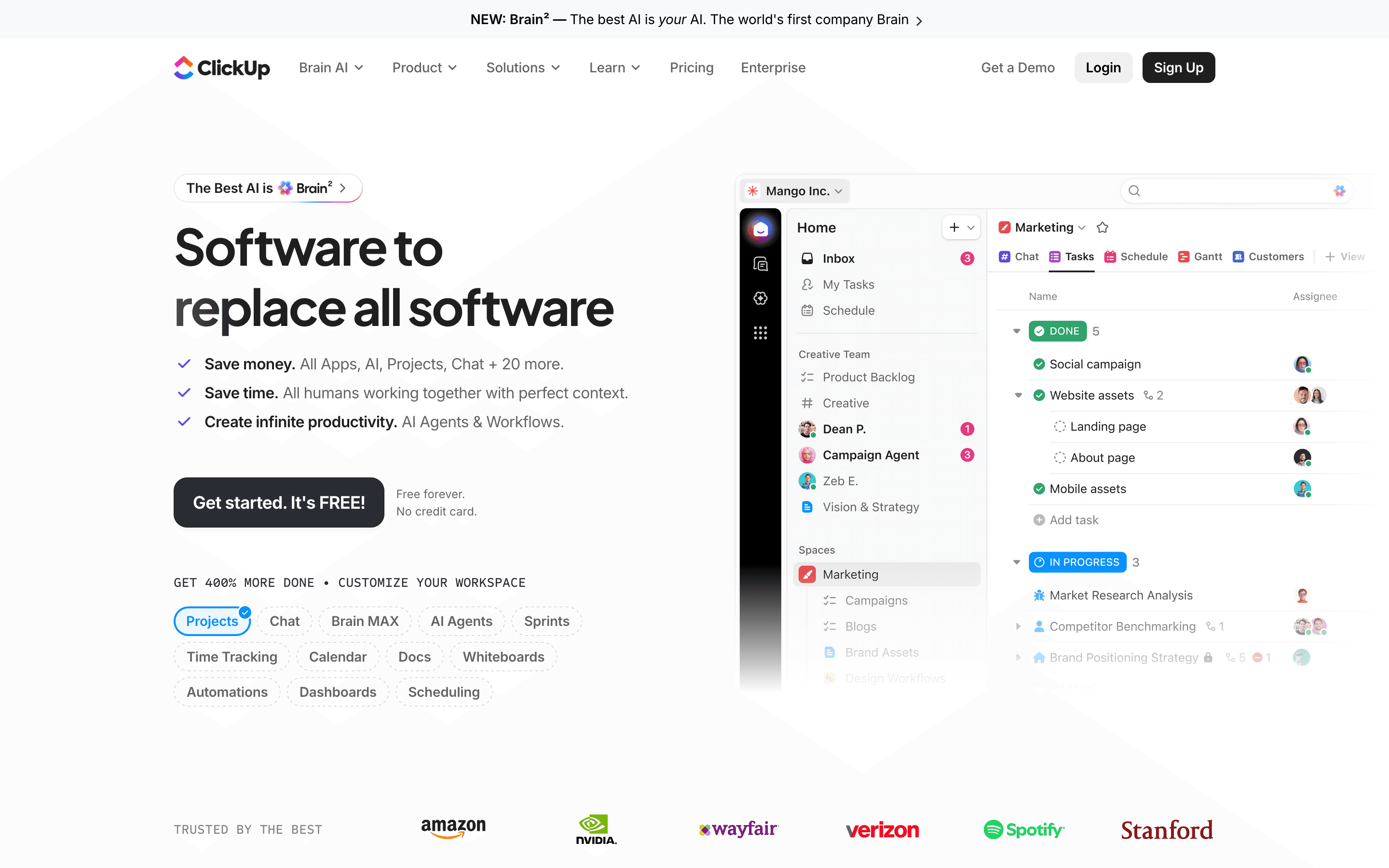
ClickUp is the closest match to Trello's card-and-board habit while adding real depth once your team needs it. The Free Forever plan supports unlimited members and unlimited tasks, wider than Trello's 10-collaborator cap, though storage is a shared 60MB across the whole team rather than per person. Paid Unlimited starts at $7/seat/month billed annually, close to Trello's Standard tier, and already includes Gantt charts, native time tracking, and goals that Trello locks behind Premium. The tradeoff is setup time. ClickUp exposes far more views, custom fields, and automation rules, so teams spend real hours configuring boards before they feel as simple as a Trello card. AI features are a separate paid add-on rather than bundled in, and automation runs are capped per plan and pause once you hit the ceiling. For teams that outgrew Trello's simplicity but still want one app instead of five, ClickUp is the natural next step.
Pros
- + Free plan supports unlimited members and tasks, not just a small seat count
- + One app covers tasks, docs, whiteboards, chat, and dashboards, cutting down on tool switching
- + Automation and custom field system is genuinely flexible for teams with non-standard workflows
Cons
- – Free plan's 60MB storage cap is shared across the whole team, not per user, so it fills up fast
- – AI features are a separate paid add-on on top of a core plan, not included at any tier
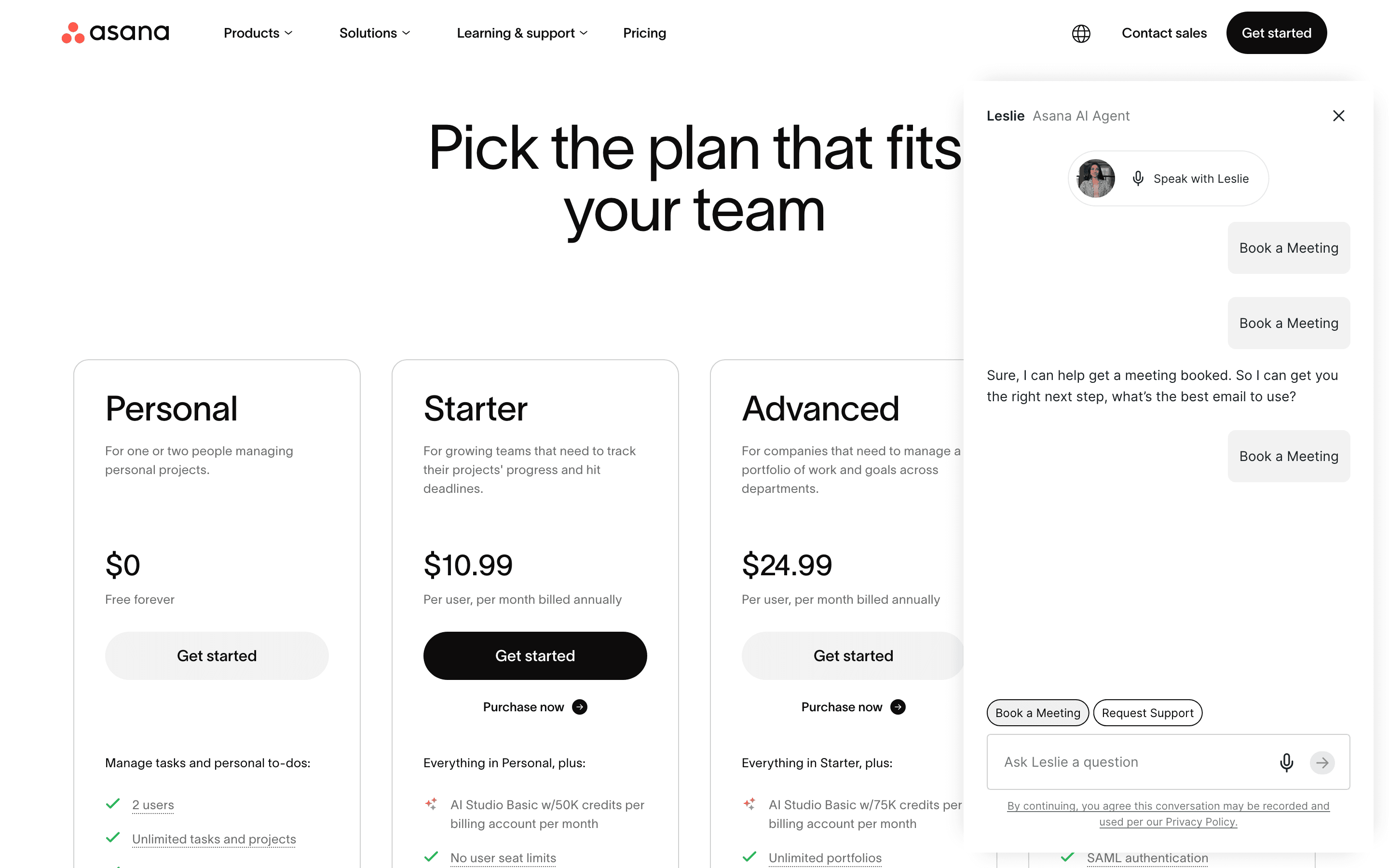
Asana is the standard move for teams that outgrow Trello's single-board view and need to see work across a whole department or company. Its Starter plan, $10.99/seat/month billed annually, already includes timeline and Gantt views plus unlimited automations and forms, features Trello reserves for Premium and above. Where Trello tracks one project at a time, Asana's portfolios and goals give leads a rollup view across many concurrent projects, which matters once a team runs more than a handful of boards, but that rollup view isn't on Starter. Portfolios and goals are Advanced-only, so the real entry price for the reason most teams pick Asana over Trello is $24.99/seat/month, not $10.99. The catch is price and minimums. There is no single-seat paid plan, so a team needs at least two paid seats to leave the free Personal tier, and workload views plus time tracking also sit behind that same pricier Advanced plan. Enterprise pricing isn't published. For a team leaving Trello because a wall of separate boards no longer gives leadership a clear picture, Asana is built for exactly that gap, but budget for Advanced, not Starter, to get there.
Pros
- + Free Personal plan works fine for very small teams of up to 2 people
- + Timeline and Gantt views are already included on the entry-level Starter plan, with workload and goal-tracking views adding real cross-project visibility on Advanced
- + Automation and forms are unlimited even on the entry-level Starter plan
Cons
- – No paid plan for a single user, teams need at least 2 seats to leave the free tier
- – Time tracking and approvals are locked behind the pricier Advanced plan, where several competitors include time tracking lower down
monday.com keeps the visual, color-coded feel that made Trello approachable, then adds the automation and reporting that Trello's board view can't do alone. Standard, at $12/seat/month billed annually, already includes timeline and Gantt views and 250 monthly automation actions, both of which sit behind Trello's Premium tier. Non-technical teams tend to pick up monday's boards fast, since rows and columns work like a spreadsheet crossed with a Kanban board, so almost no training is needed. The real friction for a team coming from Trello's free plan is the 3-seat minimum on every paid tier, plus seats sold in fixed blocks above that, so a 4-person team pays for a block of 5. AI credits are bundled into each plan rather than a separate purchase, which is one less line item to track than some competitors. monday.com fits teams that want to build their own workflow shapes rather than live inside someone else's template.
Pros
- + Very visual, color-coded boards that non-technical team members pick up fast
- + Automations and views (Gantt, timeline, calendar, Kanban) are strong even on the Standard plan
- + One platform can cover project management, a lightweight CRM, and dev/service workflows if you buy the matching products
Cons
- – Every paid plan has a 3-seat minimum, so small teams pay for seats they don't use
- – Seats are sold in buckets above the minimum (e.g. rounding 4 users up to a 5-seat block), which pushes real cost above the advertised per-seat price
Notion
Notion is the pick for teams that used Trello boards next to a separate wiki or doc tool and want to stop switching between them. Its databases can be set up as a kanban board that looks and behaves a lot like a Trello board, but the same workspace also holds docs, meeting notes, and a wiki, which Trello has no equivalent for. The Free plan is usable for real work, not a stripped trial, though guests are capped at 10 and uploads at 5MB. The gap shows up on process. Notion has no native Gantt chart, dependency tracking, or resourcing view, so anything beyond a simple board takes a manual database setup or a template. Full AI features also require the $20/seat/month Business plan, well above where a Trello Standard or Premium buyer usually sits. Notion suits a team whose real complaint about Trello was scattered docs, not missing project-management depth.
Pros
- + One tool covers docs, wikis, and task tracking, cutting down on app switching
- + Databases and pages are flexible enough to build almost any workflow
- + Free plan is usable for real work, not just a stripped-down trial
Cons
- – No native Gantt chart, dependency tracking, or resource management, so real project management needs a template workaround or a plugin
- – Full AI access requires the $20/seat/month Business plan; Free and Plus only get a capped trial
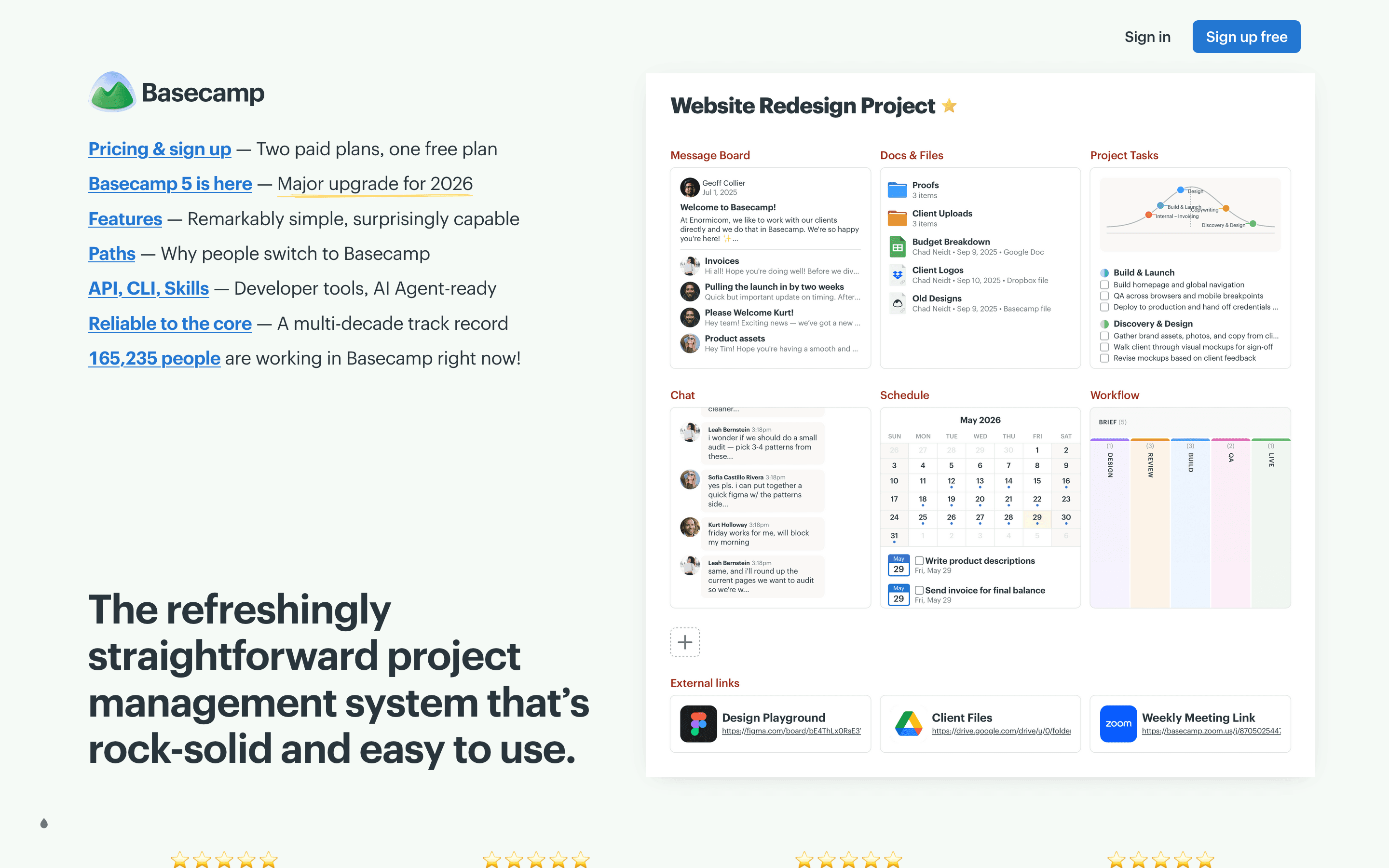
Basecamp trades Trello's card-and-board model for message boards and flat to-do lists, which suits teams that found Trello's boards multiplying out of control. Pro costs $15/seat/month with no annual discount, more than Trello's Standard tier, but clients and contractors don't count toward the bill, which matters for agencies working with outside collaborators. Once a company passes about 20 people, Pro Unlimited's flat $299/month for unlimited users usually undercuts per-seat pricing entirely, a pricing shape none of Trello's other alternatives offer. The tradeoff is real. There are no Gantt charts, dependencies, or automations at any price, and time tracking is a separate $50/month add-on. Basecamp is not a board-for-board replacement for Trello. It is a substitute for teams whose actual problem was too many scattered boards and threads, not too little project-management horsepower.
Pros
- + Pro Unlimited's flat $299/month for unlimited users is a real deal once a team passes about 20 people
- + Clients and contractors don't count toward billing on the Pro plan, so client-facing agencies pay less
- + Message boards and Campfire chat cut down on scattered email and Slack threads for project discussion
Cons
- – No task dependencies, Gantt charts, or automations, so teams doing sprint planning outgrow it fast
- – Time tracking isn't included on Pro. It's a separate $50/month add-on
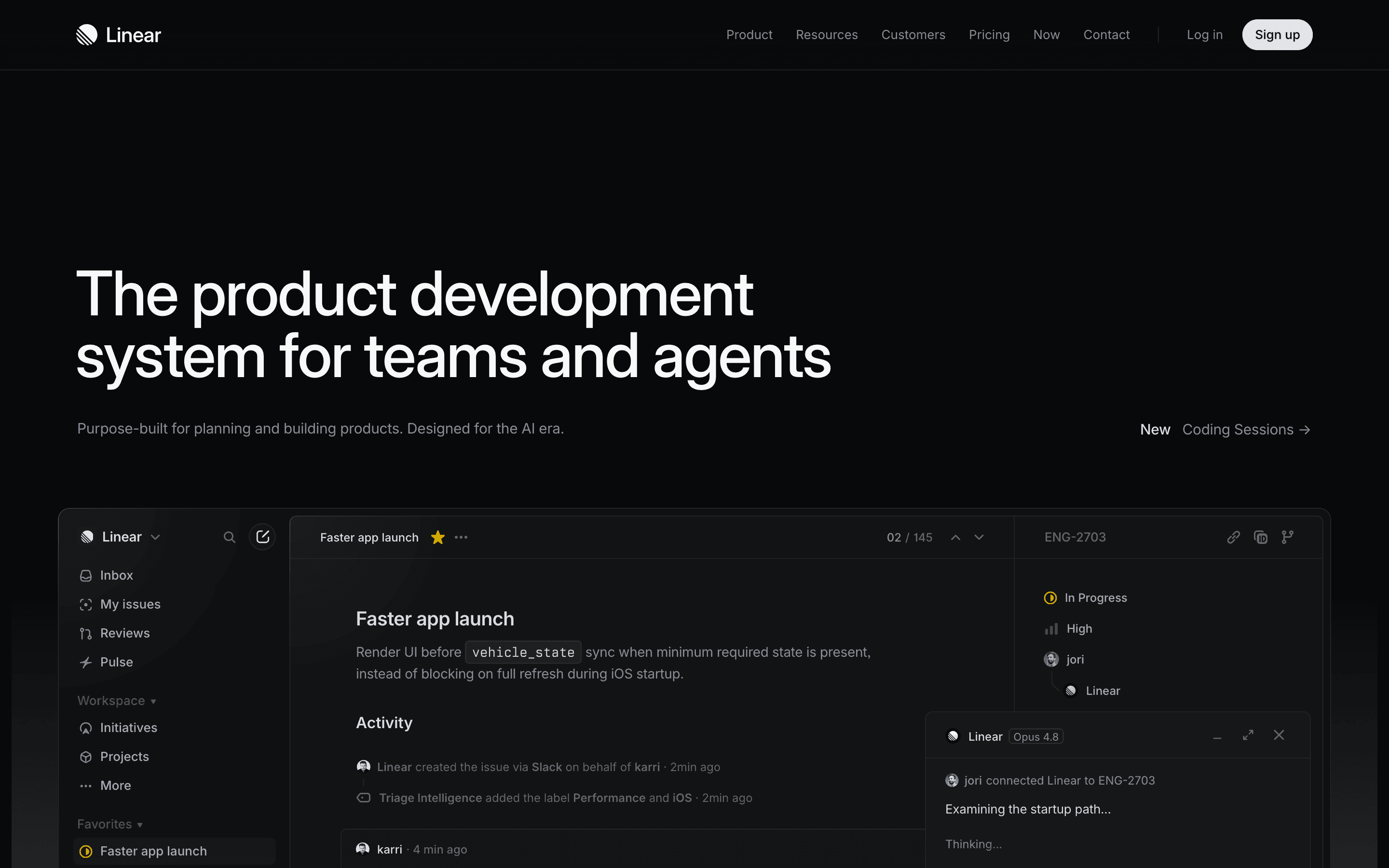
Linear is the right substitute only for one specific case: a software team that has been using Trello as an improvised issue tracker. Its Free plan supports unlimited members but caps at 2 teams and 250 issues, and Basic, at $10/seat/month billed annually, adds unlimited issues and 5 teams, the same $10/seat price as Trello's Premium tier, for a tool built specifically around cycles, code review, and engineering workflows rather than general task cards. Linear's keyboard-first interface and AI agents that write code or draft updates go well past anything Trello offers, but that focus cuts the other way for non-technical teams. There is no Gantt chart, no budget tracking, and guest access requires buying a full paid seat rather than a free viewer role. Teams that picked Trello for its simplicity and general-purpose boards, not for engineering-specific workflows, will find Linear too narrow. Teams shipping software will find it a clear upgrade.
Pros
- + Fast, keyboard-first interface that stays responsive at scale
- + Free plan is usable for small teams, not just a trial gate
- + AI agent features (Triage Intelligence, agent-written code, agent-drafted updates) are shipping fast and are core to the product, not bolted on
Cons
- – Per-seat pricing gets expensive fast for teams above 10-15 people, since there are no volume discounts published
- – Security and compliance basics like SAML/SCIM only ship on Enterprise, which is quote-only
Should your product be on this project management list?
If you build a tool that belongs next to the ones above, submit it. A human reviews every submission. Approved products get their own page with pricing and screenshots, plus a place in the comparisons where they fit. It is free. You sign in with your work email so you can follow the decision, and there is no password to create.
Trello alternatives: FAQ
What is the best free alternative to Trello?+
ClickUp's Free Forever plan supports unlimited members and unlimited tasks, wider than Trello's cap of 10 boards and 10 collaborators per Workspace. The tradeoff is that ClickUp's free storage is a shared 60MB across the whole team rather than a per-user allowance.
What is the cheapest paid alternative to Trello?+
ClickUp's Unlimited plan runs $7/seat/month billed annually, close to Trello's own $5/seat Standard tier, and already includes Gantt charts and native time tracking that Trello reserves for Premium.
Is there a Trello alternative built for software teams?+
Linear is built specifically around issues, cycles, and code review, which suits engineering teams that have been using Trello's boards as an improvised bug tracker.
Which Trello alternative charges a flat fee instead of per seat?+
Basecamp's Pro Unlimited plan is a flat $299/month for the whole company with unlimited users, unlike Trello's and most competitors' per-seat pricing.
Trello alternatives: pricing compared
Entry price, billing model, and whether pricing is public. 7 of 7 publish pricing you can check without talking to sales.
| Tool | Starting price | Billing | Free option | Pricing disclosed |
|---|---|---|---|---|
| Trello | $5/seat/mo | per-seat | Yes | Public |
| ClickUp | $7/seat/mo | per-seat | Yes | Partly public |
| Asana | $10.99/seat/mo | per-seat | Yes | Partly public |
| monday.com | $9/seat/mo | per-seat | Yes | Partly public |
| Notion | $10/seat/mo | per-seat | Yes | Partly public |
| Basecamp | $15/seat/mo | tiered | Yes | Public |
| Linear | $10/seat/mo | per-seat | Yes | Partly public |
How we made these picks. We compare tools on public pricing, features, and hands-on assessment, then verify every price against the vendor's own page. We never accept payment for rankings. Read the full methodology. Spotted an error? Report it.