Basecamp Review
All-in-one project and team communication tool built around message boards, to-dos, and files
Is this your product? Claim this page · Request a change
Looking for a Basecamp alternative? See our ranked comparison.→What is Basecamp?
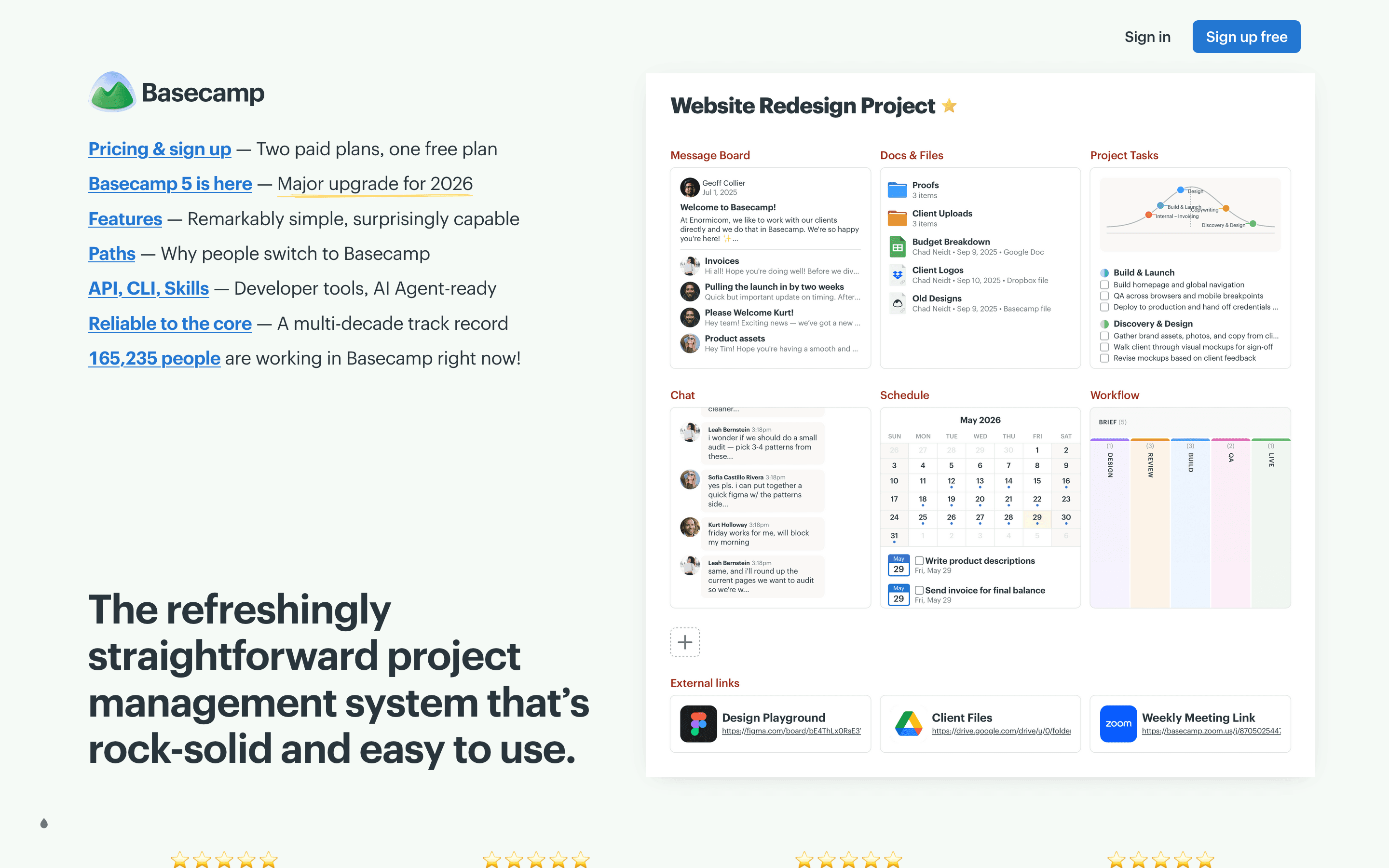
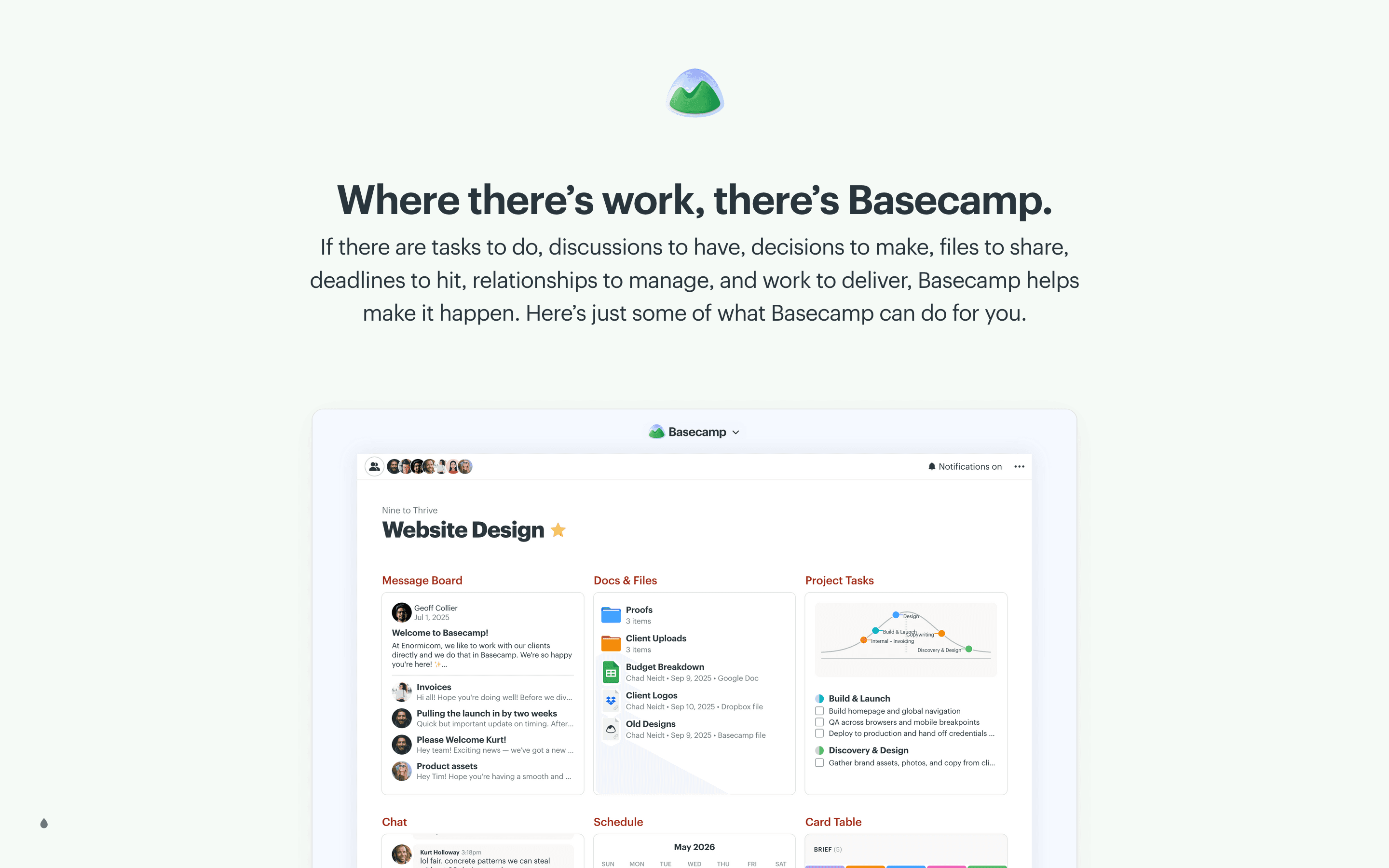
Basecamp bundles message boards, to-do lists, schedules, files, and group chat into one project space. Each project gets its own set of these tools, and the pitch is that everything about a project lives in one place instead of scattered across email and separate apps.
It is built by 37signals, the same company behind Hey email, and it has stayed close to its original idea for over 20 years: fewer features, less configuration, and a flat learning curve. There's no Gantt chart, no task dependencies, and no time tracking built in. Basecamp 5, released in 2026, refreshed the editor, navigation, and API but kept that same stripped-down approach.
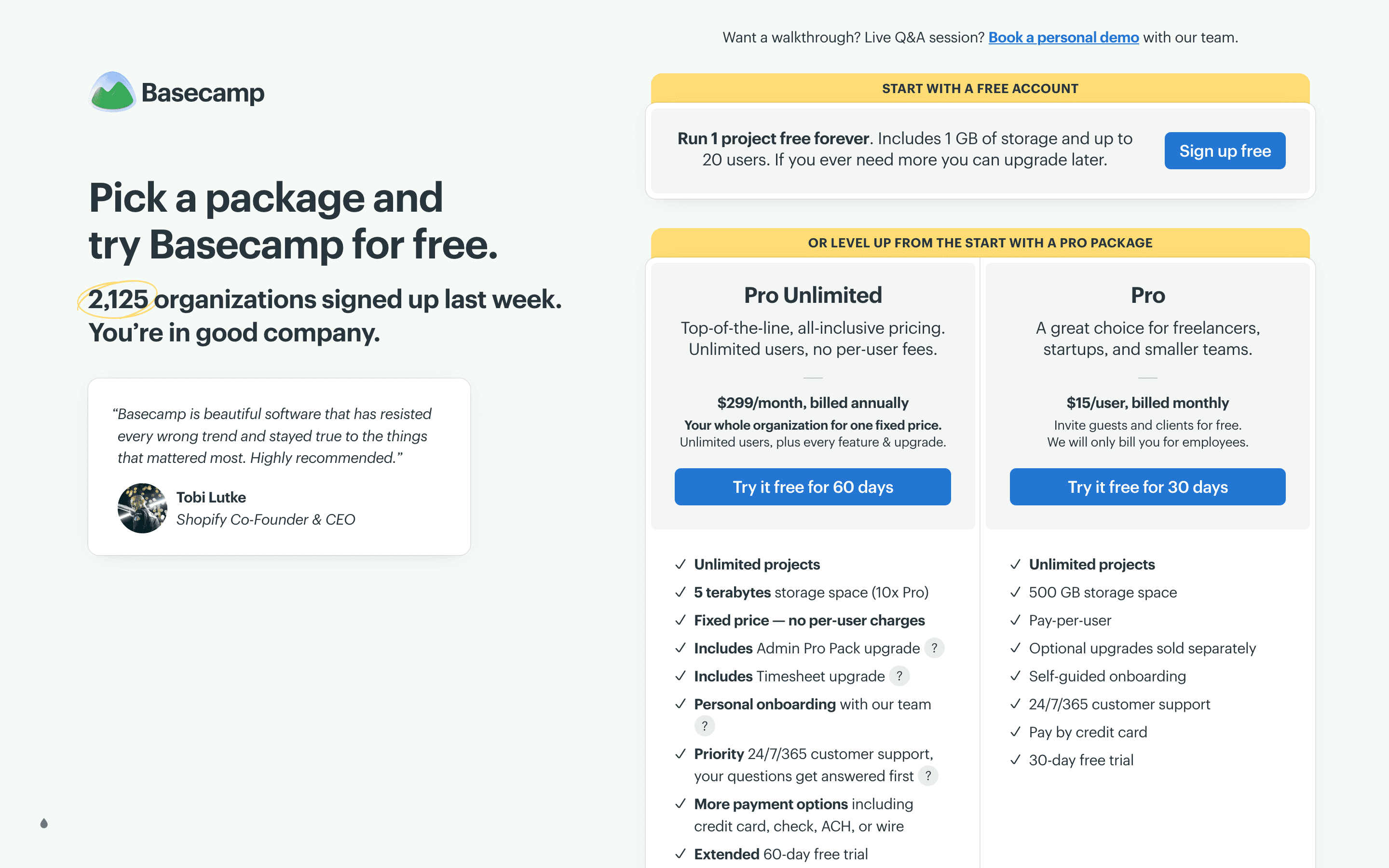
Pricing is either per seat (Pro) or one flat company-wide fee with unlimited users (Pro Unlimited), which is unusual in this category.
Basecamp screenshots
Who it's for
- ✓ Small agencies and services teams that want one shared space for client work without a lot of setup
- ✓ Teams that find task-heavy tools like Asana or monday overwhelming and want something simpler
- ✓ Larger companies that would rather pay one flat price than a per-seat bill that grows every time they hire
Who should look elsewhere
- ✗ Teams that plan sprints or releases and need dependencies, Gantt charts, or automations
- ✗ Anyone who wants built-in time tracking or reporting without paying extra for add-ons
- ✗ Teams that need deep integrations with tools like Salesforce or HubSpot
Pros
- + Pro Unlimited's flat $299/month for unlimited users is a real deal once a team passes about 20 people
- + Clients and contractors don't count toward billing on the Pro plan, so client-facing agencies pay less
- + Message boards and Campfire chat cut down on scattered email and Slack threads for project discussion
- + Free plan and long trials (30 and 60 days) let you actually test it before paying
Cons
- – No task dependencies, Gantt charts, or automations, so teams doing sprint planning outgrow it fast
- – Time tracking isn't included on Pro. It's a separate $50/month add-on
- – Free plan storage is 1 GB, which is tight even for a single small project
- – Task management is a flat to-do list. There's no subtask hierarchy or custom workflow beyond Basecamp 5's basic subtasks
Basecamp pricing
What you pay for
Basecamp charges per seat on its Pro plan, or one flat monthly fee on Pro Unlimited if you'd rather not think about headcount. The free plan is real but limited to a single project and 1 GB of storage, mainly useful for trying the product. Everything is published on the pricing page. Extras like time tracking and extra admin controls cost $50/month each on top of Pro.
At about $15/month to start, it sits at the higher end of Project Management pricing.
| Plan | Price | Highlights |
|---|---|---|
| Free | Free | 1 project · 1 GB storage · Up to 20 users |
| Pro | $15/seat/mo | Unlimited projects · 500 GB storage · Clients and contractors added free, billing is only for employees |
| Pro Unlimited | $299/mo | Unlimited users, no per-user fees · 5 TB storage · Priority 24/7 support · Personal onboarding · Admin Pro Pack and Timesheet upgrades included |
The $15/seat plan is labeled 'Pro' on the current pricing page (some FAQ copy on the same page still calls it 'Plus' from a recent rename). Pro is billed monthly with no annual discount published. Pro Unlimited is a flat $299/month, billed annually, for the whole company. On the Pro plan, the Timesheet upgrade and Admin Pro Pack each cost a flat $50/month regardless of headcount, and an extra terabyte of storage is another flat $50/month; both upgrades are included free on Pro Unlimited. Registered 501(c)(3) non-profits get 10% off any paid plan, and K-12 schools, homeschoolers, and university students can get it free for class use, subject to verification. Prices from the vendor pricing page.
Pricing verified July 7, 2026 · source
How Basecamp's pricing compares
Basecamp next to its closest alternatives on entry price, billing, and whether pricing is public.
| Tool | Starting price | Billing | Free option | Pricing disclosed |
|---|---|---|---|---|
| Basecamp | $15/seat/mo | tiered | Yes | Public |
| Asana | $10.99/seat/mo | per-seat | Yes | Partly public |
| monday.com | $9/seat/mo | per-seat | Yes | Partly public |
| ClickUp | $7/seat/mo | per-seat | Yes | Partly public |
| Linear | $10/seat/mo | per-seat | Yes | Partly public |
| Trello | $5/seat/mo | per-seat | Yes | Public |
| Notion | $10/seat/mo | per-seat | Yes | Partly public |
Is Basecamp still actively developed?
Last significant update: May 2026. Basecamp 5 shipped with a new Lexxy text editor (tables, markdown, voice notes), full keyboard navigation, a revamped activity view, a redesigned home screen, and an extended API plus a new CLI for building integrations and AI agents.
Top Basecamp alternatives
Basecamp FAQ
Is Basecamp free?+
Yes, but the free plan is capped at one project and 1 GB of storage, so it's really only good for testing the product or running one small effort.
How much does Basecamp cost for a growing team?+
Pro is $15 per user per month. Once a team is around 20 people, Pro Unlimited's flat $299/month usually costs less, since it covers unlimited users with no per-seat fee.
Does Basecamp have time tracking or Gantt charts?+
Not built in. Time tracking is a $50/month add-on, and Basecamp has no Gantt charts or task dependencies at all. Teams that need sprint planning or dependency tracking tend to move to tools like Asana or monday.
What changed in Basecamp 5?+
Basecamp 5, released in May 2026, added a new editor with tables and markdown, full keyboard navigation, a redesigned activity feed and home screen, and an expanded API and CLI for building integrations.