ClickUp Review
All-in-one work platform combining tasks, docs, chat, and AI in one app
Is this your product? Claim this page · Request a change
Looking for a ClickUp alternative? See our ranked comparison.→What is ClickUp?
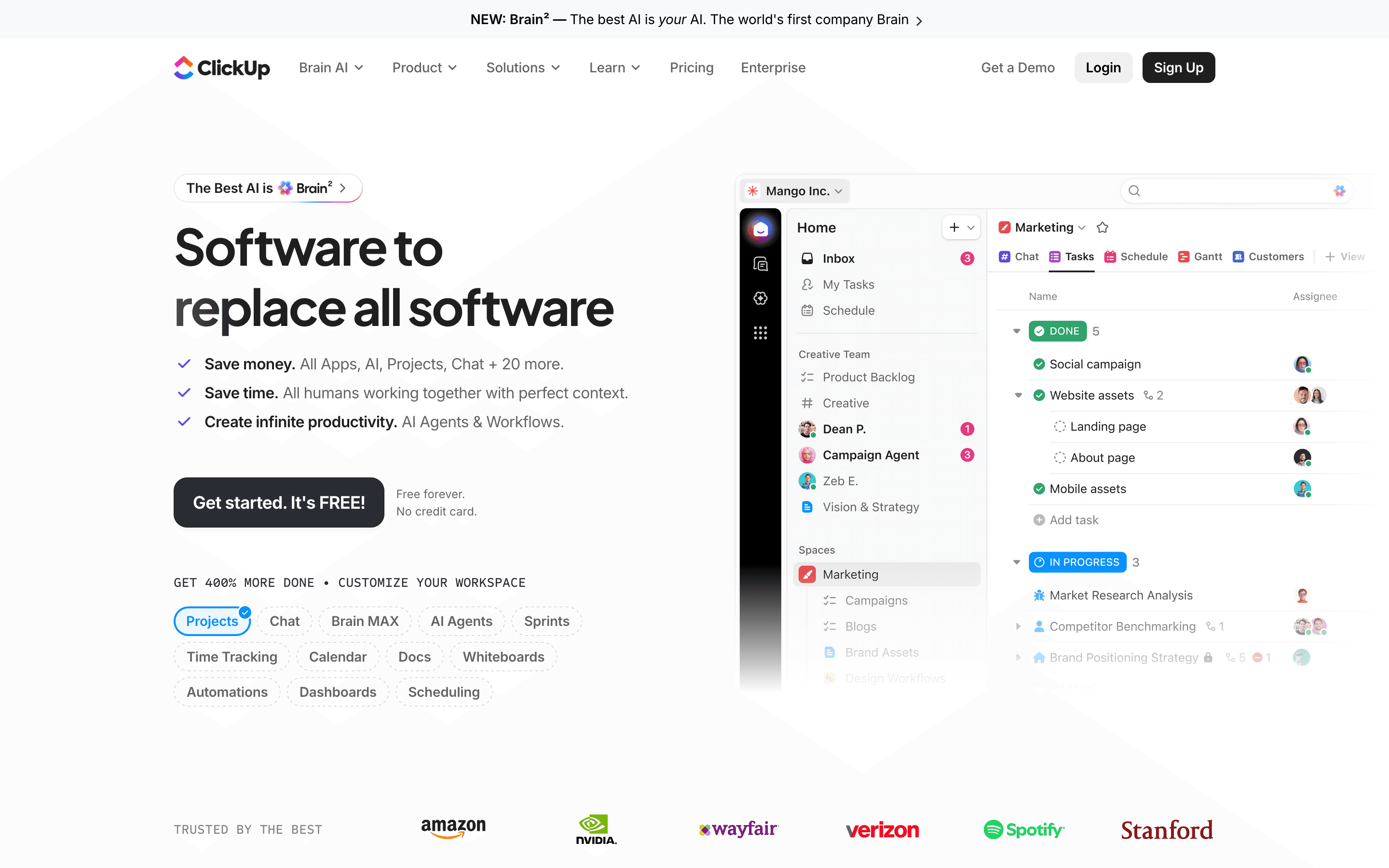
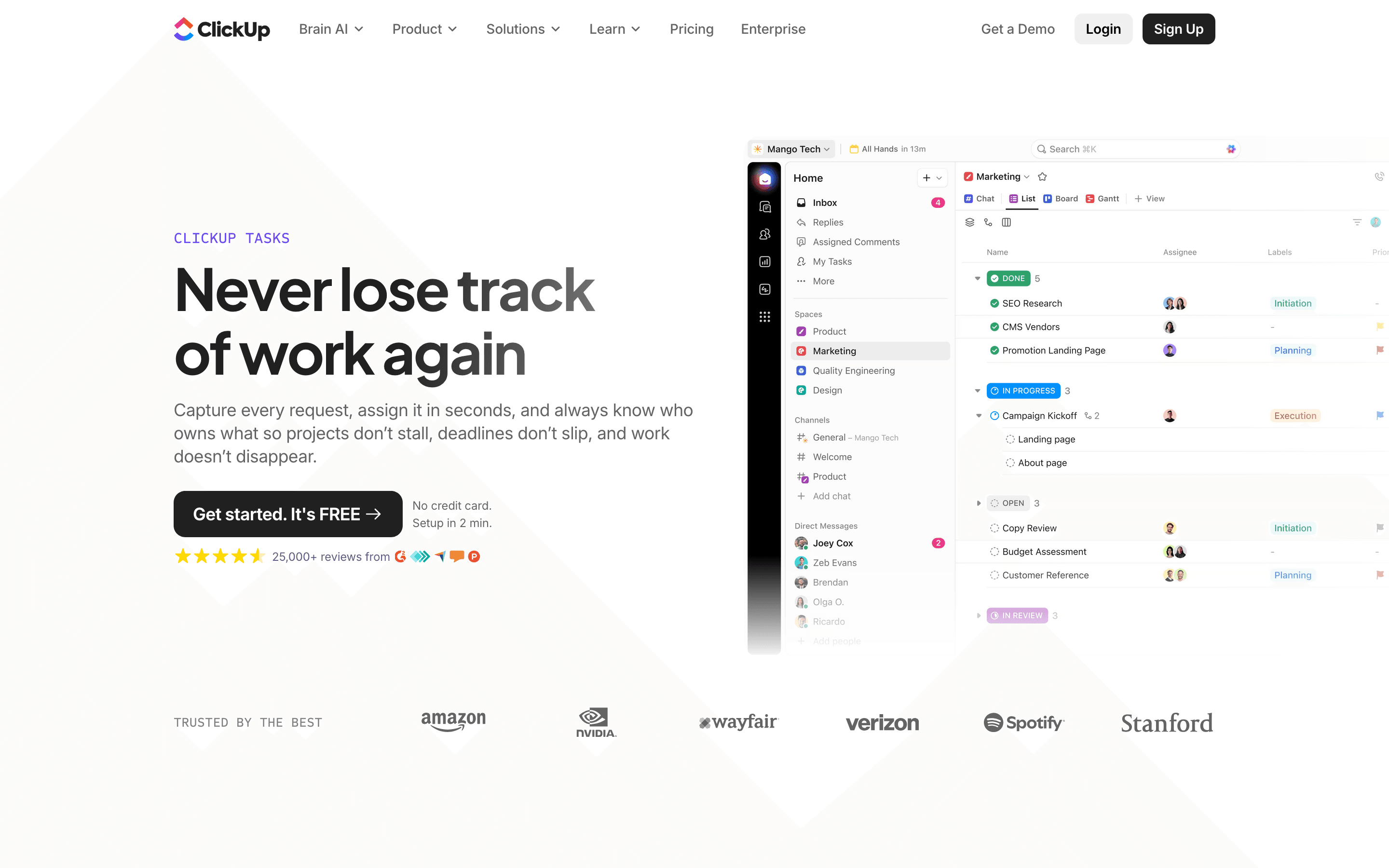
ClickUp is a work management platform that bundles tasks, docs, chat, whiteboards, and dashboards into one product, with an AI layer (Brain) sold as an add-on. Teams use it to replace several point tools at once: a project tracker, a wiki, a lightweight chat app, and reporting dashboards.
The tradeoff for that range is depth of configuration. ClickUp exposes a lot of settings, custom fields, and automation rules, which gives flexible teams a lot to work with but also means new users spend real time setting views up before the tool feels usable.
Pricing has gotten more complicated over the past two years. The core per-seat tiers are published and predictable, but AI is now billed separately by tier and usage credit, and automations are capped per plan, so two teams on the same plan can end up with very different bills depending on how much automation and AI they use.
ClickUp screenshots
Who it's for
- ✓ Teams that want one tool for tasks, docs, and light chat instead of stitching several apps together
- ✓ Teams with complex, varied workflows who will actually use custom fields, multiple views, and automations
- ✓ Teams that don't mind spending setup time to get views and automations configured the way they want
Who should look elsewhere
- ✗ Small teams that want a tool that works well out of the box with no setup
- ✗ Teams that need predictable, flat monthly bills without add-on pricing for AI or automation caps
- ✗ Teams with a lot of external guests or clients who need view/comment access, given how guest billing has changed
Pros
- + Free plan supports unlimited members and tasks, not just a small seat count
- + One app covers tasks, docs, whiteboards, chat, and dashboards, cutting down on tool switching
- + Automation and custom field system is genuinely flexible for teams with non-standard workflows
- + Ships new features fast, including a real AI assistant rebuild (Brain²) rather than a bolt-on chatbot
Cons
- – Free plan's 60MB storage cap is shared across the whole team, not per user, so it fills up fast
- – AI features are a separate paid add-on on top of a core plan, not included at any tier
- – Automation runs are capped per plan (5,000/month on Business) and pause once you hit the cap
- – Guest and limited-member billing changes have caught some teams off guard with sudden bill increases
ClickUp pricing
What you pay for
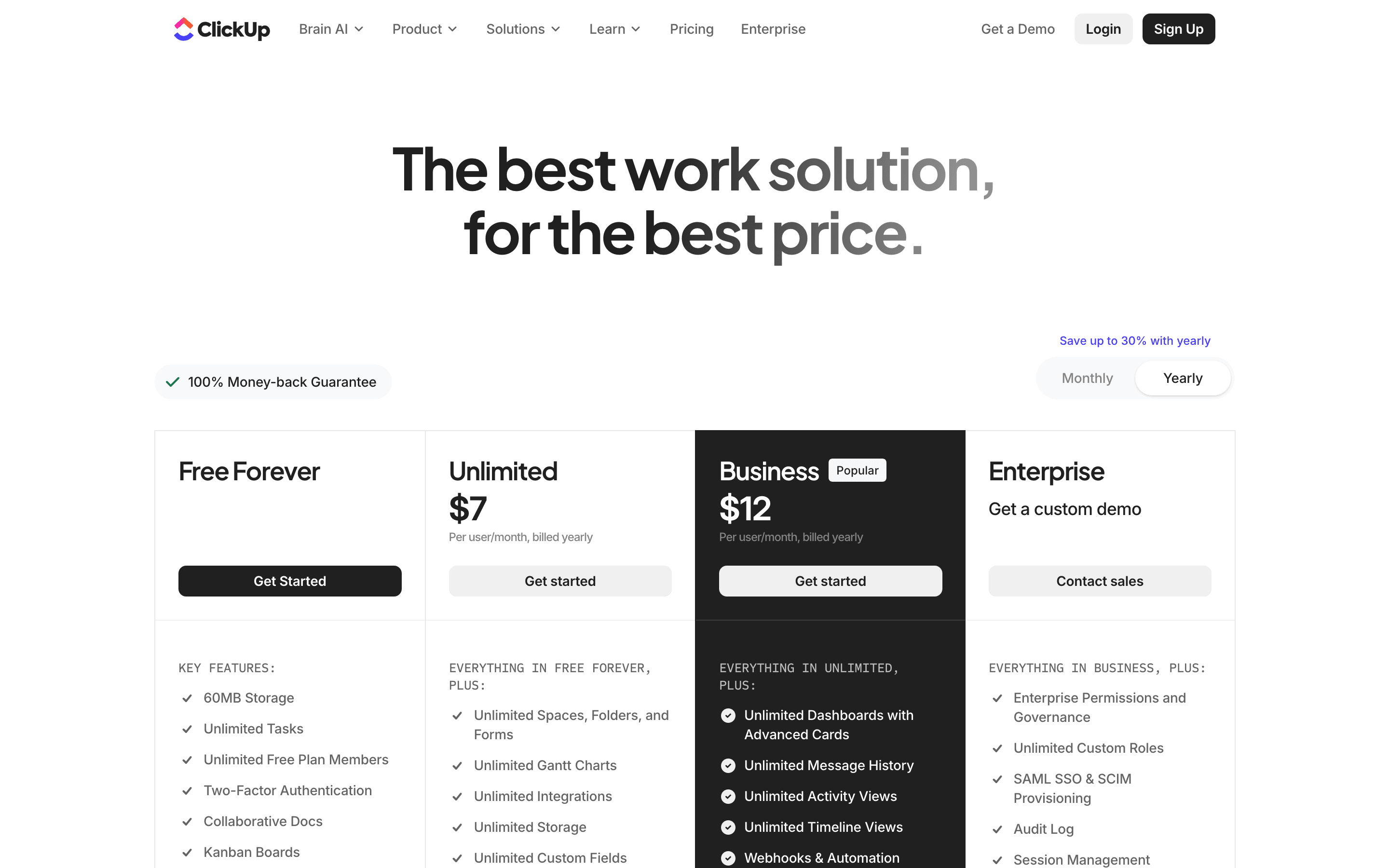
You pay per seat per month, with the core plan tiers themselves clearly published on the pricing page. What is not straightforward is the total bill: AI features sit behind a separate add-on priced by tier and usage credits, and automation runs are capped per plan, so the number on the pricing page is rarely the number on your invoice.
At about $7/month to start, it is one of the cheaper options in Project Management.
| Plan | Price | Highlights |
|---|---|---|
| Free Forever | Free | Unlimited members and tasks · 60MB total storage shared across the whole team · 1 form · Basic custom fields |
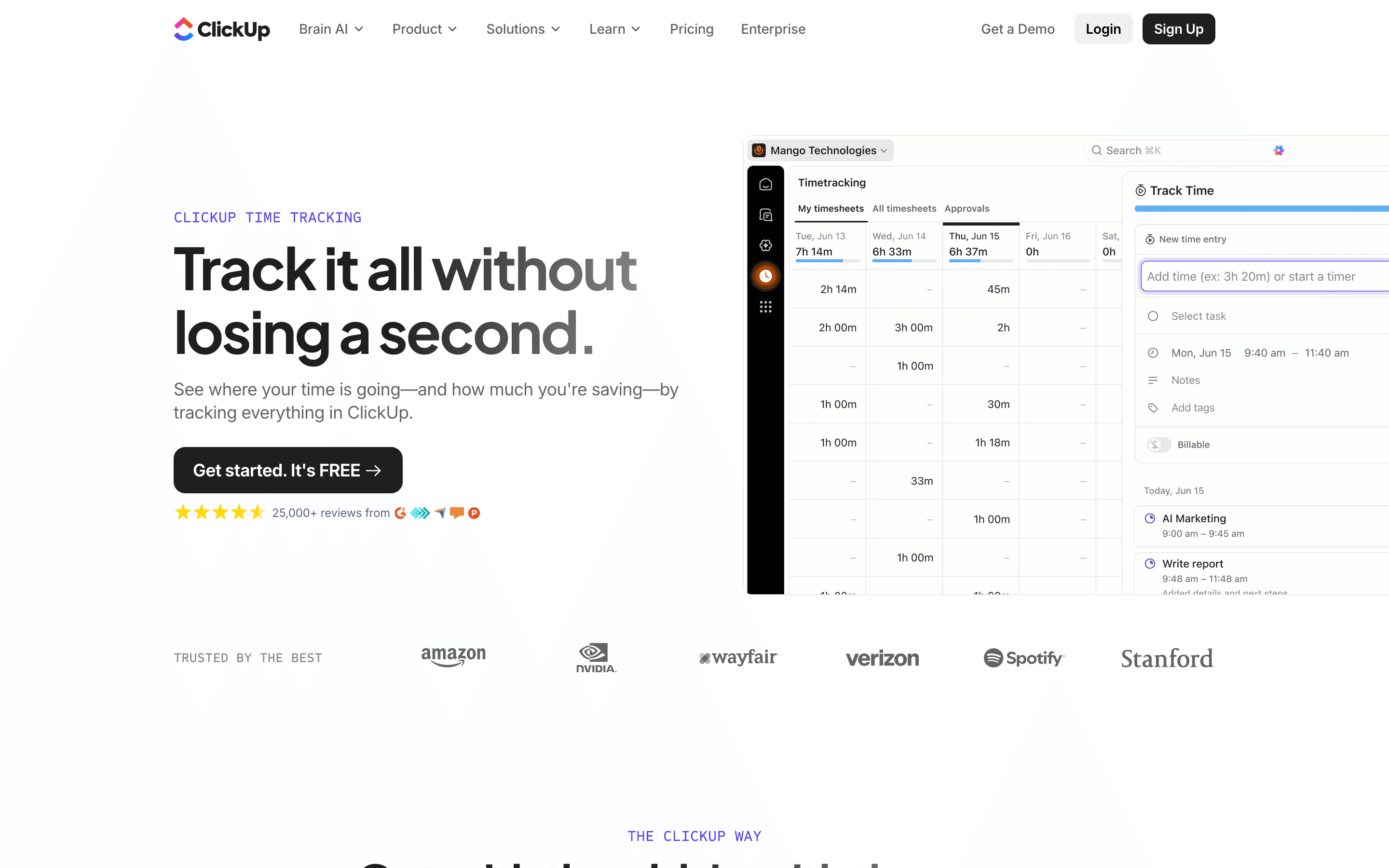
| Unlimited | $7/seat/mo | Unlimited storage and forms · Gantt charts, native time tracking, goals · ClickUp Chat |
| Business | $12/seat/mo | Advanced dashboards, webhooks · 5,000 automations per month · Mind maps, private whiteboards, sprint reporting |
| Enterprise | Custom | Custom roles, SAML SSO · 250,000 automations per month · Custom branding, HIPAA availability, dedicated success manager |
Unlimited ($7) and Business ($12) prices are per seat per month billed annually; monthly billing costs more, and the vendor pricing page does not state a fixed-length free trial for paid plans. AI is a separate add-on on top of a core plan: Brain AI is $9/user/month with 1,500 AI credits, Everything AI is $28/user/month with 5,000 credits, and extra AI credits are billed by usage. Enterprise pricing is quote-only. Automation runs are capped by plan (5,000/month on Business, 250,000/month on Enterprise); ClickUp's own help documentation says a workspace's automations pause once the monthly cap is hit and resume on the next billing cycle's reset.
Pricing verified July 7, 2026 · source
How ClickUp's pricing compares
ClickUp next to its closest alternatives on entry price, billing, and whether pricing is public.
| Tool | Starting price | Billing | Free option | Pricing disclosed |
|---|---|---|---|---|
| ClickUp | $7/seat/mo | per-seat | Yes | Partly public |
| Asana | $10.99/seat/mo | per-seat | Yes | Partly public |
| monday.com | $9/seat/mo | per-seat | Yes | Partly public |
| Linear | $10/seat/mo | per-seat | Yes | Partly public |
| Trello | $5/seat/mo | per-seat | Yes | Public |
| Basecamp | $15/seat/mo | tiered | Yes | Public |
| Notion | $10/seat/mo | per-seat | Yes | Partly public |
Is ClickUp still actively developed?
Last significant update: July 2026. ClickUp shipped Brain², a rebuild of its AI assistant that adds artifact creation (dashboards, slides, websites), automatic model selection across Claude, Gemini, and GPT, persistent memory of preferences, autonomous Super Agents, and a dedicated mobile app called Brain MAX.
Top ClickUp alternatives
Further reading
- Project Management Pricing Compared: 8 Tools, Real Numbers - Trello, ClickUp, monday.com, Asana, Notion, Linear, Basecamp and Height list prices compared, checked 2026-07-07, plus what per-seat costs hide.
ClickUp FAQ
Is ClickUp really free?+
Yes. The Free Forever plan supports unlimited members and unlimited tasks, but the whole team shares a single 60MB storage cap, which fills up quickly once you add attachments or docs.
Does ClickUp pricing include AI?+
No. AI is a separate add-on on top of any core plan. Brain AI is $9 per user per month with 1,500 AI credits, and Everything AI is $28 per user per month with 5,000 credits, with extra credits billed by usage.
What happens if my team hits ClickUp's automation limit?+
Automations pause once you hit your plan's monthly cap (5,000 on Business, 250,000 on Enterprise) until the cap resets the next month, or you upgrade.