Framer Review
Visual website builder with a real design canvas, a built-in CMS, and AI page generation
Is this your product? Claim this page · Request a change
Looking for a Framer alternative? See our ranked comparison.→What is Framer?
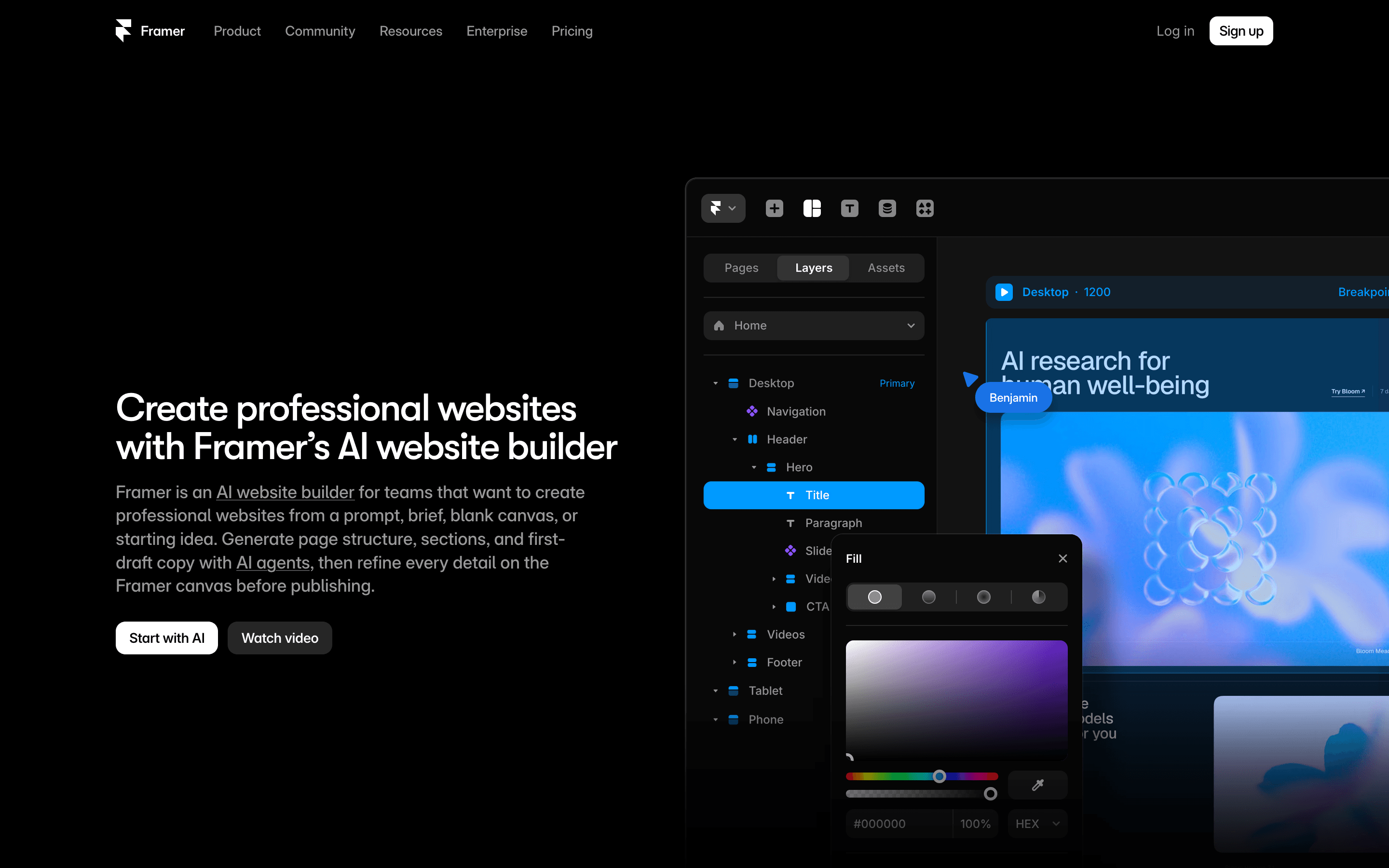
Framer is a website builder built around a real design canvas instead of a form-based editor. You place elements freely, control layout with the same kind of controls a designer expects from Figma, and it publishes straight to hosting with no separate deploy step.
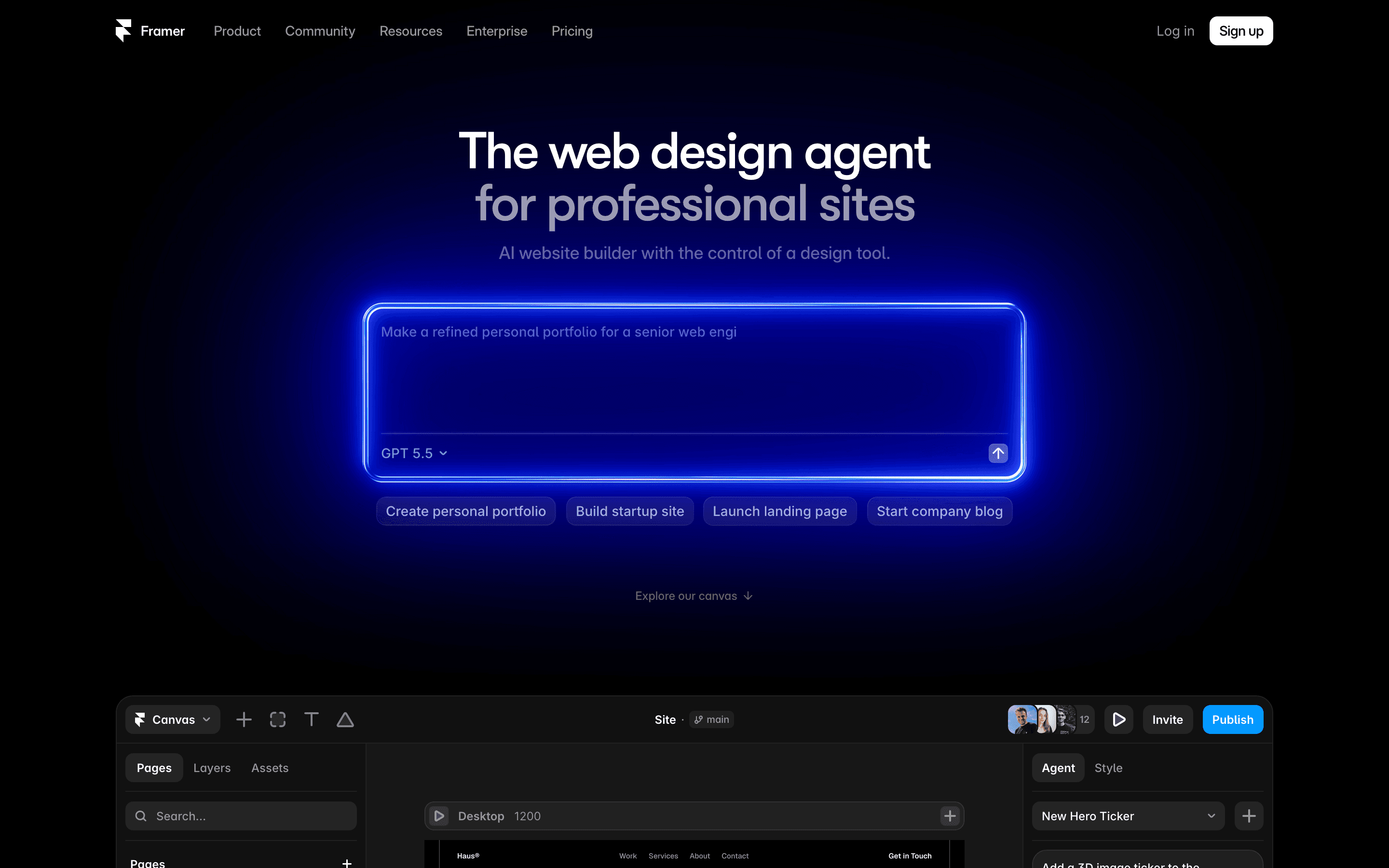
It ships with a CMS for blog posts, case studies, or any repeating content type, plus built-in SEO fields, redirects, and (on paid plans) a staging environment so you can preview changes before they go live. Framer has leaned hard into AI over the last year: an AI page generator that builds a starting layout from a prompt, and now a choice of AI models (including Sonnet 5 and Fable 5 as of July 2026) that consume monthly credits.
The tradeoff for that design freedom is a steeper learning curve than form-based builders like Squarespace, and a pricing model that adds up fast once you bring on more than one editor.
Framer screenshots
Who it's for
- ✓ Founders and designers who want a marketing site that looks custom-built, not templated, and can be live in days
- ✓ Small teams who already think in Figma-style layout and want that same control on the web
- ✓ Agencies building client sites who need staging, branching, and a real CMS without hiring a developer
Who should look elsewhere
- ✗ Teams with more than 2-3 people who need to edit the site, since extra editor seats add $20/month each on top of the plan price
- ✗ Sites that expect to outgrow the included bandwidth or CMS item limits quickly, since both are metered add-ons past the base plan
- ✗ Anyone who wants a simple, no-decisions form-based builder rather than a design canvas
Pros
- + Real visual design control, closer to Figma than to a typical drag-and-drop builder
- + CMS, hosting, staging, and AI page generation are all in one product with no plugins to wire together
- + Free plan is usable for testing a real site, not just a stripped-down demo
- + Custom domains and SEO basics are included from the $10 Basic plan, not locked to a top tier
Cons
- – Extra editor seats cost $20/month each on every paid plan, so team pricing climbs fast past the headline number
- – Bandwidth, CMS collections, and page limits are all separate paid add-ons once you exceed the plan default
- – AI features run on a monthly credit allowance that can run out before the month does
Framer pricing
What you pay for
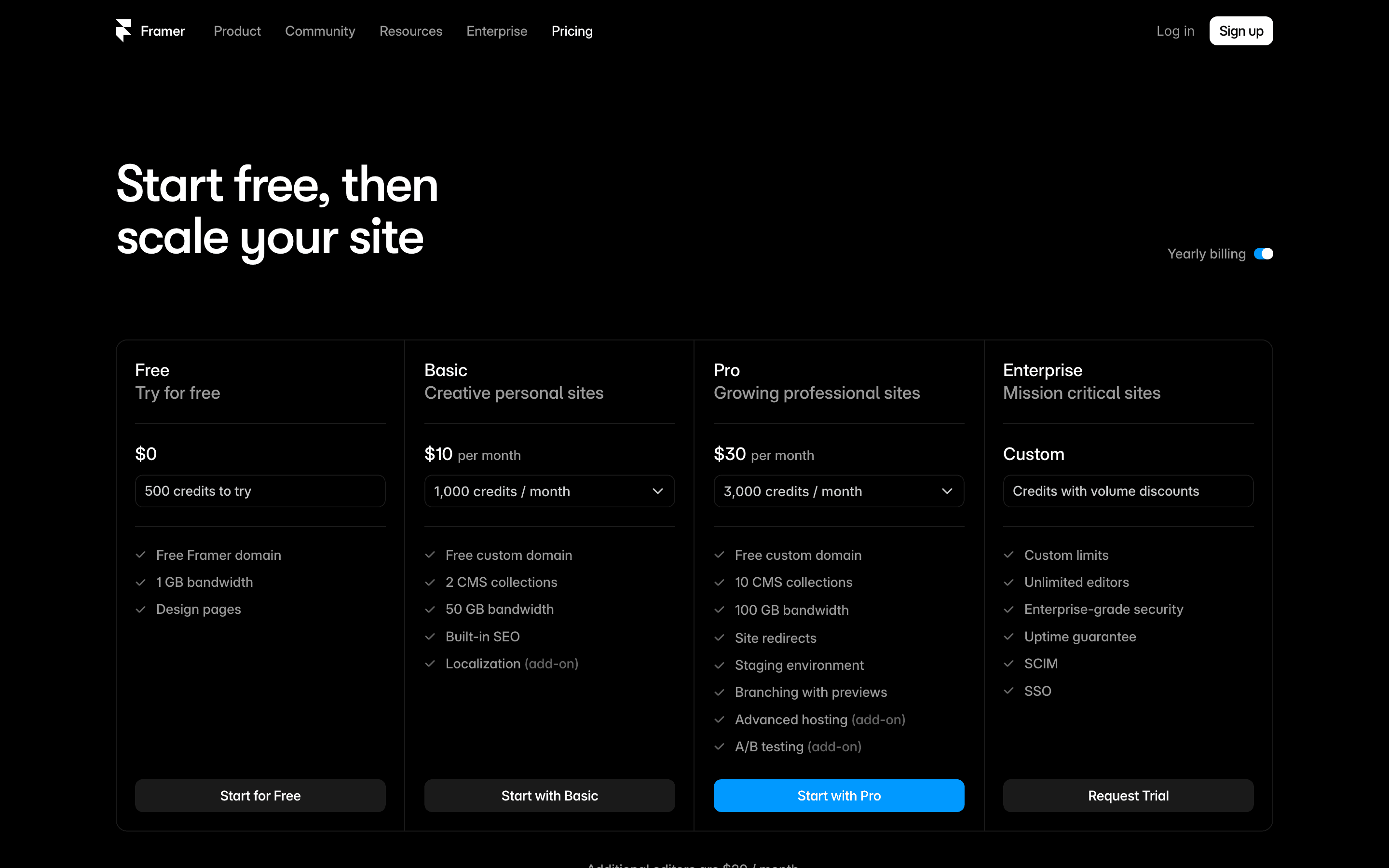
Framer charges per site, not per team, so the sticker price looks cheap until you add editors. The Basic and Pro tiers list clear numbers on the pricing page, but bandwidth, CMS collections/items, site pages, and extra editor seats are all separate paid add-ons on top of the base price. Enterprise is quote-only. Nothing here is hidden once you read the pricing page closely, but the real monthly cost for a team of three or four is higher than the $10 or $30 headline number suggests.
At about $10/month to start, it sits mid-pack on price in Website Builders.
| Plan | Price | Highlights |
|---|---|---|
| Free | Free | Framer subdomain · 1 GB bandwidth · Up to 3 editors · 10 CMS collections, 1,000 CMS items |
| Basic | $10/mo | Custom domain · 50 GB bandwidth · 2 CMS collections, 2,500 items · Built-in SEO tools · Extra editors $20/mo each |
| Pro | $30/mo | 10 CMS collections · 100 GB bandwidth · Staging environment and branching with previews · Site redirects · Bandwidth, pages, and CMS collections expandable with paid add-ons · Extra editors $20/mo each |
| Enterprise | Custom | Custom limits · Unlimited editors · SSO and SCIM · Uptime guarantee · Dedicated support |
Prices are per site, billed monthly. Yearly billing is also offered via a toggle on the pricing page, but Framer doesn't publish the discounted annual rate anywhere on the page. All paid plans charge $20/month for each additional editor beyond what's included, plus a lighter Content Editor seat at $10/month for CMS-only access. AI credits reset monthly and are shared across the whole workspace: Free gets up to 1,000/month (capped at 500/day with no active subscription), Basic gets 1,000/month, and Pro gets 3,000/month, with more purchasable anytime. Credits power AI Agents and localization. Bandwidth, site pages, and CMS collections/items can all be expanded past the plan default with paid add-ons. Enterprise is quote-only with volume-discounted credits.
Pricing verified July 7, 2026 · source
How Framer's pricing compares
Framer next to its closest alternatives on entry price, billing, and whether pricing is public.
| Tool | Starting price | Billing | Free option | Pricing disclosed |
|---|---|---|---|---|
| Framer | $10/site/mo | tiered | Yes | Partly public |
| Webflow | $15/site/mo | tiered | Yes | Partly public |
| Wix | $17/mo | tiered | Yes | Partly public |
| Squarespace | $19/mo | tiered | Trial (14 days, no credit card required) | Public |
| WordPress.com | $9/mo | tiered | Yes | Partly public |
| Carrd | $9/yr | tiered | Yes | Public |
Is Framer still actively developed?
Last significant update: July 2026. Framer added Fable 5 as a selectable AI model for its design agent, alongside Sonnet 5 (added July 1). Both plug into Framer's existing AI page-builder and consume the same monthly AI credits as other models.
Top Framer alternatives
Framer FAQ
Is Framer free?+
Yes. The Free plan gives you a Framer subdomain, 1 GB of bandwidth, and room for up to 3 editors, but it's meant for testing rather than a real commercial site.
How much does Framer cost with a team?+
The Basic and Pro plans list $10 and $30 a month, but each additional editor beyond what's included costs $20 a month more. A 3-person team on Pro costs more than the $30 sticker price once seats are added.
Does Framer have a free trial on paid plans?+
Framer's pricing page does not list a free trial for Basic, Pro, or Enterprise. You use the Free plan to test the product, then upgrade directly.
What's new in Framer recently?+
In early July 2026, Framer added Sonnet 5 and Fable 5 as selectable AI models inside its page generator, on top of existing design canvas and CMS features.