Top Workyard Alternatives in 2026
Here for Workyard itself? See the full Workyard profile, pricing & reviews →
Suggest a change- If you want GPS tracking bundled with invoicing, online booking, and QuickBooks sync for an HVAC, plumbing, or electrical crew, choose Housecall Pro. Employee GPS Tracking is a named feature starting on its Essentials plan, sitting right next to invoicing, online booking, and QuickBooks Online sync in the same app.
- If you run a small crew of 1 to 5 people and want quoting, scheduling, and job costing without an enterprise-size system, choose Jobber. automatic time tracking and job costing show up starting on its Grow plan ($149/mo solo, $229/mo for a 5-person crew), priced and sized for small teams before Jobber's larger team-size bands push costs up further.
- If you run 10 or more techs across multiple crews and want dispatch, payroll, and deep reporting in one system, choose ServiceTitan. it bundles payroll management with call booking, a pricebook, and technician-level reporting that a standalone time clock like Workyard was never built to provide.
- If you're a solo operator or very small crew who wants to pay for job volume instead of per seat, choose ServiceM8. every paid plan includes unlimited users for one flat monthly fee, and its free plan lets a solo operator run real jobs before paying anything, unlike Workyard's no-free-tier policy.
- If your only problem is GPS-verified time tracking and job costing tied to payroll, not invoicing or dispatch, choose stay on Workyard. Starter and Pro have the lowest nominal per-seat price here, but the $50/month company base fee changes the math depending on who you're comparing against. Against Jobber Core, Workyard only pulls ahead on cost once you're running 3 or more seats; a 1-2 person team pays more on Workyard. Against ServiceM8, there's no such crossover: ServiceM8 charges one flat monthly fee with unlimited users, so Workyard rarely beats it on price at any realistic crew size, and ServiceM8's cost only rises with job volume, not headcount. Either way, GPS geofencing, clock-in photo verification, and payroll exports to QuickBooks, ADP, Gusto, and Sage are exactly what Workyard was built to do.
Workyard is a GPS time clock and job costing tool built for construction and trade crews. It does one job well: it proves where your crew actually was when they clocked in, and rolls those hours straight into payroll for QuickBooks, ADP, Gusto, or Sage. What it doesn't do is quoting, invoicing, or dispatch, so plenty of HVAC, plumbing, and electrical shops outgrow it once they need one system to run the whole job, not just the clock.
The tools below are the field service platforms owners and ops managers most often compare Workyard against once they want scheduling, quoting, and invoicing bundled in with time tracking, from budget options built for a small crew to full operating platforms built for companies running 10 or more techs.
Workyard alternatives compared
| Tool | Best for | Starting price | Free option | Last update |
|---|---|---|---|---|
| Housecall ProBest for GPS tracking plus full invoicing | Solo operators and small crews who want scheduling, invoicing, and payments in one app without a lot of setup | $59/user/mo | Trial (14 days, no credit card required, full MAX plan features) | May 2026 |
| JobberBest for small crews (1-5 people) | A solo operator or small crew (1-5 people) that wants quoting, scheduling, and invoicing in one place without a big setup lift | $29/seat/mo | Trial (14 days, full access to the Grow plan, no credit card required) | — |
| ServiceTitanBest for multi-crew operations at scale | Multi-crew HVAC, plumbing, electrical, or roofing companies with 10+ techs that need one system for dispatch, invoicing, payroll, and reporting | Custom / quote | No | May 2026 |
| ServiceM8Best budget option with unlimited users | Small trade businesses (1-10 staff) that want simple job scheduling, quoting, and invoicing without paying per seat | $29/mo | Yes | April 2026 |
Why teams switch from Workyard
Automatic geofence-to-timesheet assignment, a feature users expect by default, sits behind the Enterprise tier
That forces teams to buy features and services they don't need just to get one capability working the way they expected out of the box.
All fees are non-refundable with no proration on cancellation, on monthly or annual billing alike
A reviewer specifically warned buyers to start on monthly billing until they're sure, since there's no partial refund for cancelling mid-cycle.
A flat $50 a month company base fee stacks on top of per-seat pricing on every plan, including Starter
That base fee applies whether you have 2 users or 20, on top of the $8 or $16 per-seat price.
Lower plans cap you at 3 pay categories, a real problem for prevailing-wage and government contract work
Reviewers report Workyard's own support staff struggled with prevailing-wage documentation requirements.
The best Workyard alternatives, ranked

Housecall Pro is the closest match to Workyard's core feature, since Employee GPS Tracking is a named item on the Essentials plan and up, wrapped inside invoicing, online booking, and QuickBooks Online sync. Starting at $59 per user per month billed annually for one user, it costs far more than Workyard's $8 Starter seat, but you're buying scheduling, quotes, and payments for HVAC, plumbing, electrical, and cleaning crews too, not just a time clock. The catch: GPS tracking, flat-rate pricing, and QuickBooks sync are all locked behind Essentials ($149/user/month) or MAX, not the entry Basic plan, so budget for the mid tier if GPS is the reason you're switching. The 14-day trial gives full MAX access, so you can test the GPS tracking before you commit.
Pros
- + Covers scheduling, invoicing, online booking, and payments in one app without needing separate tools
- + QuickBooks Online sync with control over when jobs and invoices sync
- + 14-day free trial gives full access to MAX plan features, no credit card needed
Cons
- – Core features like GPS tracking, flat-rate pricing, and QuickBooks sync are locked behind Essentials or MAX, not Basic
- – Extra users past the plan limit cost $35/month each on MAX, which adds up fast for growing crews

Jobber fits best if your crew is small, 1 to 5 people, and you want quoting, scheduling, invoicing, and job costing under one roof instead of stitching Workyard to a separate invoicing tool. Automatic time tracking and job costing only show up on Grow ($149/mo solo, $229/mo for a 5-person crew); the $99 Connect plan only adds basic time and expense tracking, not job costing, and the $29 Core plan has neither. Pricing runs in team-size bands rather than a flat per-seat add-on, so that same 5-person crew pays $229 a month on Grow, not the $149 solo sticker price. QuickBooks sync and automated payment reminders cut down on manual bookkeeping once you're on Connect or higher. Reviewers flag declining phone support and one 10-person account reportedly running near $10,000 a year, so price out your real headcount before you switch.
Pros
- + Covers the full job lifecycle (quote, schedule, invoice, get paid) in one app, so you're not stitching tools together
- + Client-facing online booking and a basic website builder are included even on the cheapest plan
- + QuickBooks sync and automated payment reminders cut down on manual bookkeeping once you're on Connect or higher
Cons
- – Team pricing climbs quickly past the advertised starting price: it's banded by team size (1, 2-5, 6-10, 11-15 users) rather than a flat per-seat add-on, and one 8-year user reported a 10-person account running about $10,000/year
- – Two-way texting, job costing, and automation are locked out of the cheapest Core plan

ServiceTitan makes sense once you've outgrown a standalone time clock and need dispatch, invoicing, payroll, and reporting for 10 or more techs in one system. It includes payroll management from the Essentials tier up, similar territory to Workyard's payroll exports, but wraps it in call booking, a pricebook, and technician-level reporting Workyard doesn't offer at all. The tradeoff is real: no published pricing, with third-party reports putting base plans around $245 to $500 per technician per month, a separate implementation fee reported from $5,000 to $50,000 or more, and a standard 12-month contract with reported renewal increases of 15 to 20%. This is the pick for multi-crew HVAC, plumbing, or electrical operations ready to run one big system, not a solo operator just replacing a time clock.
Pros
- + Covers the full job lifecycle in one place: booking, dispatch, quoting, invoicing, payroll, and reporting
- + Deep reporting lets owners see technician-level performance, close rates, and job profitability
- + Mobile app gives techs pricebook, job history, and payment collection on-site
Cons
- – No published pricing. You have to talk to sales to get a number, and third-party reports put base plans anywhere from about $245 to $500 per technician per month
- – Implementation fees are separate and reported to range from about $5,000 to $50,000 or more depending on company size, with onboarding reported to take months
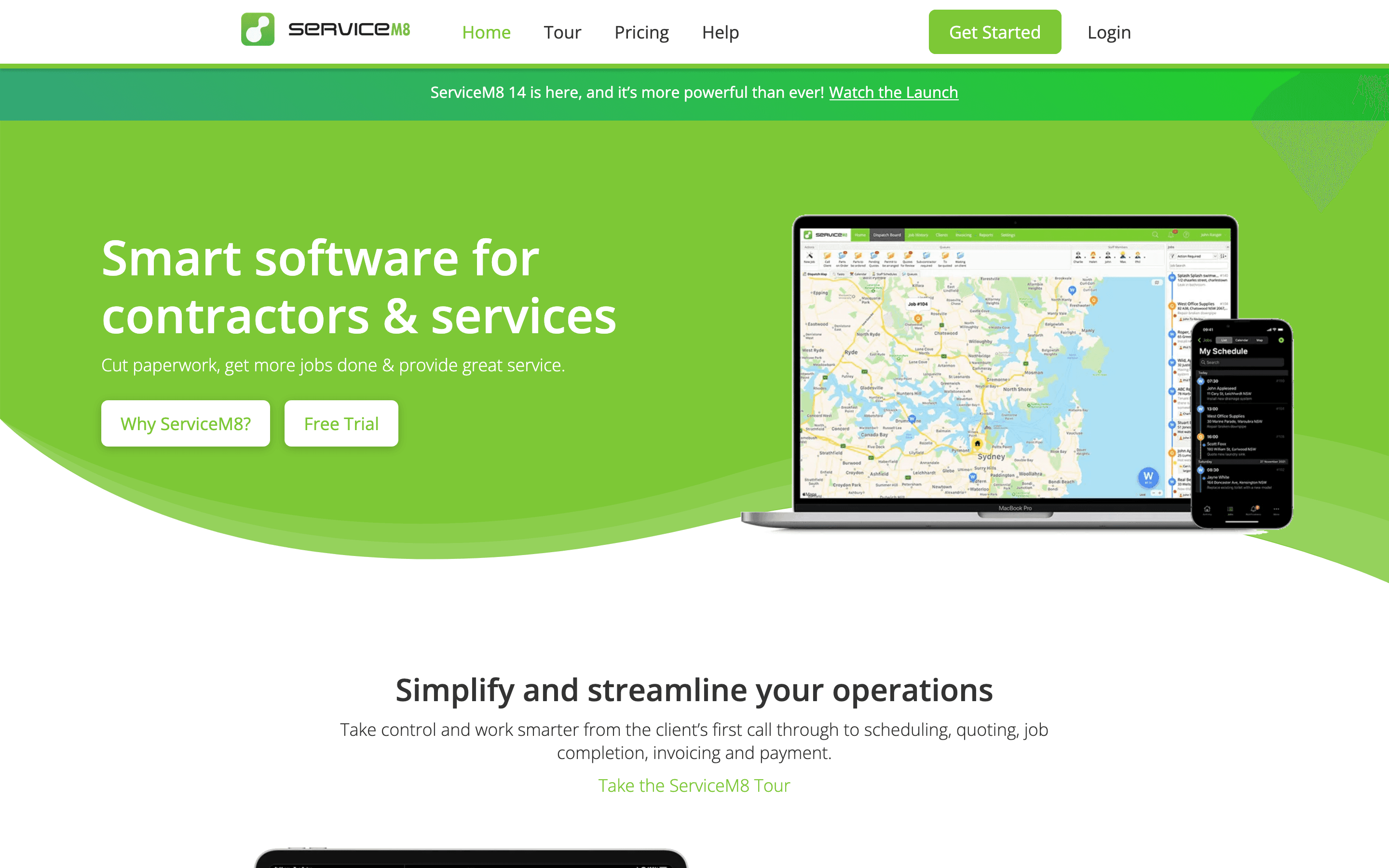
ServiceM8 is the budget option if your crew is small and you'd rather pay for job volume than per seat, the opposite of Workyard's per-user-plus-$50-base-fee model. Every paid plan has unlimited users starting at $29 a month, and there's a genuine free plan for solo operators capped at 30 jobs a month and 1 user, something Workyard doesn't offer at any price. What you give up is Workyard's specific strength: there's no named GPS geofencing or clock-in photo verification feature, so it's a weaker fit if catching buddy-punching is the reason you're shopping. Support is chat and email only, with no phone line, and businesses heavy on recurring service jobs burn through their job-credit allowance faster since every recurring visit counts as a new job.
Pros
- + Unlimited users on every paid plan, so adding staff doesn't raise the price directly
- + Free plan lets a solo operator run real jobs before paying anything
- + No long-term contract; you can upgrade or downgrade plans anytime
Cons
- – Job volume, not seats, decides your bill, so a busy month can push you into a pricier tier even with the same headcount
- – A job only costs one credit no matter how long it stays open, but a recurring job gets a new job number, and a new credit, every time it repeats, so heavy recurring-service businesses burn through their allowance faster than one-off job businesses with similar workload
Should your product be on this field service management list?
If you build a tool that belongs next to the ones above, submit it. A human reviews every submission. Approved products get their own page with pricing and screenshots, plus a place in the comparisons where they fit. It is free. You sign in with your work email so you can follow the decision, and there is no password to create.
Workyard alternatives: FAQ
What's the biggest complaint about Workyard?+
Reviewers point to the flat $50 a month company base fee stacked on top of per-seat pricing on every plan, and to automatic geofence-based timesheet assignment being locked behind the pricier Enterprise tier.
Is there a free Workyard alternative?+
ServiceM8 has a genuine free plan for solo operators, covering 1 user and up to 30 jobs a month, which Workyard doesn't offer at any price since it only has a 14-day trial.
Which Workyard alternative also has GPS tracking?+
Housecall Pro lists Employee GPS Tracking as a named feature starting on its Essentials plan, alongside invoicing, scheduling, and QuickBooks Online sync.
What's the best Workyard alternative for a large multi-crew HVAC or plumbing company?+
ServiceTitan is built for companies running 10 or more techs and bundles payroll, dispatch, invoicing, and reporting in one system, though pricing isn't published and requires a sales quote.
Workyard alternatives: pricing compared
Entry price, billing model, and whether pricing is public. 4 of 5 publish pricing you can check without talking to sales.
| Tool | Starting price | Billing | Free option | Pricing disclosed |
|---|---|---|---|---|
| Workyard | $8/seat/mo | per-seat | Trial (14 days, no credit card required) | Partly public |
| Housecall Pro | $59/user/mo | tiered | Trial (14 days, no credit card required, full MAX plan features) | Public |
| Jobber | $29/seat/mo | per-seat | Trial (14 days, full access to the Grow plan, no credit card required) | Partly public |
| ServiceTitan | Custom / quote | quote-only | No | Not disclosed |
| ServiceM8 | $29/mo | usage-based | Yes | Public |
How we made these picks. We compare tools on public pricing, features, and hands-on assessment, then verify every price against the vendor's own page. We never accept payment for rankings. Read the full methodology. Spotted an error? Report it.