Vidyard Review
Video hosting and AI avatars for sales and marketing outreach
Is this your product? Claim this page · Request a change
Looking for a Vidyard alternative? See our ranked comparison.→What is Vidyard?
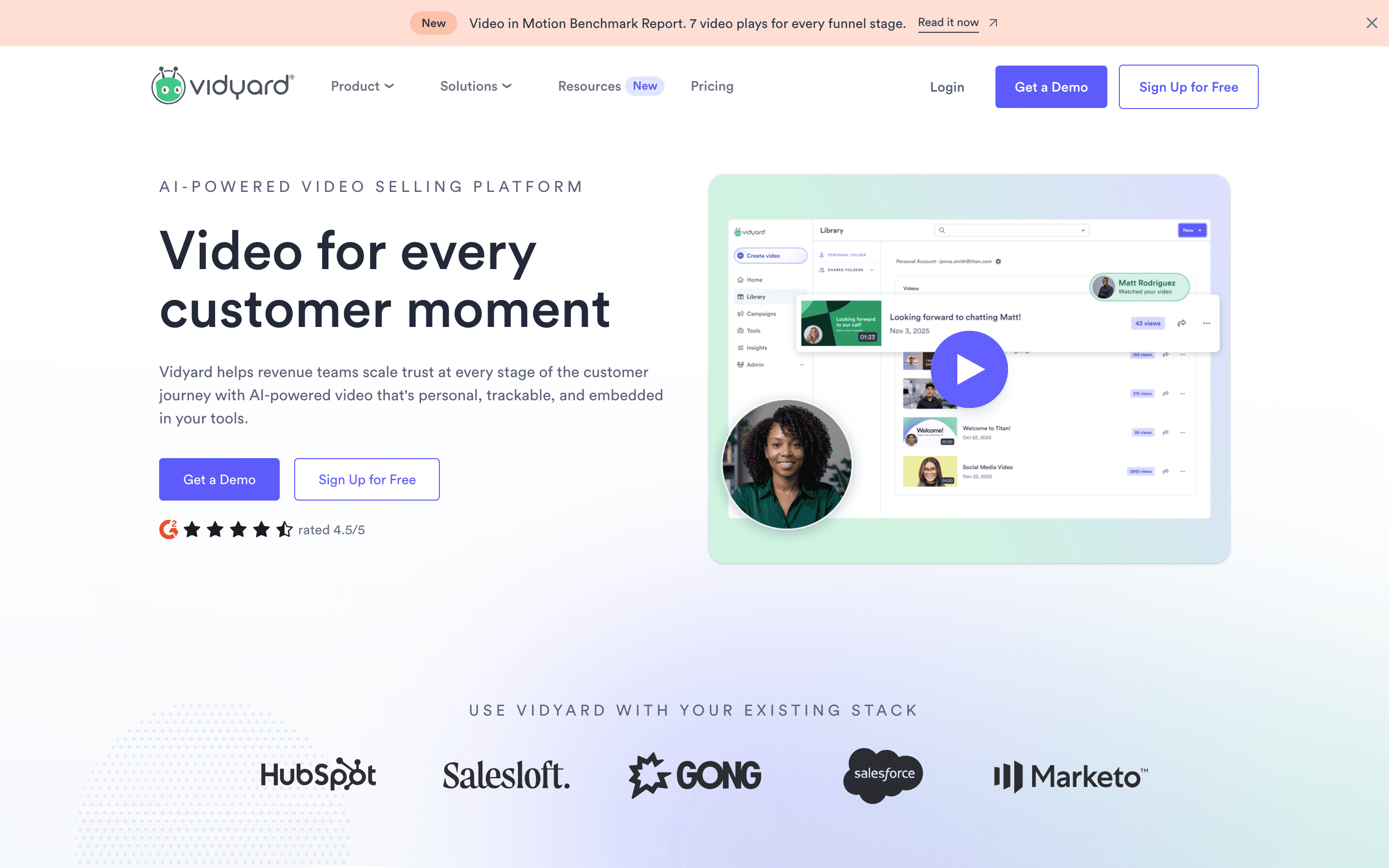
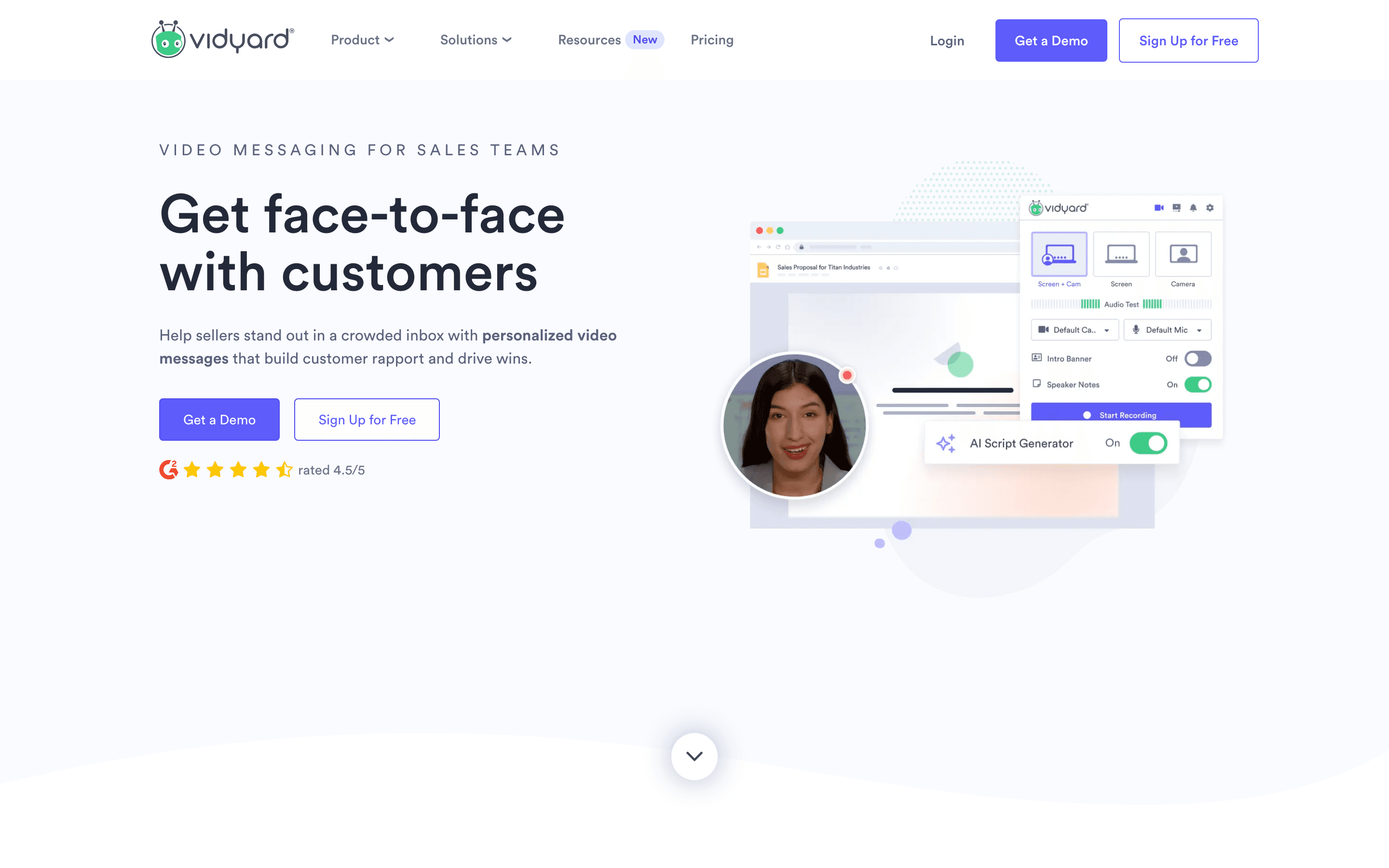
Vidyard is a video hosting and messaging platform for sales and marketing teams. Reps record personalized videos on webcam, screen, or with an AI avatar, then send them by email, LinkedIn, or a landing page. Analytics show who watched, how much, and when.
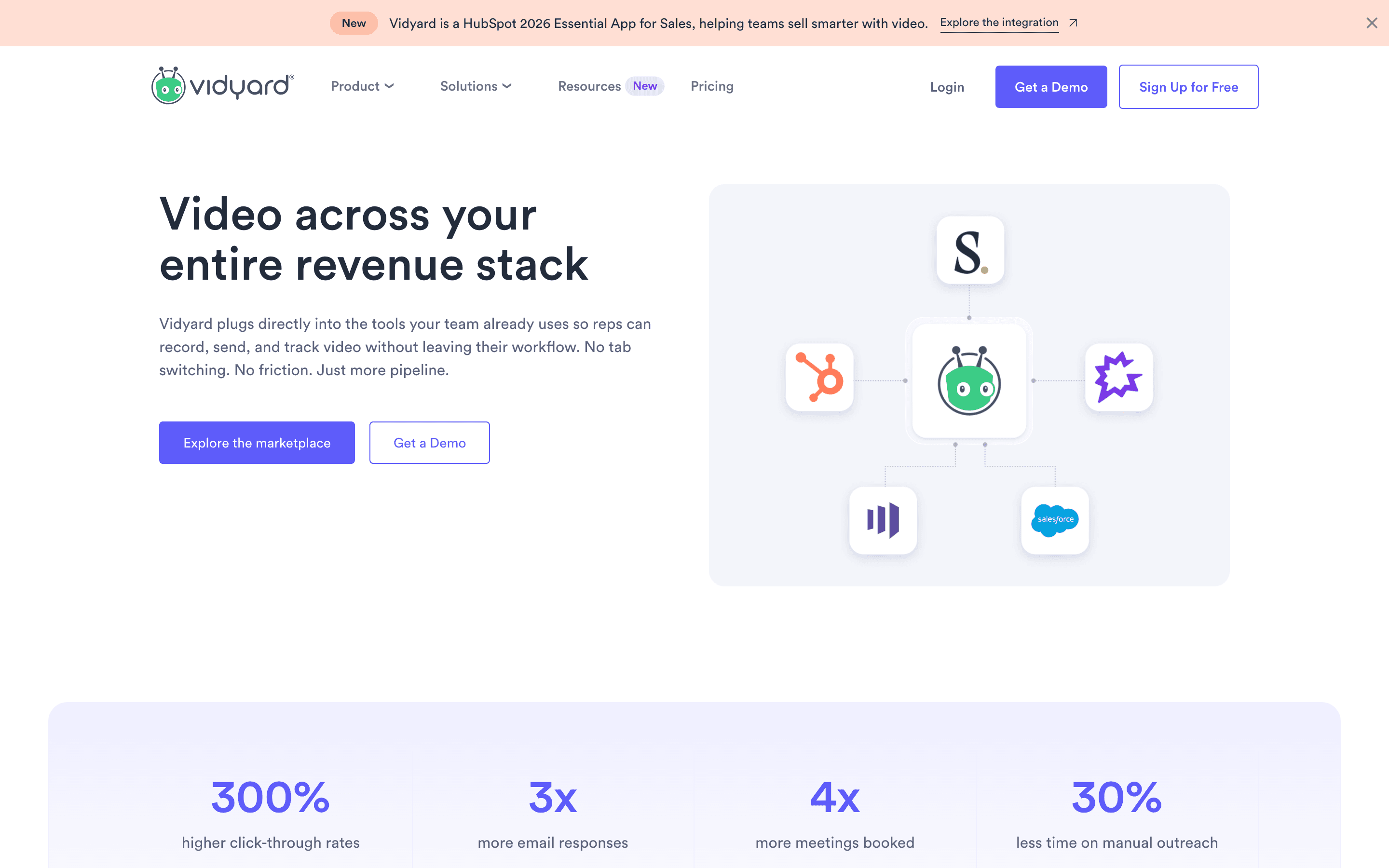
The product now leans heavily on AI avatars and "Video Agent" automation. You record a short training clip once, then generate new videos from a text prompt using your own likeness and voice. You can also set avatar videos to trigger automatically off signals like a form fill or a CRM stage change. It integrates with Salesforce, HubSpot, Gong, and Marketo, so video activity shows up in pipeline reporting.
Vidyard screenshots
Who it's for
- ✓ Sales and marketing teams that want video hosting and CRM-linked engagement analytics in one tool
- ✓ Teams that want to scale personalized outreach with AI avatars instead of recording every video live
- ✓ Companies already on Salesforce, HubSpot, or Gong that want video data inside those workflows
Who should look elsewhere
- ✗ Solo reps or small teams who just want a quick way to record and share a screen recording without CRM integration
- ✗ Teams that need CRM integrations, SSO, or advanced admin controls with clear self-serve pricing. Those features sit on the Teams and Enterprise tiers, which are quote-only
Pros
- + The free plan includes AI avatar video creation (15 AI videos a month), not just basic recording
- + Deep CRM and sales-engagement integrations (Salesforce, HubSpot, Gong, Marketo) on the Teams tier and above
- + Video Agent can trigger personalized avatar videos automatically off CRM or intent signals, so you don't have to send each one by hand
- + Vidyard ships new updates most months in 2026, so the roadmap isn't stale
Cons
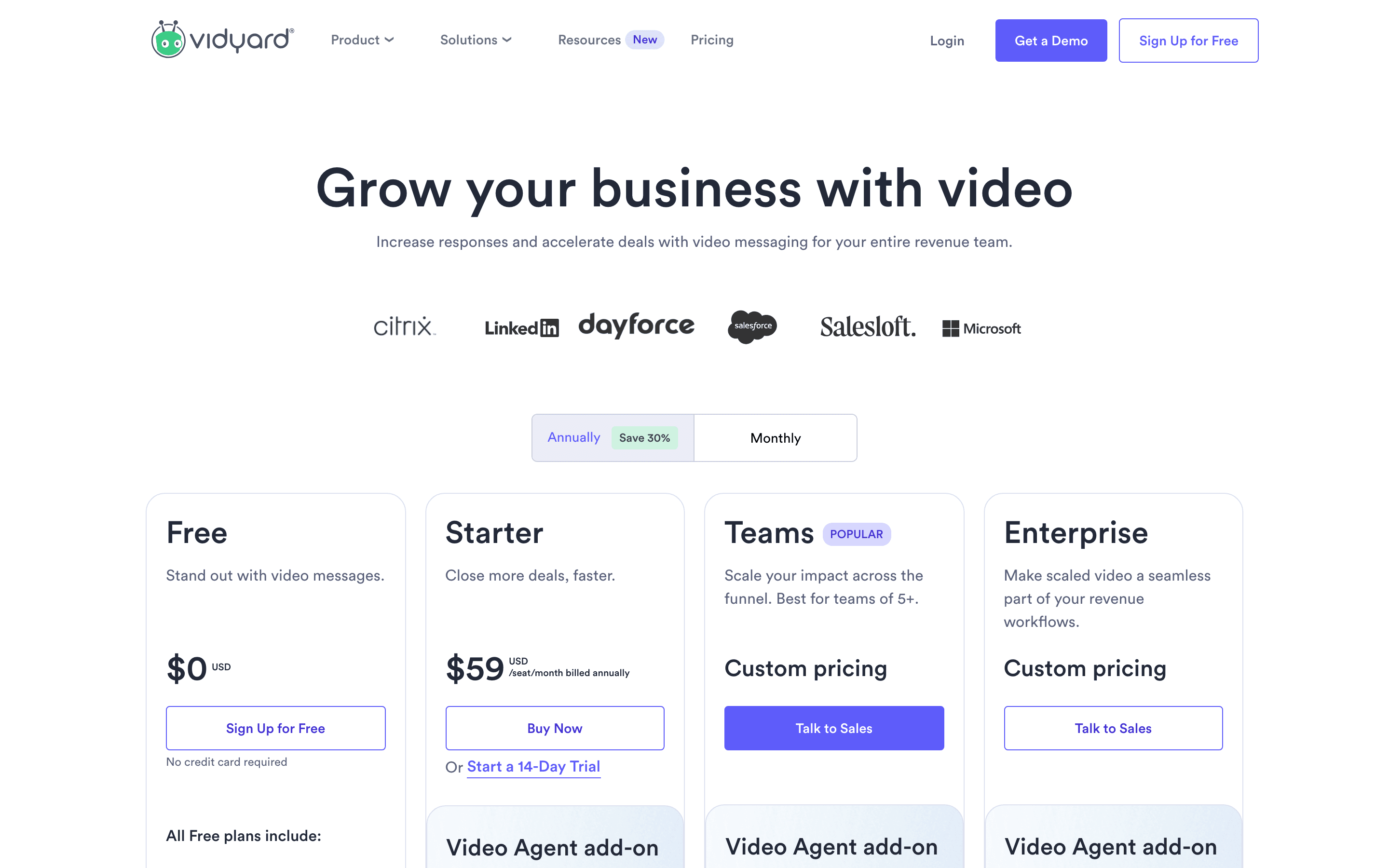
- – Teams and Enterprise pricing is quote-only ("Talk to Sales"). Only Free ($0) and Starter ($59/seat/month billed annually) show a public price
- – The free plan caps out at 5 regular videos and 15 AI videos a month, which is thin for daily prospecting
- – CRM integrations (Salesforce, HubSpot) need the Teams tier or above, so smaller teams on Starter miss that connection
- – AI avatar videos can come across as impersonal or gimmicky to prospects if you overuse them in outreach
Vidyard pricing
What you pay for
Vidyard charges per seat, per month. The cheapest paid tier, Starter, costs $59 a seat billed annually (or $89 billed monthly) and covers unlimited video recording, analytics, branded sharing pages, and CTA templates. There's also a free plan with no credit card required, capped at 5 videos and 15 AI avatar videos a month. Teams and Enterprise pricing isn't published; you need to talk to sales for a quote.
At about $59/month to start, it sits at the higher end of Video Messaging & Sales Video pricing.
| Plan | Price | Highlights |
|---|---|---|
| Free | Free | 5 videos per month · 15 AI avatar videos · Up to 30-minute recording length · Limited integrations |
| Starter | $59/seat/mo | Unlimited video recording · Full and team performance analytics · Branded sharing page · CTA templates · Password-protected videos · Folder management |
| Teams | Custom | Everything in Starter · CRM/MAP integrations (Salesforce, HubSpot) · Advanced analytics · Advanced branded sharing · Video captions |
| Enterprise | Custom | Everything in Teams · Unlimited integrations · SSO · Custom permissions and security controls |
Vidyard's pricing page (checked 2026-07-06) lists Starter at $59/seat/month billed annually, or $89/seat/month billed monthly, with the annual view as the default toggle. Teams and Enterprise are still quote-only, marked "Talk to Sales," with no published price. The Free plan is $0. A separate Video Agent add-on gives unlimited AI avatar videos on top of any paid plan, priced at $24/seat/month billed annually or $29/seat/month billed monthly. The billing toggle on the page reads "Annually Save 30% Monthly" across all paid plans.
Pricing verified July 6, 2026 · source
How Vidyard's pricing compares
Vidyard next to its closest alternatives on entry price, billing, and whether pricing is public.
| Tool | Starting price | Billing | Free option | Pricing disclosed |
|---|---|---|---|---|
| Vidyard | $59/seat/mo | per-seat | Yes | Partly public |
| Sendspark | $49/seat/mo | per-seat | Trial (7 days, no credit card required) | Partly public |
| Loom | $18/seat/mo | per-seat | Yes | Partly public |
| Bonjoro | $15/seat/mo | per-seat | Yes | Partly public |
| Dubb | $42/seat/mo | per-seat | Yes | Partly public |
| Hippo Video | $20/seat/mo | per-seat | Yes | Public |
Is Vidyard still actively developed?
Last significant update: July 2026. Redesigned the Chrome extension with a simpler recording and sharing flow, cutting the number of clicks needed to record and send a video.
Top Vidyard alternatives
Further reading
- Best video tools for customer onboarding - Loom is fastest for one-off support clips. Vidyard, Hippo Video, and Sendspark add analytics and CRM sync for tracked onboarding programs. Here's the fit.
- How to switch from Loom to Vidyard - You'll pay about four times more per seat to switch from Loom to Vidyard, but you gain landing pages, CTAs, and CRM-linked video analytics Loom lacks.
- Best video prospecting tools for founder-led sales - Sendspark and Vidyard lead video prospecting tools built for outbound, with per-prospect pages and CRM sync. Loom is free but lacks sales features.
Vidyard FAQ
Is Vidyard free to use?+
Yes. Vidyard's Free plan needs no credit card. It's capped at 5 regular videos and 15 AI avatar videos a month, with a 30-minute recording limit and limited integrations.
How much does Vidyard cost for a team?+
Starter costs $59/seat/month billed annually, or $89/seat/month billed monthly, per Vidyard's pricing page. Teams and Enterprise don't list a price. Both need a sales call for a quote.
Do I need the Teams plan to connect Vidyard to Salesforce or HubSpot?+
Yes. CRM and marketing automation integrations are part of the Teams plan and above, not Starter.
What are Vidyard's AI Avatars?+
AI Avatars let you record a short training video once, then generate new videos from a text prompt using your own likeness and voice. Teams can also share avatars so teammates can generate videos using someone else's likeness, with permission controls in place.