Read AI Review
AI meeting notetaker that also scores how meetings and emails are going
Is this your product? Claim this page · Request a change
Looking for a Read AI alternative? See our ranked comparison.→What is Read AI?
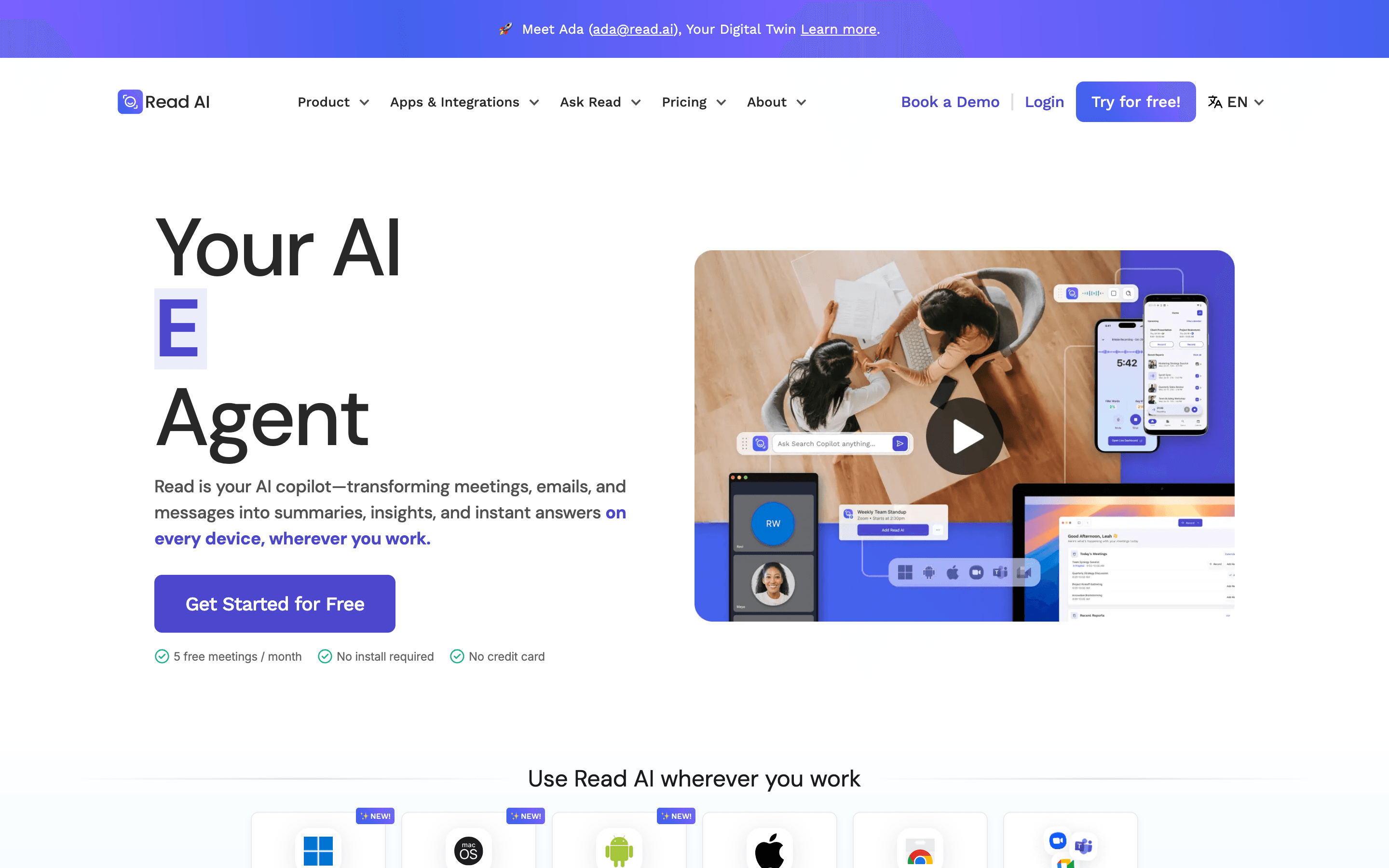
Read AI joins your Zoom, Google Meet, or Teams calls, records and transcribes them, and turns the result into a summary with action items and highlight clips. It also scores meetings on things like talk-time balance and sentiment, which is the feature that sets it apart from most notetakers.
Beyond meetings, Read AI reads your email and Slack too, and pitches itself as a broader AI assistant (it calls this Ada) rather than just a transcription tool. It has also added an MCP server and a Claude connector, so meeting data can flow into other AI tools instead of staying locked in its own app.
Read AI screenshots
Who it's for
- ✓ Sales and CS teams who want meeting scoring and talk-time analytics on top of transcripts
- ✓ Teams already using Notion, Salesforce, HubSpot, or Slack that want meeting notes pushed there automatically
Who should look elsewhere
- ✗ Teams that need every meeting captured under one workspace license instead of paying per person
- ✗ Anyone who wants a notetaker with no history of consent or privacy complaints
Pros
- + Meeting analytics like talk-time ratio and sentiment go beyond a plain transcript
- + Premium integrations (Notion, Salesforce, HubSpot, Jira, Confluence) are included on the entry paid plan
- + Pricing is public and posted on the site, not hidden behind a sales call
- + Now works as an MCP server and Claude connector, so notes can feed other AI tools
Cons
- – Per-seat licensing means covering a whole team costs more than tools priced per workspace
- – Free plan is capped at 5 meeting transcripts a month with a 1-hour meeting limit
- – Trustpilot reviews are heavily negative (1.4/5 from around 87 reviews), mostly from people the bot recorded without their consent
- – Several universities, including Chapman, Tufts, and UW-Madison, have blocked the bot over consent and data governance concerns
Read AI pricing
At about $15/month to start, it is one of the cheaper options in AI Meeting Notetakers.
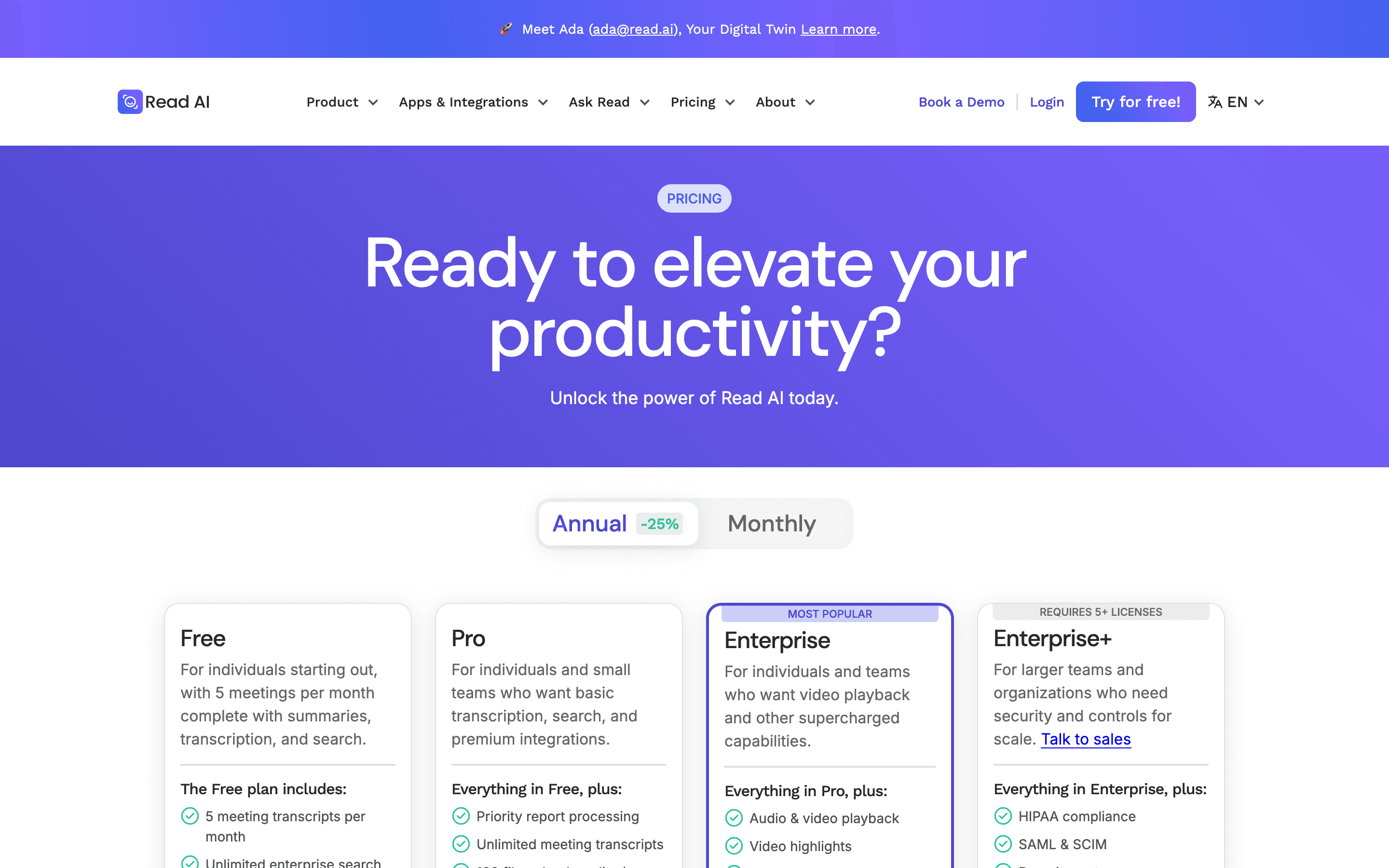
| Plan | Price | Highlights |
|---|---|---|
| Free | Free | 5 meeting transcripts a month · Up to 30 meetings measured for coaching scores a month · 1 hour maximum meeting length · Unlimited search across your own meetings · Basic meeting coach and basic integrations |
| Pro | $15/seat/mo | Unlimited meeting transcripts · 30 meetings measured a month, up to 4 hours each · 100 file upload credits a month · Priority report processing · Premium integrations: Notion, Salesforce, HubSpot, Jira, Confluence, Zapier, webhooks |
| Enterprise | $22.5/seat/mo | Everything in Pro · Audio and video playback plus video highlights · 200 file upload credits a month · Meetings up to 4 hours · Premium support · Requires 5+ licenses |
| Enterprise+ | $29.75/seat/mo | Everything in Enterprise · Meetings up to 8 hours · HIPAA compliance, SAML and SCIM · Domain-wide capture, custom data retention · 300 file upload credits a month · Requires 5+ licenses |
Prices shown are per seat, billed annually (25% cheaper than paying monthly). Paying monthly, Pro is $19.75, Enterprise is $29.75, and Enterprise+ is $39.75 per seat. Every seat is licensed per person, not per workspace, so a license only covers that person's own meetings. Volume discounts kick in at 100+ licenses (10% off), 500+ (15% off), and 1,000+ (20% off).
Pricing verified July 7, 2026 · source
How Read AI's pricing compares
Read AI next to its closest alternatives on entry price, billing, and whether pricing is public.
| Tool | Starting price | Billing | Free option | Pricing disclosed |
|---|---|---|---|---|
| Read AI | $15/seat/mo | per-seat | Yes | Public |
| Granola | $14/seat/mo | per-seat | Yes | Public |
| Fathom | $20/seat/mo | per-seat | Yes | Partly public |
| Fireflies | $10/seat/mo | per-seat | Yes | Public |
| Otter | $16.99/seat/mo | per-seat | Yes | Partly public |
| Circleback | $25/seat/mo | per-seat | Trial (7 days) | Partly public |
| Grain | $15/seat/mo | per-seat | Yes | Partly public |
Is Read AI still actively developed?
Last significant update: May 2026. Read AI became an official Claude connector, putting meeting intelligence, action items, and transcripts into Claude, along with three prebuilt Skills for weekly planning, deal-health reporting, and product-feedback rollups.
Top Read AI alternatives
Read AI FAQ
Is Read AI free?+
Yes, up to 5 meeting transcripts a month with a 1-hour meeting cap. Past that you need a paid seat starting at $15/seat/month billed annually.
Does Read AI charge per person or per company?+
Per person. Every user whose meetings you want captured needs their own paid license, since one license only covers that person's own meetings, not the whole workspace.
Why do some people distrust Read AI?+
Its Trustpilot reviews skew heavily negative, mostly from people who found the bot joined their meetings without asking. Some users also report it can spread across a team automatically once one person signs up.