Circleback Review
AI notes, action items, and automations for every meeting, in person or on a call
Is this your product? Claim this page · Request a change
Looking for a Circleback alternative? See our ranked comparison.→What is Circleback?
Circleback joins your calls on Zoom, Google Meet, Microsoft Teams, Webex, or Slack huddles, or runs on your desktop and phone for in-person conversations, and turns the conversation into notes, action items, and a searchable transcript. It also runs automations off the back of meetings, updating a CRM, posting a Slack summary, or drafting a follow-up email without you touching anything.
It started as a solo-founder tool for fast, clean notes and has grown into a small-team product with shared meeting libraries, an assistant you can ask questions across all your past meetings, and MCP support so tools like Claude, ChatGPT, and Cursor can pull in meeting context directly.
Circleback screenshots
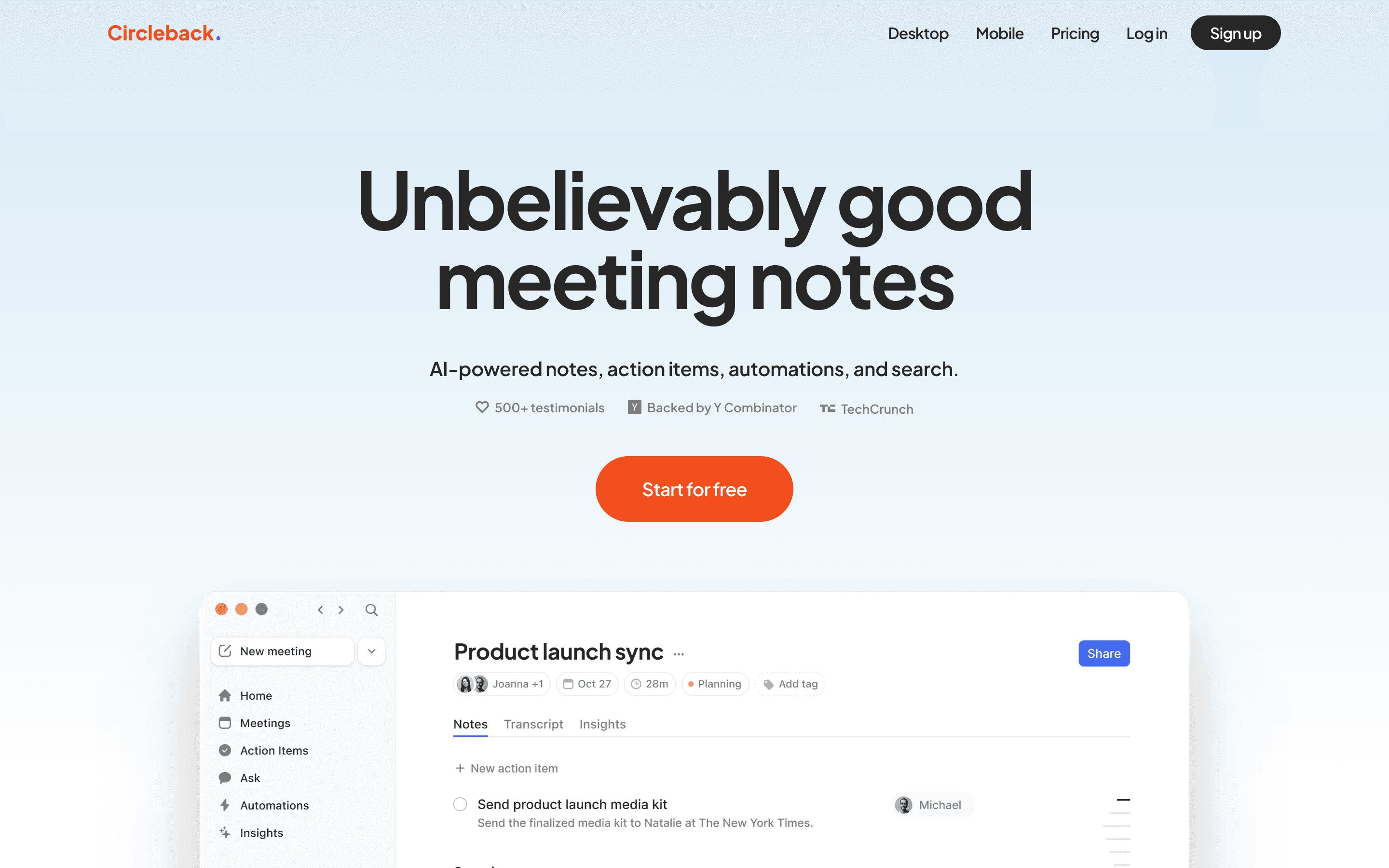
Who it's for
- ✓ Founders and solo operators who want clean notes and automations without setting up a big workflow tool
- ✓ Small sales or CS teams that want shared meeting history and CRM updates without a dedicated RevOps hire
Who should look elsewhere
- ✗ Teams that need a free forever plan to test with before paying
- ✗ Teams that expect to reach a human quickly when something breaks
Pros
- + Notes and action items are ready right after the call, with automations that push them into Slack, a CRM, or email on their own
- + Works for in-person meetings too, not just video calls, through the desktop app and now an Apple Watch complication
- + Supports over 100 languages and connects to 1,000+ apps
- + Plans can be upgraded, downgraded, or changed seat count anytime and you're only billed the prorated difference
Cons
- – No free plan, only a 7-day free trial before you need to subscribe
- – At least one reviewer describes support as chatbot-only, with no way to open a ticket or reach a person, even to report the app crashing
- – Transcription and speaker identification get shakier with overlapping speakers or a noisy conference room
- – Enterprise pricing isn't public, so budgeting for a larger rollout means a sales call
Circleback pricing
What you pay for
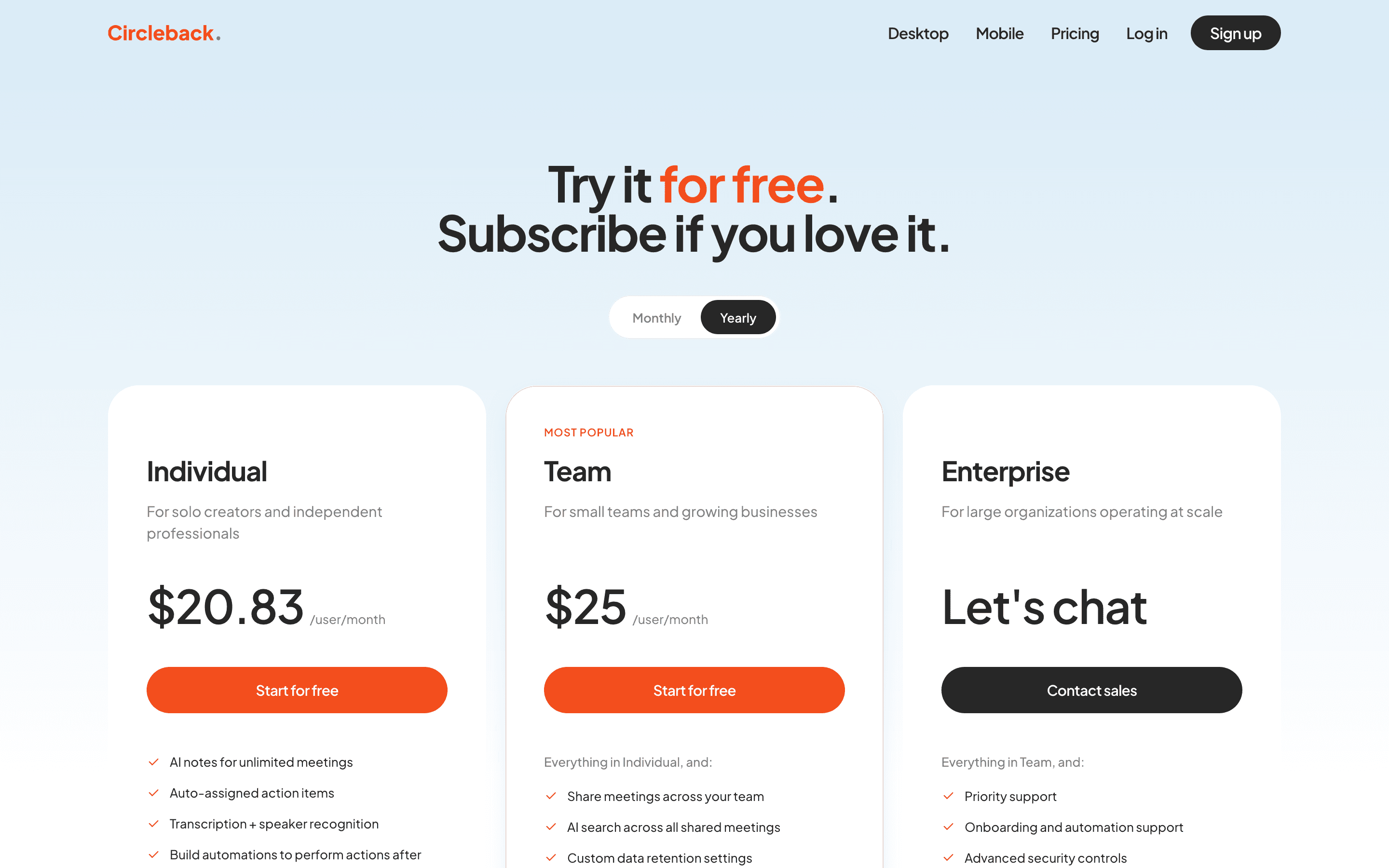
You pay per seat, per month, and the only way to skip that is a 7-day free trial. Individual is built for one person, Team adds shared access and admin controls, and Enterprise pricing is never posted, you have to ask sales. Pricing itself is fully public and easy to compare against competitors.
At about $25/month to start, it sits at the higher end of AI Meeting Notetakers pricing.
| Plan | Price | Highlights |
|---|---|---|
| Individual | $25/seat/mo | AI notes and action items · Automations to 1,000+ apps · In-person recording · 100+ languages · Custom insights |
| Team | $30/seat/mo | Everything in Individual · Shared team meetings and cross-meeting search · Slack huddle recording · Inline comments · Centralized billing and usage dashboard · Access controls |
| Enterprise | Custom | Everything in Team · Priority support · Onboarding and automation support · Advanced security controls |
Individual drops to $20.83/seat/month and Team to $25/seat/month when billed annually. Enterprise is quote-only, contact sales. There's no free-forever plan, only a 7-day free trial before you need to subscribe. Viewer seats (read-only access to shared meetings) are free. Prices confirmed on the vendor pricing page.
Pricing verified July 7, 2026 · source
How Circleback's pricing compares
Circleback next to its closest alternatives on entry price, billing, and whether pricing is public.
| Tool | Starting price | Billing | Free option | Pricing disclosed |
|---|---|---|---|---|
| Circleback | $25/seat/mo | per-seat | Trial (7 days) | Partly public |
| Granola | $14/seat/mo | per-seat | Yes | Public |
| Fathom | $20/seat/mo | per-seat | Yes | Partly public |
| Fireflies | $10/seat/mo | per-seat | Yes | Public |
| Otter | $16.99/seat/mo | per-seat | Yes | Partly public |
| Grain | $15/seat/mo | per-seat | Yes | Partly public |
| Read AI | $15/seat/mo | per-seat | Yes | Public |
Is Circleback still actively developed?
Last significant update: July 2026. Deleted meetings now go to a Recently Deleted folder and can be restored within 30 days, instead of being wiped immediately.
Top Circleback alternatives
Further reading
- AI Meeting Notetakers Pricing Compared: 8 Tools, Real Numbers - Entry list prices for Circleback, Fathom, Fireflies, Grain, Granola, Otter, Read AI and tl;dv, checked 2026-07-07, plus what actually drives your bill.
Circleback FAQ
Does Circleback have a free plan?+
No. There's a 7-day free trial, and you need to subscribe to a paid plan once it ends. Read-only viewer seats for shared meetings are free.
How much does Circleback cost?+
Individual is $25 a seat per month, or $20.83 billed annually. Team is $30 a seat per month, or $25 billed annually. Enterprise is custom pricing through sales.
Can I change plans or seat count later?+
Yes. You can switch plans or add and remove seats anytime from Settings → Billing, and you're only charged the prorated difference.
Is Circleback's support reliable?+
Reviews are mixed. Circleback's own FAQ says you can cancel anytime with a single click, but at least one Trustpilot reviewer describes support as a chatbot with pre-written prompts that rejects custom messages, with no way to open a ticket or talk to a person, even to report the app crashing.