Umami Review
Open-source, privacy-focused web analytics you can self-host for free or run on Umami Cloud
Is this your product? Claim this page · Request a change
Looking for a Umami alternative? See our ranked comparison.→What is Umami?
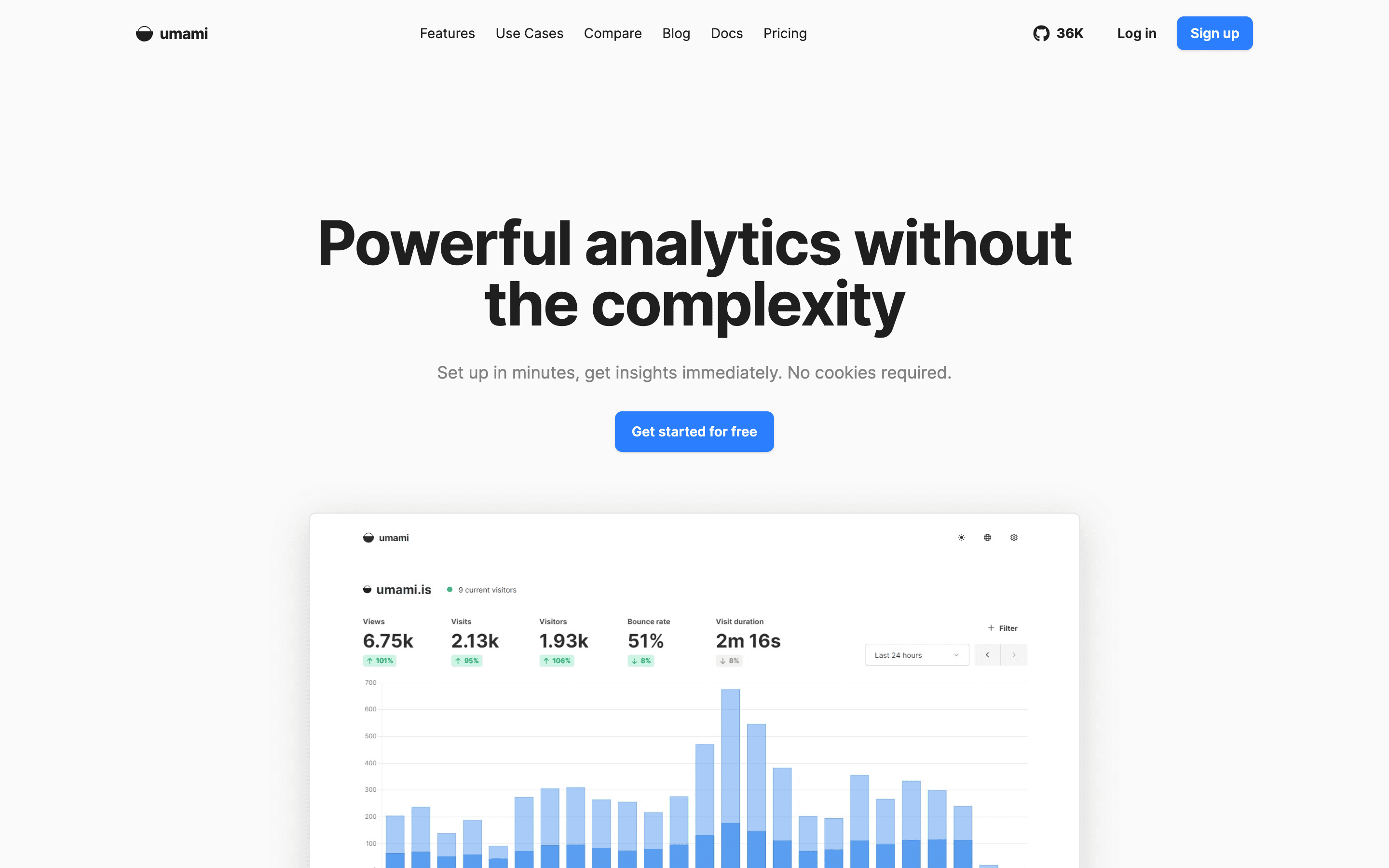
Umami is a web analytics tool built around the idea that you shouldn't need cookies or a consent banner to know how your site is doing. It runs as open-source software (MIT license) that you can self-host for free, or as a hosted product called Umami Cloud that you pay for by the event.
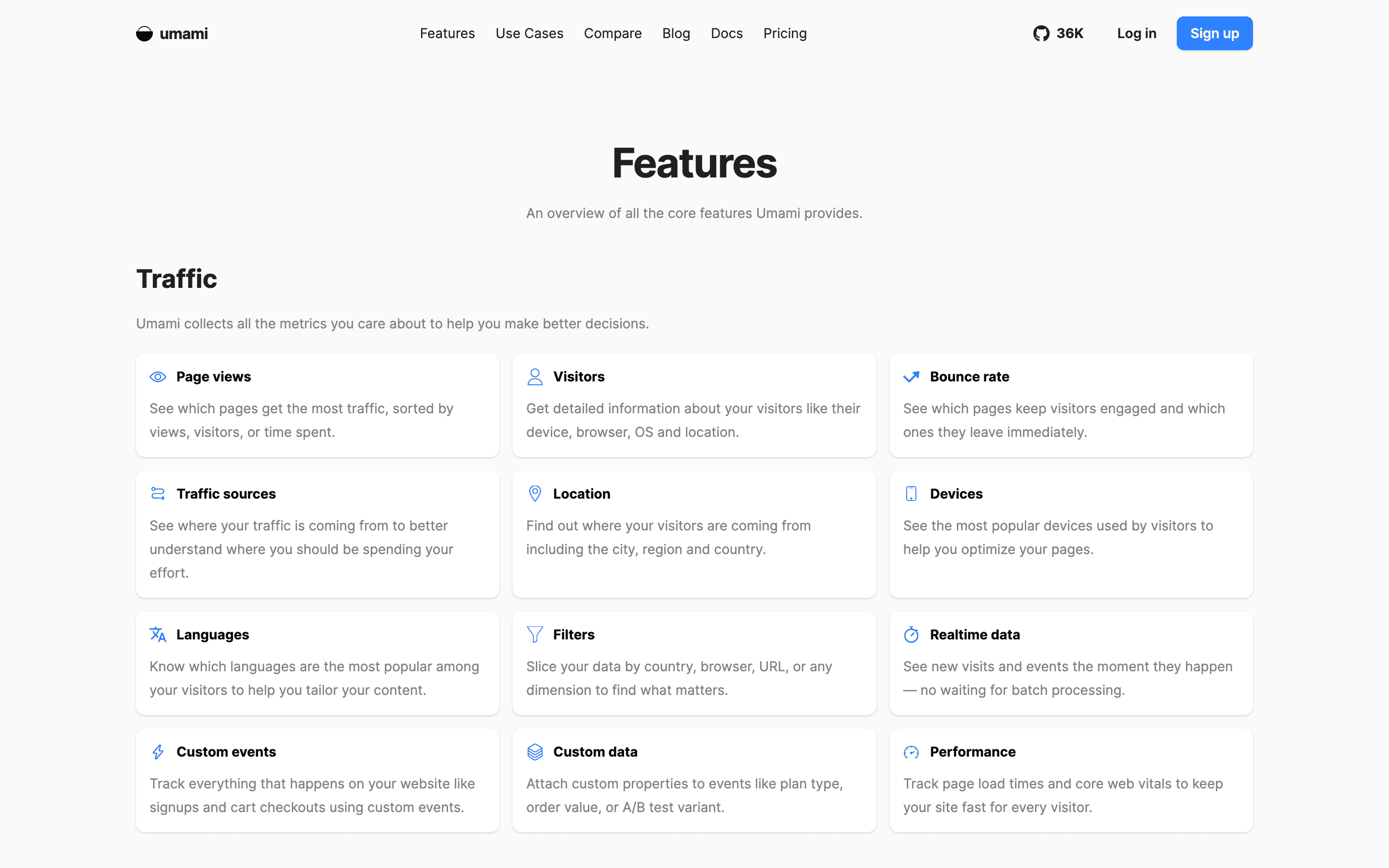
Beyond the core traffic dashboard, it covers custom events, funnels, user retention and cohorts, UTM and channel attribution, revenue tracking tied to events, and, since version 3, session replay and heatmaps on the higher cloud tiers. Umami v3 also added Boards for building custom dashboards plus Links and Pixels for tracking clicks and email opens outside your own site.
Umami screenshots
Who it's for
- ✓ Founders and small teams who want GDPR-friendly analytics without a cookie banner
- ✓ Developers comfortable self-hosting who want zero licensing cost and full data ownership
- ✓ Sites with modest, predictable traffic that fit inside the free or Pro event allowance
Who should look elsewhere
- ✗ Teams that want session replay and heatmaps without paying for the $200/month Business tier
- ✗ High-traffic sites that will blow past the Pro plan's 1 million events and land in the $20 to $200 pricing gap
- ✗ Anyone who wants a flat, predictable bill instead of per-event overage charges
Pros
- + Genuinely free self-hosted option with no feature gating on the core analytics
- + No cookies and no consent banner needed, since Umami doesn't collect personal data
- + Data export is built in, so you're not locked into Umami Cloud
- + Fast release cadence, v3.2.0 shipped heatmaps and better session replay within weeks of v3.1.0
Cons
- – Big price jump between Pro ($20/month, 1M events) and Business ($200/month, 10M events) with nothing in between
- – Session replays and heatmaps are locked to the Business tier, not available on Pro
- – Cloud free tier caps out at 1 website, so testing more than one site means paying or self-hosting
- – Self-hosting means you're running your own Postgres database and handling upgrades yourself
Umami pricing
What you pay for
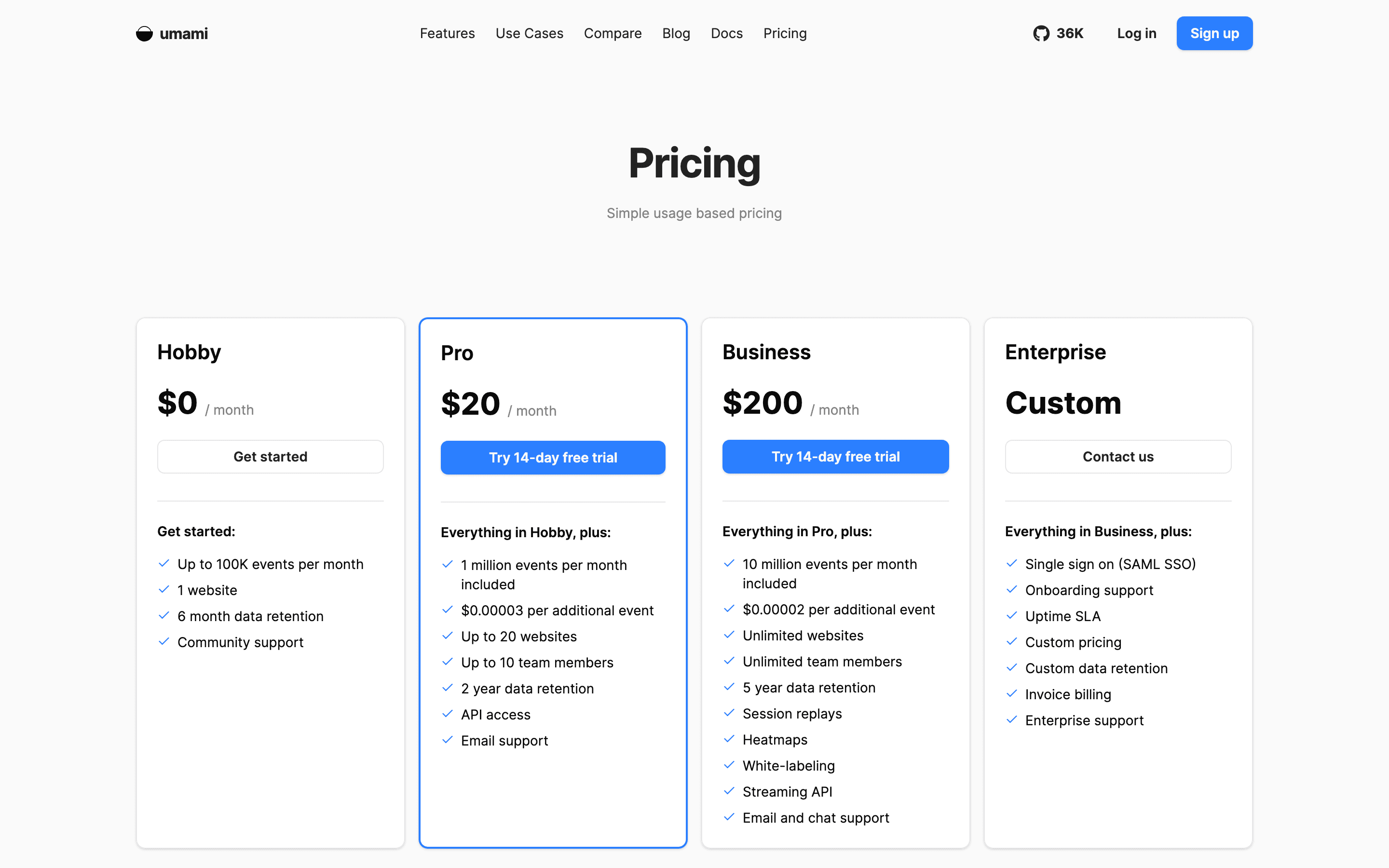
You pay Umami by the event once you outgrow the free Hobby plan, not by seat or by website. Pro starts at $20/month for 1 million events and Business jumps to $200/month for 10 million, with per-event overage charges past each included amount. Everything above Enterprise is listed in plain dollar amounts on the pricing page, so pricing is fully disclosed except for Enterprise, which is quote-only.
At about $20/month to start, it sits mid-pack on price in Web & Privacy Analytics.
| Plan | Price | Highlights |
|---|---|---|
| Hobby | Free | 100K events per month · 1 website · 6-month data retention · Community support |
| Pro | $20/mo | 1 million events per month included, $0.00003 per extra event · Up to 20 websites · Up to 10 team members · 2-year data retention · API access · Email support |
| Business | $200/mo | 10 million events per month included, $0.00002 per extra event · Unlimited websites and team members · 5-year data retention · Session replays and heatmaps, 5,000 replays included, $0.005 per extra replay · White-labeling · Streaming API · Email and chat support |
| Enterprise | Custom | SAML SSO · Onboarding support · Uptime SLA · Custom data retention · Invoice billing · Enterprise support |
Umami Cloud bills monthly, usage-based on events (a pageview or a stored custom event/property each count as one event). It's a flat plan fee plus overage, not per seat. Self-hosting the open-source software is free forever, you just cover your own server. Enterprise is quote-only, so no listed price.
Pricing verified July 22, 2026 · source
How Umami's pricing compares
Umami next to its closest alternatives on entry price, billing, and whether pricing is public.
| Tool | Starting price | Billing | Free option | Pricing disclosed |
|---|---|---|---|---|
| Umami | $20/mo | usage-based | Yes | Partly public |
| Google Analytics | Free tier + custom | quote-only | Yes | Not disclosed |
| Plausible | $9/mo | usage-based | Trial (30 days, no credit card required (trial includes full Business plan features)) | Partly public |
| Fathom Analytics | $15/mo | usage-based | Trial (7 days) | Partly public |
| Matomo | $26/mo | tiered | Yes | Partly public |
| Simple Analytics | $20/mo | usage-based | Yes | Partly public |
Is Umami still actively developed?
Last significant update: June 2026. Umami v3.2.0 added heatmaps as a full website report, improved session replay filtering and playback, richer event/session property reporting, and split out revenue reporting into faster, more focused views.
Top Umami alternatives
Umami FAQ
Is Umami free?+
Yes. You can self-host the open-source version for free with no feature limits beyond your own server capacity, or use the Hobby plan on Umami Cloud for free up to 100,000 events a month on 1 website.
How does Umami charge for usage?+
Umami Cloud bills monthly based on events, where a pageview counts as one event and each stored custom event or event property also counts as one. Pro includes 1 million events for $20/month, Business includes 10 million for $200/month, and you pay a small per-event rate for anything over your plan's limit.
Do I need a cookie banner with Umami?+
No. Umami doesn't use cookies or collect personally identifiable information, so it's GDPR and CCPA compliant without a consent banner.
What's new in the latest release?+
Version 3.2.0, released June 24, 2026, added heatmaps as a first-class report, improved session replay reliability and filtering, richer event and session property reporting, and split revenue reporting into faster dedicated views.