Vimcal Review
A fast calendar app for people who live in back-to-back meetings
Is this your product? Claim this page · Request a change
Looking for a Vimcal alternative? See our ranked comparison.→What is Vimcal?
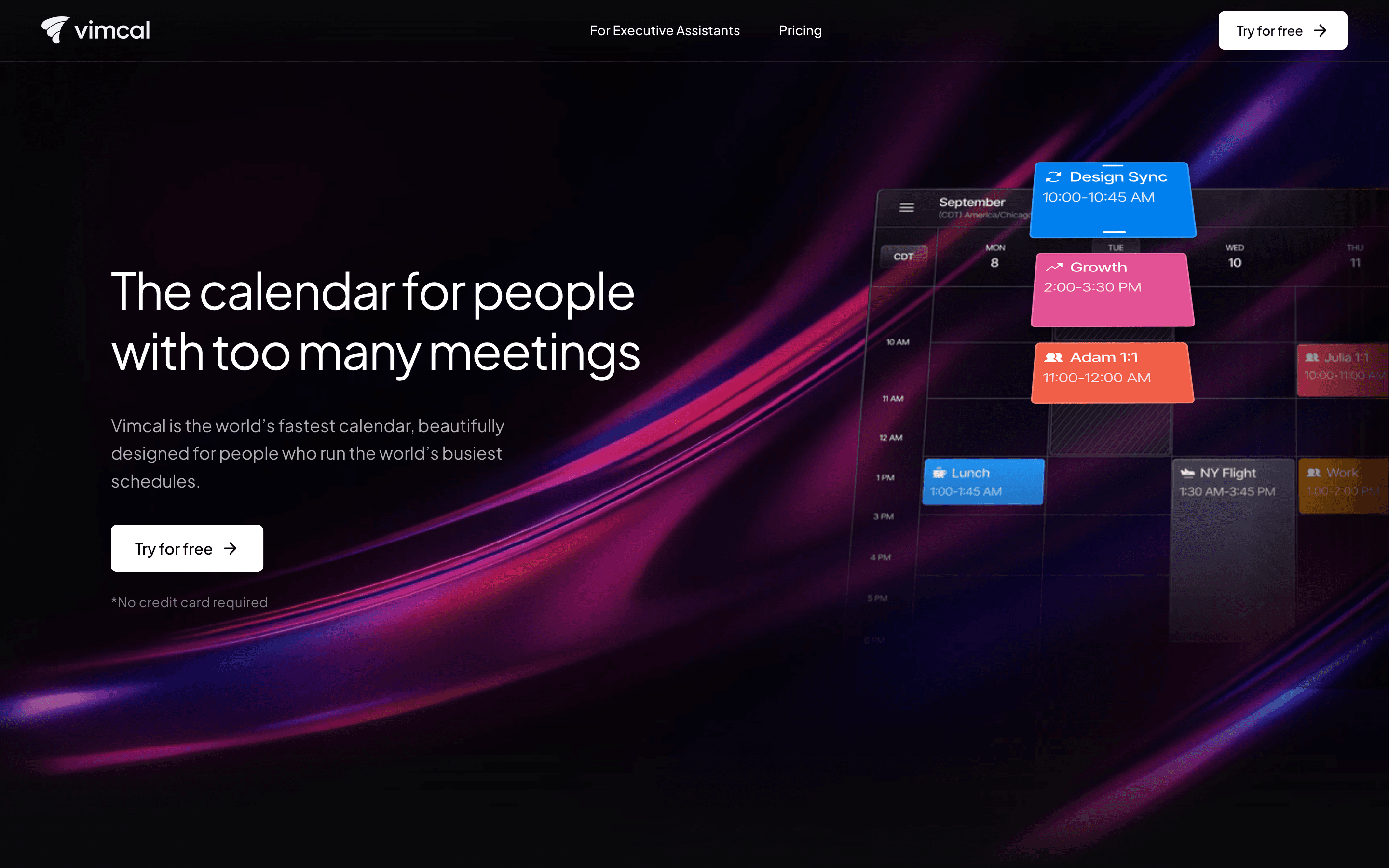
Vimcal is a calendar app built for people whose day is a wall of back-to-back meetings: founders, sales reps, VCs, and the executive assistants who manage their calendars. It layers on top of Google Calendar and Outlook rather than replacing them, and leans hard on speed: quick keyboard shortcuts, fast event creation, and a UI meant to respond instantly.
The core product covers scheduling, timezone handling for people juggling multiple locations, booking links, and a unified view across several calendar accounts. Vimcal EA is a separate, pricier tier built specifically for executive assistants, with tools for auto-managing holds, tracking sent availability, and running calendar audits for the people they support.
Vimcal screenshots
Who it's for
- ✓ Founders, execs, and sales reps who take calls across many timezones and want a calendar that feels instant
- ✓ Executive assistants managing someone else's calendar full time, via the Vimcal EA tier
Who should look elsewhere
- ✗ Teams that live on Apple Calendar and don't use Google or Outlook as the source calendar
- ✗ Budget-conscious individuals who just need basic booking links, not a full calendar replacement
Pros
- + Built for speed, with keyboard shortcuts and a near-instant interface for creating and editing events
- + Strong timezone tools for coordinating across several locations at once
- + Vimcal EA has features purpose-built for executive assistants, like auto-created and self-deleting calendar holds
- + Free trial with no credit card required
Cons
- – Standard tier is $20/seat/month, more expensive than most consumer calendar apps
- – No native Apple Calendar support, only Google (and Outlook), which has caused some users to cancel
- – Vimcal EA at $75/seat/month is a big step up from Standard
- – Enterprise pricing is quote-only, so larger teams can't see costs upfront
Vimcal pricing
At about $20/month to start, it sits at the higher end of Meeting Scheduling pricing.
| Plan | Price | Highlights |
|---|---|---|
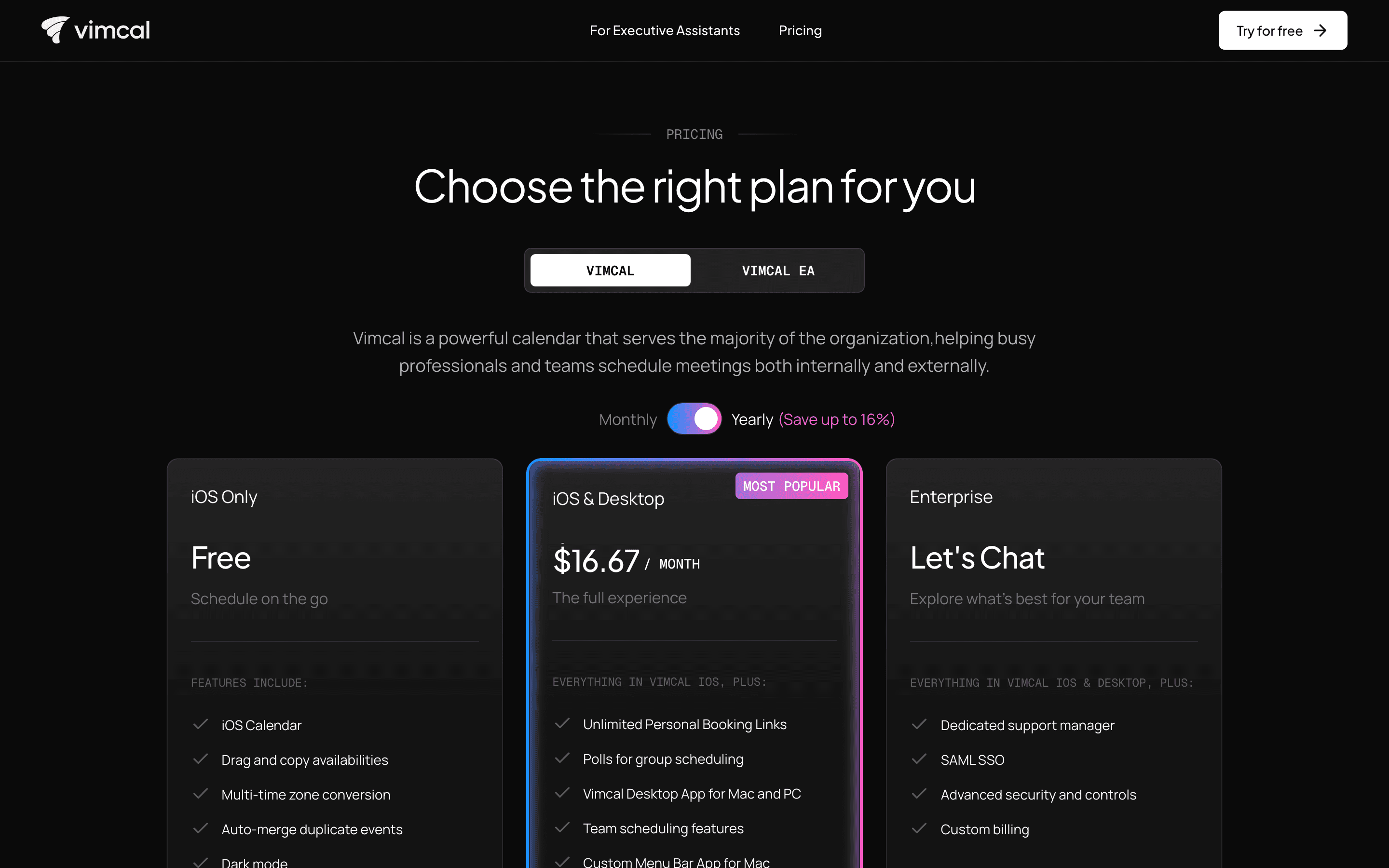
| Free | Free | iOS app only · Drag and copy availabilities · Multi-timezone conversion · Auto-merges duplicate events · Dark mode |
| Standard | $20/seat/mo | iOS and desktop (Mac/PC) · Unlimited personal booking links · Group polling · Team scheduling · Removes Vimcal signature from invites |
| Vimcal EA | $75/seat/mo | Built for executive assistants · 5 simultaneous timezones · Auto-created and auto-deleted calendar holds · Time slot history and calendar audits · Weekly metrics · 1-on-1 onboarding |
| Enterprise | Custom | Everything in Standard or EA · Dedicated support manager · SAML SSO · Advanced security controls · Custom billing |
Standard is $20/seat/month billed monthly or $16.67/seat/month ($200/year) billed annually. Vimcal EA is $75/seat/month billed monthly or $62.50/seat/month ($750/year) billed annually. Enterprise is quote-only for both product lines. Prices from the vendor pricing page.
Pricing verified July 7, 2026 · source
How Vimcal's pricing compares
Vimcal next to its closest alternatives on entry price, billing, and whether pricing is public.
| Tool | Starting price | Billing | Free option | Pricing disclosed |
|---|---|---|---|---|
| Vimcal | $20/seat/mo | per-seat | Yes | Partly public |
| Calendly | $10/seat/mo | per-seat | Yes | Partly public |
| Cal.com | $12/seat/mo | per-seat | Yes | Partly public |
| SavvyCal | $10/seat/mo | per-seat | Yes | Public |
| Reclaim | $10/seat/mo | per-seat | Yes | Public |
| Motion | $29/seat/mo | per-seat | Trial (Free trial on paid plans (exact length not disclosed on the pricing page)) | Public |
| Chili Piper | Custom / quote | quote-only | No | Partly public |
Is Vimcal still actively developed?
Last significant update: June 2026. Vimcal shipped iOS app version 1.0.274, part of a steady run of small performance updates through mid-2026.
Top Vimcal alternatives
Further reading
- What meeting scheduling software costs in 2026 - Most meeting schedulers run $10 to $20 per user per month, and Calendly, Cal.com, Reclaim, and Vimcal have real free tiers. Here is what each plan costs.
Vimcal FAQ
Is Vimcal free?+
There's a free tier, but it's iOS-only and limited to basics like drag-and-copy availabilities and timezone conversion. Desktop access, booking links, and team scheduling require the paid Standard plan.
How much does Vimcal cost?+
The Standard plan is $20/seat/month billed monthly, or $200/year if billed annually. Vimcal EA, the tier built for executive assistants, is $75/seat/month monthly or $750/year annually.
Does Vimcal work with Apple Calendar?+
No. Vimcal currently connects to Google Calendar and Outlook, not native Apple Calendar accounts. Some users have canceled specifically because of this gap.
What's the difference between Vimcal and Vimcal EA?+
Vimcal is the core product for individuals managing their own calendar. Vimcal EA is a separate, pricier tier built for executive assistants managing someone else's calendar, with extras like auto-managed holds, calendar audits, and weekly metrics.